Help Center
Answers to the questions people ask most about making, exporting and paying for map animations.
Frequently asked questions
What is Animaps and do I need to install anything?
Animaps is a web app for making animated map videos. You describe the animation in plain language or build it step by step, watch it play live in your browser, then export it as a video file. Everything runs in a modern browser — there is nothing to download or install.
How do I create my first map animation?
Write what you want to see, for example 'fly to Tokyo, then highlight Japan'. Animaps turns that into a draft animation you can play right away. From there you refine each step — camera moves, borders, labels, icons, timing — and export when it looks right.
Can I edit what the AI generates?
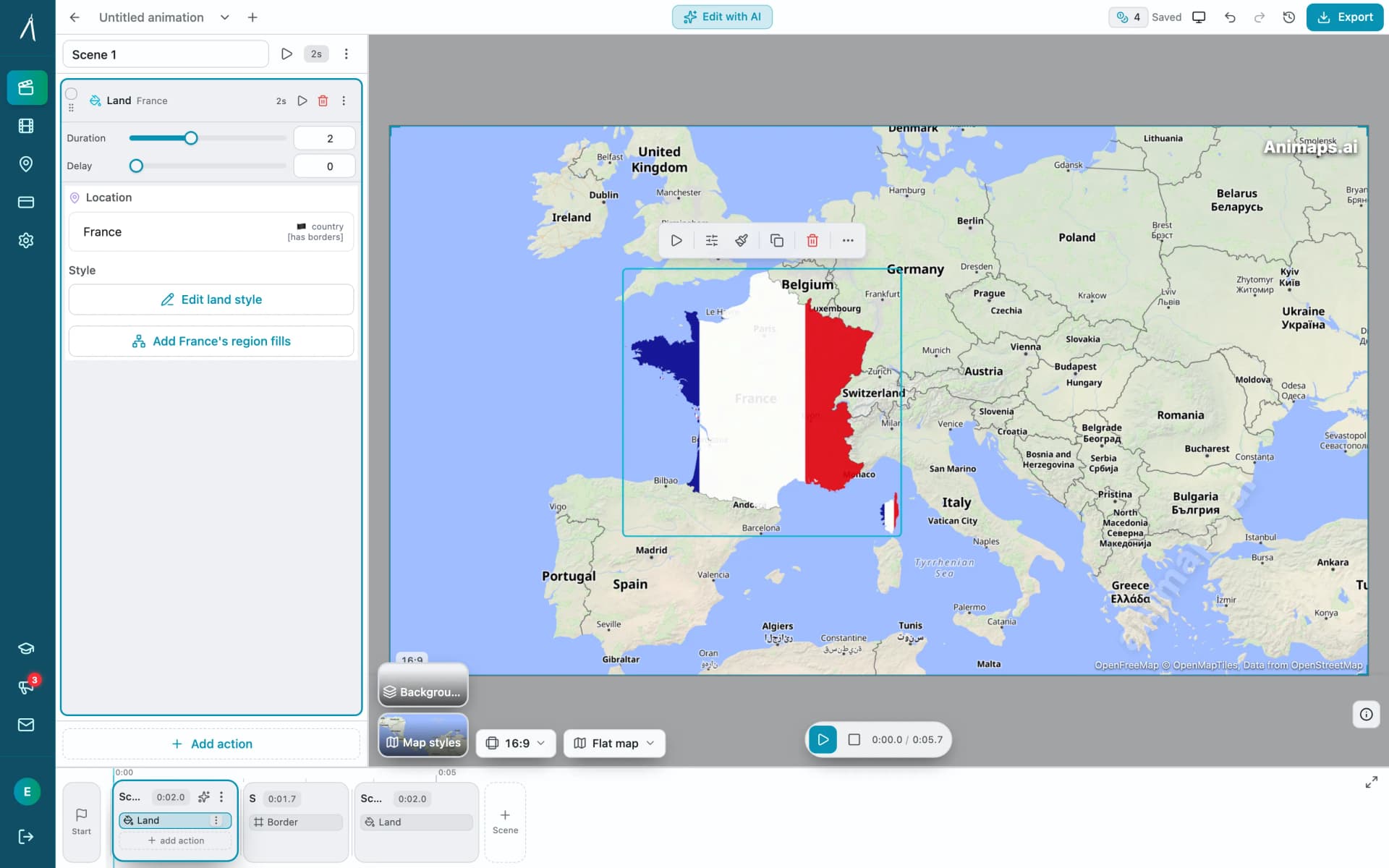
Yes. Every animation the AI produces opens in the step editor, where you can reorder, retime, delete or add steps and change the camera target of any of them. You can also build an animation entirely by hand without using a prompt.
What file formats can I export?
MP4 video, and GIF for short animations up to 6 seconds. Video exports run at 30 or 60 FPS on every plan, Free included. 60 FPS costs twice the credits.
Which video resolutions are available?
720p, 1080p and 1440p. Every plan exports 720p and 1080p at the base price. Pro includes 1440p. On other plans, 1440p costs extra credits in proportion to the animation's length (roughly +80% of the duration base).
When am I charged credits, and how many?
When you use the AI and when you export. Making, previewing and editing an animation by hand never costs a credit. Each AI prompt costs 2 credits, for a new animation or, on Starter and Pro, a change, and is refunded automatically if the AI delivers nothing. An export costs by duration: 2 credits up to 20 seconds, 4 up to 40 seconds and 6 up to 60 seconds, then 2 more credits per started 20 seconds, plus small add-ons for step count, 3D buildings and resolution. Exporting at 60 FPS costs 2x the 30 FPS price.
How long can a single animation be?
Up to 30 seconds on the Free plan, 45 seconds on Starter and 60 seconds on Pro. An animation can hold up to 150 steps on every plan.
Is there a free plan?
Yes. The Free plan gives you 12 credits a month, exports at 1080p with an Animaps watermark, up to 6 renders a month, and access to the 3D globe view and four free map styles.
Do exported videos carry a watermark?
Free-plan exports carry a small Animaps watermark; every paid plan renders without it. Separately, all exports keep a small map-data attribution in the corner. That one is required by the map providers' licenses and stays on every plan.
Which map styles do I get?
Every account, including Free, gets four free map styles and the 3D globe view. Starter and Pro unlock 20+ premium styles — night maps, terrain, watercolor and more — plus community map sources. Pro adds thirteen Pro-exclusive styles on top.
How do I get support?
Use the contact form on the Animaps site. Starter and Pro plans include email support, and Pro adds priority support.
Go deeper
- Step-by-step walkthrough: how to create a map animation
- Writing better prompts: the AI map prompt guide
- Editing by hand: the manual map editor
- Plans, credits and billing: pricing
- Tutorials and workflows: the Animaps blog
Still stuck? Reach the team through the contact page.
