Animaps vs Kepler.gl: Explore Location Data or Make Map Videos?
Kepler.gl is a free, open source tool for exploring large location datasets; Animaps makes map videos with borders, fills, labels and routes. Data import, video export, price and who each suits. Verified October 2026.
Animaps Team
Content Creator
Comparison verified October 2026. Both products change from time to time. Check each site before you decide.
TL;DR
Short version: Kepler.gl is a free, open source tool for exploring large location datasets in the browser. You load a CSV, GeoJSON or other file, build layers such as points, arcs, hexbins, heatmaps and trips, filter the data, and play it back over time. It can also record a short video of the map. Animaps is a map animation studio. It makes finished MP4 videos with borders, fills, labels, routes and historical maps, from a text prompt or by hand. If you need to analyse a dataset with thousands or millions of rows, Kepler.gl is the better tool. If you need a narrated map video for YouTube or a lesson, Animaps fits better.
Quick links:
- Map animation maker hub: Create animated maps online
- Comparison hub: Map animation maker alternatives
- Examples: Map animation examples gallery
Key differences:
- Built for: Animaps: map videos for creators | Kepler.gl: geospatial data analysis
- Price: Animaps: free plan, paid from $9.90 per month | Kepler.gl: free, MIT license
- Your data: Animaps: GeoJSON geometry from Starter | Kepler.gl: CSV, GeoJSON, KML, GPX, Shapefile, Excel, GeoArrow and more
- Video export: Animaps: MP4 up to 60 seconds, or GIF | Kepler.gl: WebM, GIF or image sequence, up to 10 seconds
- Shapes: Animaps: 16:9, 9:16 and 1:1 | Kepler.gl video: 16:9 and 4:3
These two tools are often named side by side, but they answer different questions. Kepler.gl helps you find what is in your data. Animaps helps you tell a story with a map.
Quick Comparison
Swipe sideways to see the whole table.
| Factor | Animaps | Kepler.gl |
|---|---|---|
| What it is | Map animation studio in the browser | Open source web app for large-scale location data |
| Price | Free plan; Starter $9.90/mo, Pro $19.90/mo | Free (MIT license) |
| How you build | Text prompt to editable steps, or steps by hand | Upload data, add layers and filters |
| Data volume | Places, borders and routes from its own database | "Millions of points representing thousands of trips" (its README) |
| Data import | GeoJSON geometry (Starter and Pro) | CSV, GeoJSON, KML, GPX, TCX, Shapefile, Excel, FlatGeobuf, GeoArrow |
| Time playback | Timed steps and scenes | Time filter with a playback bar, 1x, 2x or 4x speed |
| Video export | MP4 or GIF, 30 or 60 FPS | WebM, GIF, PNG or JPEG sequence |
| Video length | Up to 30, 45 or 60 seconds by plan | 0.1 to 10 seconds per recording |
| Top resolution | 1440p (included on Pro) | 1080p at 16:9, 1440p at 4:3 |
| Other exports | None besides video and GIF | Image, CSV, HTML map, JSON map |
| Borders and labels | Border trace and pulse, land fills, labels, history timelapses | Polygon and GeoJSON layers styled by your data |
What Each Tool Is For
Kepler.gl describes itself as "a data-agnostic, high-performance web-based application for visual exploration of large-scale geolocation data sets." Its user guide says it is "designed for geospatial data analysis." It is built on MapLibre GL and deck.gl. You can use the demo app on its website, embed it as a React component in your own app, or run it in a Jupyter notebook.
You start by adding data. Then you build layers: Point, Arc, Line, Grid, Polygon, Cluster, Icon, Hexbin, Heatmap, H3, Trip, S2 and more. You can stack layers, color them by a column, filter by a value, or draw a shape on the map to filter by area. If your data has timestamps, a playback bar lets you watch events appear over time.
Kepler.gl is a client-side app. Its docs say: "Data lives only in your machine/browser. No information or maps is sent back up to our server." For sensitive data, that is a real plus.
Animaps is a map animation studio. You describe what you want in plain English, for example "fly to Japan, trace its border, then label Tokyo and Osaka," and it returns a list of steps. Each step has a live preview, and you can change its timing, target, color or camera angle. You can also build every step by hand. Its site lists 23 animation types: camera moves, border tracing, land fills, labels, text, icons and 3D models, road, air, sea and rail routes, and historical border timelapses for 5,500+ empires, states and countries.
The simple way to say it: Kepler.gl starts from your dataset. Animaps starts from the story you want to tell.
Pricing Side by Side
Kepler.gl is free. It is open source under the MIT license. There is no plan, no credit system and no watermark. If you embed it in your own app, you pay only for your own hosting.
Animaps
Swipe sideways to see the whole table.
| Plan | Price | What you get |
|---|---|---|
| Free | $0 | 12 credits per month (up to 6 animations), 1080p, watermarked, 30 second maximum, 4 AI prompts per month |
| Starter | $9.90 per month, $99 a year | 120 credits per month (up to 60 animations), 1080p, no watermark, 45 second maximum, GeoJSON import, sound effects and music |
| Pro | $19.90 per month, $199 a year | 250 credits per month (up to 125 animations), 1440p included, 60 second maximum, image import, 3D terrain and buildings, priority support |
Each AI prompt costs 2 credits on every Animaps plan. Editing and preview by hand are free and unlimited. Credits go to AI prompts and exports.
On price alone, Kepler.gl wins. You pay for Animaps when you want a finished video without building it from data yourself.
Data and Analysis
This is Kepler.gl's home ground, and Animaps does not try to compete here.
File types. Kepler.gl reads CSV, GeoJSON, GeoJSONL, KML, GPX, TCX, Shapefile, zip archives, Excel, FlatGeobuf, GeoArrow and its own JSON format. You can also load a file from a URL. Its docs say there is no limit on the number of datasets, though too many can slow it down.
Scale. Its README says it "can render millions of points representing thousands of trips and perform spatial aggregations on the fly." Hexbin, grid, H3 and heatmap layers turn raw points into patterns you can read.
Exploration. You filter by any column, brush and hover to see values, and compare maps side by side. You can export the filtered rows as CSV, or the whole map as an HTML file or a JSON file to load back later.
Animaps works the other way round. It brings its own database of places, borders and routes, so you do not need a dataset at all. Its Atlas overlays add ready-made data layers such as time zones, tectonic plates and earthquakes. You can import GeoJSON geometry on Starter and Pro. But it has no CSV import, no aggregation layers and no filters by column. If your work starts with a spreadsheet of 200,000 rows, use Kepler.gl.
Export and Video
Kepler.gl added a video export to its demo app. Its docs list the options:
- Length from 0.1 seconds up to 10 seconds.
- Camera presets: none, orbit (90°, 180° or 360°), zoom in or zoom out.
- File types: WebM video (the default), GIF, PNG sequence or JPEG sequence.
- Shapes: 16:9 up to 1080p, or 4:3 up to 1440p.
Time filters and trip layers animate during the recording. The docs also warn that combining globe view, split maps, video export and effects "has limited support" for now. There is no MP4 option and no vertical 9:16 shape, so a clip for TikTok or YouTube Shorts needs a converter and a crop.
Kepler.gl can also export a still image with a legend, which works well in a report.
Animaps exports MP4 or GIF at 30 or 60 FPS, in 16:9, 9:16 or 1:1. Exports are 1080p on every plan, and 1440p is included on Pro. Each animation can run 30, 45 or 60 seconds depending on the plan, and GIFs are capped at 6 seconds. The video is the product, so the camera moves, labels and fills are planned as a sequence rather than recorded from a live view.
If you want a 10-second loop of your data for a slide, Kepler.gl does it for free. If you want a 45-second map sequence ready to drop into a YouTube edit, Animaps is the more direct path.
Maps That Explain
Kepler.gl colors shapes by your data. It does not have built-in animations for tracing one border, filling a country with a flag, or placing a label at the right second.
Animaps covers those directly. You can trace or pulse a border, fill a country with a color or a flag, add labels and text, place icons and 3D models, follow a route with the camera, and play back how borders changed over time. Scenes let several of these run at the same time, for example fly to a country while its border traces and a label appears.
So ask what your audience needs to see. A pattern in many data points points to Kepler.gl. One place, one route or one change in history points to Animaps.
Usage Rules
Kepler.gl is under the MIT license, which allows commercial use. Its exported HTML map asks for your own Mapbox token. If you skip it, the docs warn that the default token "can expire at anytime" and break the map.
Animaps puts a watermark on free plan exports. Starter and Pro remove it. Its pricing page states that map-data attribution appears on all exports, including paid plans, and cannot be removed.
Who Should Choose Which
Choose Kepler.gl if
You start from a dataset and want to understand it.
You have a lot of data. Millions of points, trips or events, with aggregation on the fly.
You need analysis tools. Filters, hexbins, heatmaps, H3 and time playback.
You want it free and open source. MIT license, with a free demo app on its website.
Your data must stay on your machine. It runs on the client side and does not send data to a server.
You build your own app. Embed it as a React component or use it in Jupyter.
Choose Animaps if
You start from a story and want a finished video.
You need a narrated map video. MP4 up to 60 seconds, ready for YouTube, Shorts, TikTok or a lesson.
You need borders, fills and labels. Highlight a country, trace a border, label cities, and time each step.
You make history or geography content. Border timelapses for 5,500+ empires, states and countries.
You want to start from a description. Write the sequence in plain English and edit the steps it returns.
You need vertical or square video. 9:16 and 1:1 from the same project.
Use Both
The two tools can work together. Use Kepler.gl to find the pattern in your data, export a still image or a short loop for a report, then make the explainer video in Animaps around the places that matter.
FAQ
Is Kepler.gl free? Yes. It is open source under the MIT license, and the demo app on its website is free to use.
Can Kepler.gl export a video? Yes. Its demo app records WebM, GIF, PNG sequence or JPEG sequence, from 0.1 to 10 seconds long, in 16:9 or 4:3.
Does Kepler.gl export MP4? Its docs do not list MP4. The default video format is WebM, which most editors can convert.
Does Kepler.gl upload my data? Its docs say no: it is a client-side app and data stays in your browser.
Can I import a CSV into Animaps? No. Animaps imports GeoJSON geometry on Starter and Pro. Kepler.gl imports CSV, Excel and many GIS formats.
Is Animaps a data analysis tool? No. It is a map animation tool. It has ready-made data overlays, but no filters or aggregation layers.
The Bottom Line
Kepler.gl is the better pick for exploring location data. It is free, open source, handles very large datasets, and has the analysis tools that Animaps does not.
Animaps is the better pick when the result is a video: borders, regions, labels, history and routes together, built from a prompt and edited step by step.
Ask what you start with. A dataset points to Kepler.gl. A story points to Animaps.
Sources checked on 2026-10-17
- Kepler.gl on GitHub: what it is, MapLibre GL and deck.gl, scale claim, MIT license, React and Jupyter use.
- Kepler.gl user guides and Get Started: purpose, layers, filters, workflow.
- Add data to the map: supported file types, client-side data.
- Playback: time filter, playback speed, window modes.
- Save and export: image, CSV, HTML and JSON export, video length, formats, shapes and resolutions, Mapbox token.
- Animaps pricing and Animaps features: plans, credits, resolutions, AI prompt cost, animation types.
Related Articles:
Keywords: kepler.gl alternative, animaps vs kepler.gl, kepler.gl video export, is kepler.gl free, geospatial data visualization, animated data map, map animation tool comparison
Tags
Related reading
Animaps vs Flourish: Interactive Data Maps or Map Videos?
Flourish, owned by Canva, has 50+ templates including choropleth maps, 3D globes and animated 3D maps, and a free plan for public work. Its maps are built to be explored on a web page; video export works from stories only and is a premium feature the Flourish team turns on. Animaps exports MP4 map videos on every plan, with borders, fills, labels, routes and historical maps. A web page points to Flourish; a video points to Animaps.
Animaps vs Google Earth Studio: Realistic Flyovers or Explainer Maps?
Google Earth Studio is free and has the most realistic 3D imagery among the tools we compare, but you request access, it runs only in desktop Chrome, local renders are image sequences, and Google offers no commercial licence for the imagery. Animaps has open sign-up and exports a finished MP4 with borders, fills, labels and routes already in it. Pick Earth Studio for realistic flyovers, Animaps when the map has to explain something.
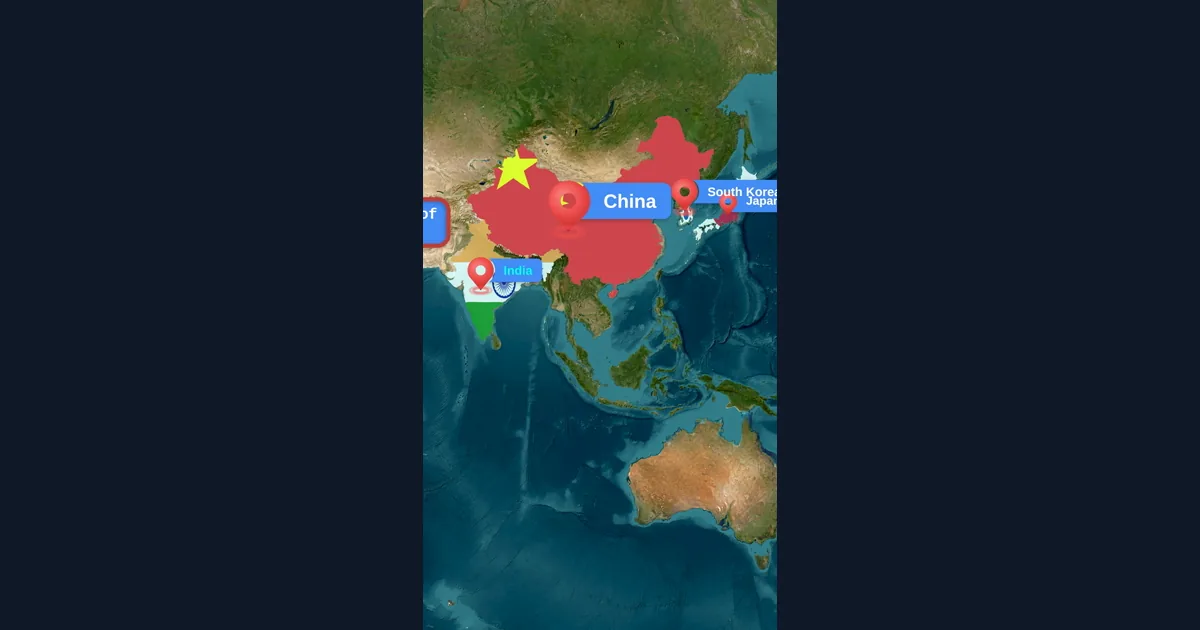
Map Animation Tips for Journalists and News Creators
In today's fast-paced news environment, visual storytelling is more important than ever. Map animations help journalists explain where events are happening, show migration patterns, track conflicts, and make global news more accessible to audiences.
Browse every article in the Animaps blog.
