After Effects for Map Animations: Is the 150-Hour Learning Curve Worth It?
Where the 150 hours actually go: 20-30 on the interface, 30-40 on keyframes, 40-60 on map-specific work, plus the first-year cost totalled in dollars and hours.
Preview & Editor advantage
Draft with AI prompts or templates, then refine every animation step in real time (zoom, opacity, border width, colors, bearing, tilt). Credits are used only when you render the final video.
Animaps Team
Content Creator
After Effects for Map Animations: Is the 150-Hour Learning Curve Worth It?
Last updated: August 10, 2026
TL;DR
This article is the invoice. It opens up the 150 hours line by line — how many go to the interface, how many to keyframes, how many to the map-specific work nobody warns you about — and adds up what the first year costs in money and in hours you will not get back. If you have already decided to learn After Effects and want to know what you signed up for, you are in the right place.
Looking for the decision itself? Should content creators learn After Effects in 2026? is the seven-question self-assessment: you score yourself, and it tells you which of four paths fits. This article assumes the decision and prices it.
For most creators: The 150+ hour learning curve for After Effects isn't worth it if you only need map animations. Specialized tools like Animaps create professional map animations in 60-90 seconds with zero learning curve. After Effects makes sense only if you're building a motion design career requiring diverse animation work.
Cost breakdown:
- After Effects: 150+ hours learning, $300+/year, 45-75 min per animation
- Specialized tools: 0-30 min learning, $0-19/month, 60-90 sec per animation
- First-year total: After Effects: $5,500+ (including learning time) | Specialized: $0-228
Decision: If 80%+ of your animation work is maps, specialized tools provide better ROI. If you need diverse motion graphics, After Effects may justify the investment.
Related reading:
- Map animation maker hub: Create animated maps online
- Travel route animations: How to create travel route animations
- Comparison hub: Map animation maker alternatives
You're considering After Effects for map animations. YouTube tutorials make it look doable. "Just follow these 15 steps!" they promise.
But here's what they don't tell you: most creators spend 150+ hours before they can create a simple map zoom confidently.
Is that investment worth it? Let's break down the real costs—time, money, and opportunity—so you can make an informed decision.
The Official Numbers (That Nobody Believes)
Adobe and industry experts share these timelines:
Best Case Scenario:
- 8 weeks full-time learning = 320 hours total
- Assumes 40 hours/week dedicated to learning
- Requires prior video editing experience
Typical Independent Learner:
- 150 hours to "get the most out of After Effects"
- Translates to 2-3 months at 2 hours/day
- Or 7 months at 5 hours/week for casual learners
Reality Check: These are optimistic estimates. They assume:
- ✅ You already understand keyframes and animation principles
- ✅ You're comfortable with layers and composition concepts
- ✅ You don't get frustrated and give up halfway through
- ✅ You practice consistently without long breaks
Most content creators learning After Effects specifically for map animations take longer because they're not interested in learning the entire program—just the map-specific features.
What That 150 Hours Actually Looks Like
Let's break down where your time actually goes:
Phase 1: Understanding the Interface (20-30 hours)
What you're learning:
- Workspace layouts and panels
- Timeline vs. composition vs. project panel
- Layer types and properties
- Basic navigation and shortcuts
- Preview and rendering basics
What experienced users say:
"The UI and workflow is pretty complex, requiring several hours just going through the basics before you understand how things work and how to troubleshoot problems."
Real-world challenge: Unlike user-friendly apps, After Effects doesn't hold your hand. Simple tasks like adding text require multiple steps that aren't intuitive without training.
Phase 2: Keyframe Animation Fundamentals (30-40 hours)
What you're learning:
- Setting keyframes for position, scale, rotation
- Understanding easing curves (ease in/out)
- Working with the graph editor
- Parent-child layer relationships
- Null objects for animation control
For map animations, this means:
- Learning how to animate camera movements smoothly
- Creating zoom effects that don't look "jumpy"
- Timing multiple elements to work together
- Making transitions feel natural
The frustration: You'll create dozens of practice animations before one looks professional. Each iteration takes time.
Phase 3: Map-Specific Skills (40-60 hours)
What you're learning:
- Importing and managing map tile imagery
- Working with geographic coordinates
- Setting up proper map projections
- Aligning multiple map layers at different zoom levels
- Color correcting satellite imagery
- Adding masks and feathers for smooth transitions
The GEOlayers Plugin Learning Curve: Even with the GEOlayers 3 plugin ($149-299), you need to learn:
- How to configure map data sources
- Layer management for multiple map tiles
- Camera animation within 3D space
- Optimizing render settings for map data
The hidden complexity: Google Maps uses globe projections. When zoomed out, map features don't align perfectly with zoomed-in flat projections. You manually compensate for this in every animation.
Phase 4: Polish and Professional Output (30-40 hours)
What you're learning:
- Color correction and grading
- Adding effects (noise, blur, adjustment layers)
- Rendering settings for different platforms
- Optimization for file size vs. quality
- Troubleshooting common errors
The reality: Your first 20 animations will look "okay." Getting to "professional" takes practice and refinement.
Phase 5: Problem-Solving and Troubleshooting (20-30 hours)
This is the hidden time sink:
- "Why won't my layer appear?"
- "How do I fix this flickering?"
- "Why is my render taking 4 hours?"
- "What does 'composition exceeds maximum dimensions' mean?"
What experienced users say:
"Many new users complain that the application is frustrating to learn without official training, with simple edits requiring several steps that can be difficult to master without step-by-step training guides."
Expect to spend significant time on forums, rewatching tutorials, and trial-and-error debugging.
The Real Cost Breakdown
Let's calculate what this investment actually costs you:
Direct Financial Costs
Software & Tools:
- Adobe Creative Cloud: $25/month minimum
- GEOlayers 3 plugin: $149-299 (one-time)
- Training courses (recommended): $100-500
- Year 1 Total: $549-1,099
Computer Requirements:
- After Effects demands high-end hardware
- Minimum: 16GB RAM, dedicated GPU, fast SSD
- Realistic: $800-$1,500 machine for smooth performance
- Hardware Investment: $800-$1,500 (if upgrading)
Time Investment Costs
Here's where it gets expensive:
Learning Time Value:
- 150 hours × $30/hour (conservative freelance rate)
- Time Cost: $4,500
Opportunity Cost: What else could you do with 150 hours?
- Create 75 YouTube videos (at 2 hours each)
- Write 30 blog posts
- Film an entire month of content
- Learn SEO, thumbnail design, or storytelling
- Actually grow your audience instead of learning software
First-Year Total Investment
Minimum scenario:
- Software/plugin: $549
- No hardware upgrade needed
- Self-taught (no courses)
- Time value: $4,500
- Total: $5,049
Realistic scenario:
- Software/plugin: $799
- Training courses: $300
- Hardware upgrade: $1,000
- Time value: $4,500
- Total: $6,599
That's equivalent to:
- Hiring a professional animator for 5-7 map animations
- A year of dedicated marketing budget
- Professional equipment upgrades (camera, lighting, audio)
What You Get for That Investment
Let's be balanced. After Effects IS powerful. Here's what you gain:
Unlimited Creative Control:
- Frame-by-frame precision
- Custom branded animations
- Integration with other Adobe tools
- Professional VFX capabilities
- Custom expressions and scripting
Professional Output Quality:
- Broadcast-standard animations
- Unlimited resolution
- Advanced color grading
- Complex compositing
Versatility Beyond Maps:
- Title sequences
- Lower thirds
- Motion graphics
- Visual effects
- Everything from logos to full productions
Career Skill:
- Marketable professional skill
- Client work opportunities
- Studio collaboration capability
The Critical Question: Do You Actually Need This?
Be ruthlessly honest with yourself:
You DON'T need After Effects if:
- ❌ You only need map animations (not full motion graphics)
- ❌ Your content volume demands speed over perfection
- ❌ You're creating for social media/YouTube (not broadcast TV)
- ❌ You don't have 150+ hours to invest in learning
- ❌ Your budget is limited (<$500/year for tools)
- ❌ You need to start creating content NOW, not in 3 months
- ❌ You just want to tell stories, not become a motion designer
You DO need After Effects if:
- ✅ You're building a career in motion design
- ✅ You need custom branded work for clients
- ✅ You create diverse animation types beyond maps
- ✅ You have time to invest in learning (150+ hours available)
- ✅ Your work requires unlimited creative control
- ✅ You're already in the Adobe ecosystem
- ✅ Budget allows for professional tools ($2,000+ year 1)
The Modern Alternative: Specialized Tools & AI
Here's why this article exists in 2026: You no longer need After Effects for professional map animations.
The Paradigm Shift
Old World (Pre-2024):
- Want map animations? → Learn After Effects (only option)
- Time: 150+ hours learning + 2-3 hours per animation
- Cost: $5,000+ first year
New World (2026):
- Want map animations? → Multiple specialized options
- Time: 0-2 hours learning + 1-15 minutes per animation
- Cost: $0-300/year
Option 1: Specialized Map Tools (15-minute learning curve)
Tools like Mapimator:
- Browser-based, no installation
- Pre-loaded geographic data
- Real-time preview
- 5-15 minutes per animation
- $9-30/month
Investment:
- Learning: 15-30 minutes
- First animation: 10 minutes
- Cost: $108-360/year
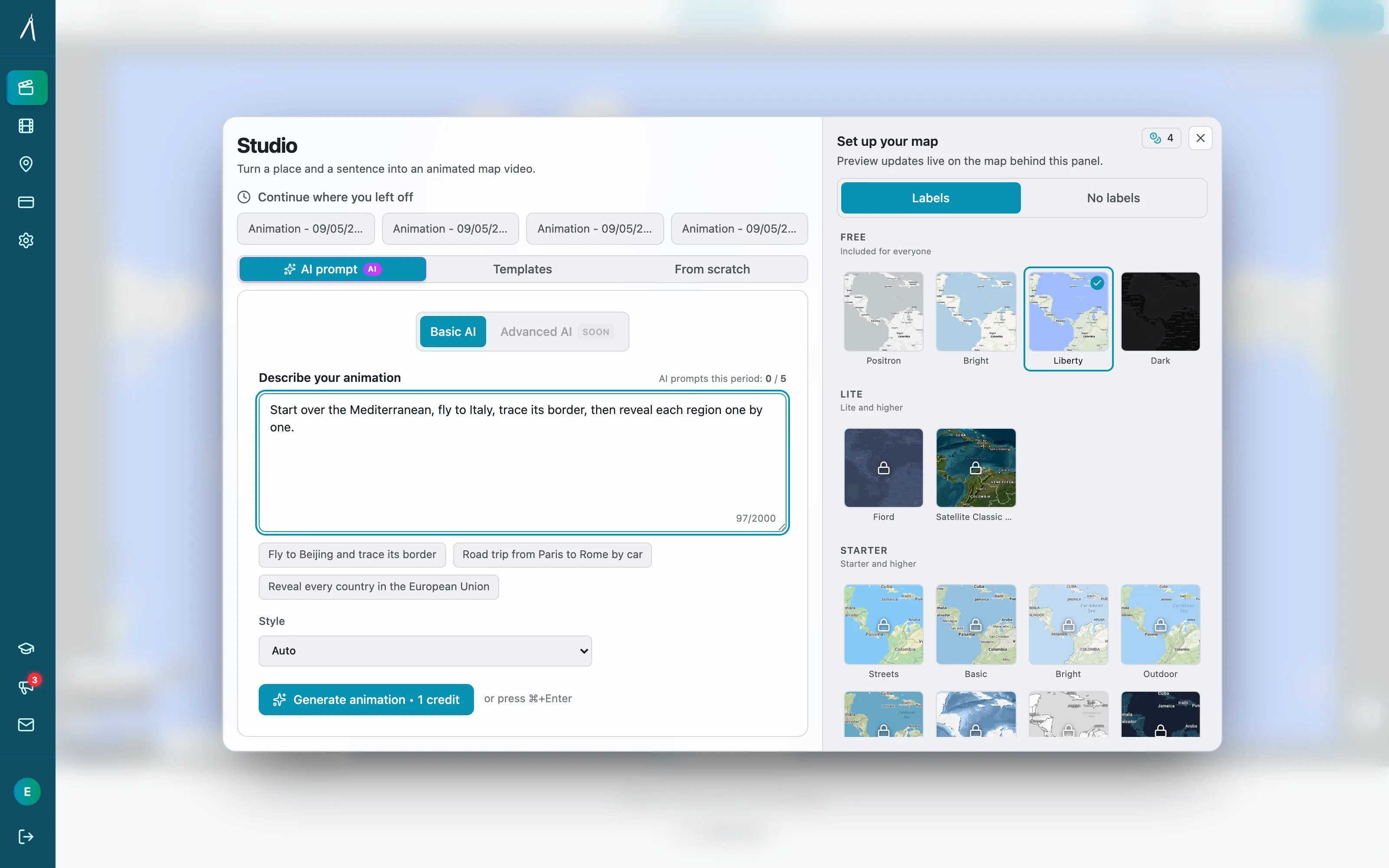
Option 2: AI-Powered Natural Language (Zero learning curve)
Tools like Animaps:
You type: "Show South America, trace Amazon River from Andes to Atlantic, highlight rainforest in green"
AI generates: Professional animation in 30 seconds
Investment:
- Learning: 0 minutes (if you can describe it, you can create it)
- First animation: 90 seconds
- Cost: $0-19/month (Free tier available)
What this means:
- No understanding keyframes required
- No layer management
- No color correction
- No 150-hour investment
- Just describe what you want
The Cost-Benefit Reality
For a travel vlogger creating 4 map animations/month:
After Effects Path:
- Year 1: $5,049 (including learning time)
- Years 2-5: $300/year software
- Time per animation: 45 minutes (after proficiency)
- 5-Year Total: $6,249 + 180 hours creating
Animaps Path:
- Year 1: $228 (Pro tier)
- Years 2-5: $228/year
- Time per animation: 90 seconds
- 5-Year Total: $1,140 + 3 hours creating
Savings: $5,109 + 177 hours over 5 years
That's 177 hours you could spend:
- Creating 88 more YouTube videos
- Growing your audience
- Improving your storytelling
- Learning skills that differentiate you
- Actually enjoying the creation process
When Learning After Effects DOES Make Sense
Let's be fair—there are scenarios where the investment pays off:
Scenario 1: You're Building a Motion Design Career
If you want to:
- Work in professional studios
- Offer motion graphics services
- Create diverse animation types
- Command $75-150/hour rates
Then yes, learn After Effects.
The 150-hour investment becomes a career asset. You're not learning it for maps—you're learning a marketable professional skill.
Scenario 2: You're Creating Custom Branded Work
If you need:
- Exact brand guideline compliance
- Frame-by-frame client approval
- Integration with complex VFX
- Fully custom animations
Then yes, After Effects is necessary.
Specialized tools can't match this level of customization.
Scenario 3: You're Already in the Adobe Ecosystem
If you:
- Already use Premiere Pro daily
- Have Photoshop/Illustrator skills
- Work with After Effects files from others
- Need seamless Adobe tool integration
Then yes, adding After Effects makes sense.
You're already paying for Creative Cloud and understand Adobe's workflow philosophy.
The Honest Recommendation
For 90% of content creators who just want to add professional map animations to their videos:
Skip After Effects. Use specialized tools or AI.
Why?
- Time is your most valuable resource
- 150 hours learning = 75 YouTube videos you could create
- Opportunity cost is massive
- Your audience doesn't care what tool you used
- The quality difference is negligible for your use case
- Social media compression makes After Effects overkill
- Specialized tools produce professional output
- Your storytelling matters more than pixel perfection
- Speed enables consistency
- Creating 4 maps/month in 6 minutes vs. 3 hours
- Sustainable workflow = regular content
- Momentum matters more than mastery
- The investment doesn't match the need
- Spending $5,000+ to add map intros to videos?
- That money could fund better equipment, marketing, or production
- ROI doesn't make sense unless you're a motion designer
Your Decision Framework
Answer these three questions:
Question 1: "Am I building a career in motion design?"
- Yes → Learn After Effects
- No → Continue to Question 2
Question 2: "Do I need to create more than just map animations?"
- Yes, diverse motion graphics → Consider After Effects
- No, primarily maps → Continue to Question 3
Question 3: "Do I have 150+ hours available in the next 3 months?"
- Yes → You could learn After Effects (but should you?)
- No → Use specialized tools
If you answered "No" to all three questions: You don't need After Effects. Use Animaps or similar tools.
Take Action This Week
Day 1-2: Try the Alternative First
Before committing 150 hours to After Effects:
- Sign up for Animaps free tier
- Create your first map animation: "Zoom to [your location]"
- Time yourself (should take 60-90 seconds)
- Ask: "Is this good enough for my needs?"
If yes → You're done. Saved 150 hours. If no → Continue to Day 3-4.
Day 3-4: Try After Effects
Download Adobe's 7-day free trial:
- Spend 4-5 hours with beginner tutorials
- Attempt to create a simple map zoom
- Honestly assess your frustration level
- Calculate: "Am I willing to invest 145 more hours?"
Day 5: Make Your Decision
Compare your experiences:
- Animaps: 90 seconds, zero frustration
- After Effects: 4 hours, high complexity
Choose based on:
- Your actual needs (not aspirational goals)
- Your available time
- Your patience for learning curves
- Your budget reality
The Bottom Line
After Effects is an incredible tool. It's the industry standard for professional motion design, and mastering it opens career opportunities.
But it's also massive overkill for creators who just want to add map animations to their videos.
The 150-hour learning curve is real. The $5,000+ first-year investment is real. The opportunity cost of not creating content during that time is real.
In 2026, you have better options.
Specialized tools and AI have democratized map animation creation. What used to require 150 hours of training now requires 150 seconds of describing what you want.
The question isn't "Can I learn After Effects?" (You probably can.)
The question is "Should I learn After Effects?" (You probably shouldn't—unless you're building a motion design career.)
For everyone else: Skip the learning curve. Start creating.
Ready to create your first map animation in 60 seconds?
Try Animaps Free – No credit card required
- Natural language: Just describe your animation
- Professional output: 1080p 60fps export
- Zero learning curve: If you can type, you can create
- Free tier: 10 animations/month to test
Compare to After Effects:
- Animaps: 60 seconds to first animation
- After Effects: 150 hours to confidence
- You decide which makes sense.
Related Articles:
Keywords: after effects learning curve, how long to learn after effects, after effects for beginners, is after effects worth learning, after effects time investment, map animation after effects, after effects alternatives 2026
Tags
Related reading
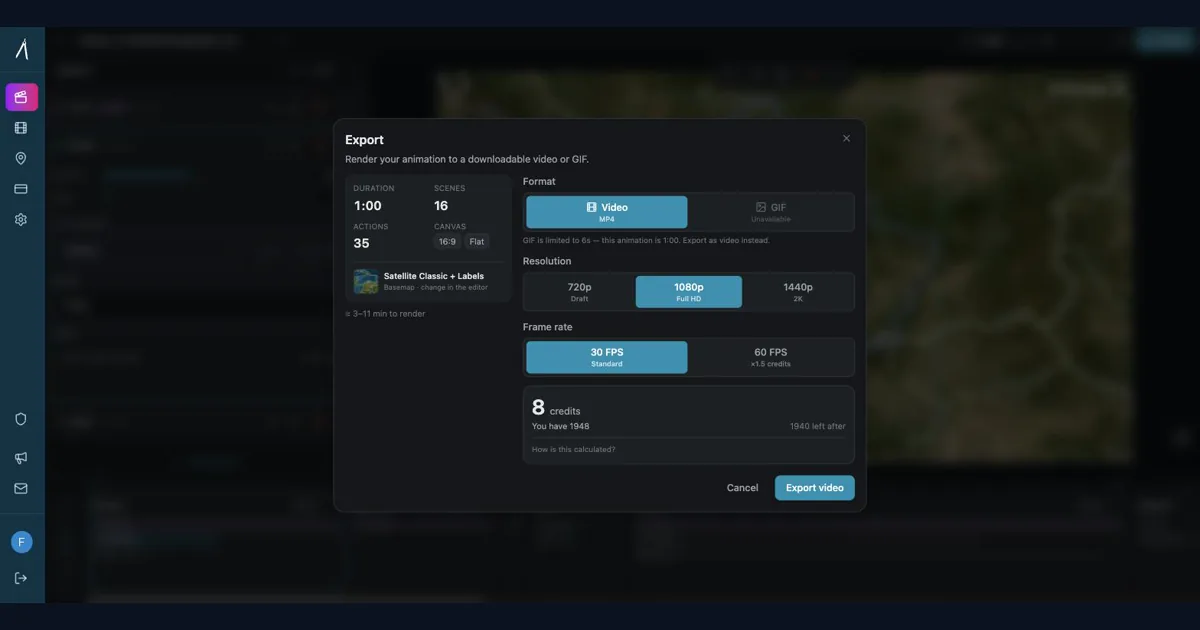
Should Content Creators Learn After Effects in 2026? (Honest Answer)
Before you commit 150 hours and $2,000+ to learning After Effects, take 5 minutes to honestly assess whether you actually need it. This decision framework helps creators choose between learning After Effects, using specialized tools, or adopting a hybrid approach—based on your real needs, not aspirational goals.
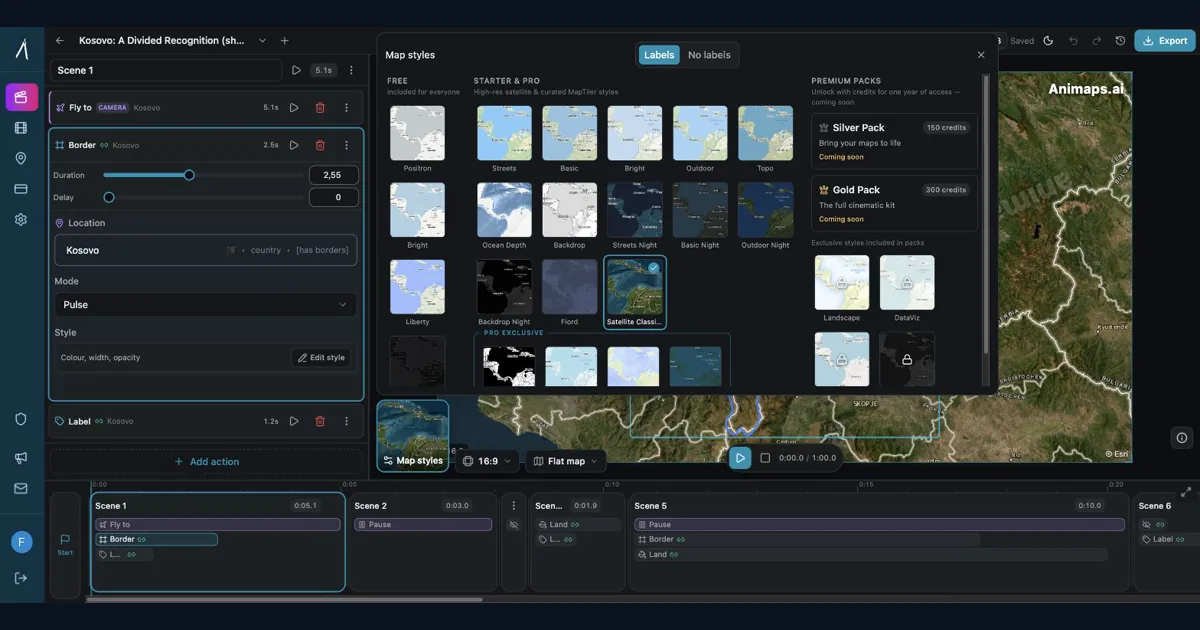
Best AI Map Animation Tools Compared (2026)
Most AI map tools work the same way: type a prompt, render, hope it's good. Animaps is the only tool with a full interactive preview and step editor — so you see and edit every frame before spending credits. This guide compares the 5 leading map animation tools to help you choose.
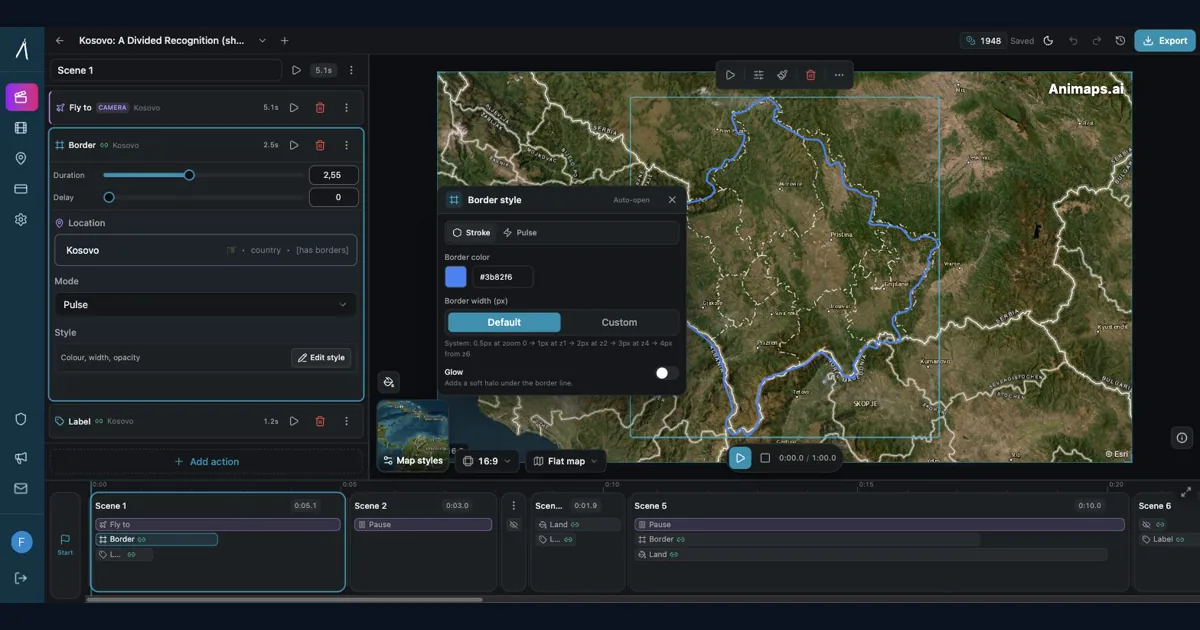
Animaps vs After Effects: Which Tool Should You Choose for Map Animations?
You're choosing between Animaps and After Effects for map animations. Both create professional results, but they're designed for completely different users. Animaps takes 60 seconds to 10 minutes per animation with zero learning curve. After Effects takes 45-90 minutes per animation after a 150-hour learning investment. This comparison examines time, costs, features, and use cases to help you decide.
Browse every article in the Animaps blog.