Best AI Map Animation Tools Compared (2026)
Detailed comparison of the top map animation tools in 2026: Animaps, Mapimator, MapAnimation.io, EasyMotion, and Google Earth Studio. Features, pricing, preview capabilities, and which tool fits your workflow.
Preview & Editor advantage
Draft with AI prompts or templates, then refine every animation step in real time (zoom, opacity, border width, colors, bearing, tilt). Credits are used only when you render the final video.
Animaps Team
Content Creator
Best AI Map Animation Tools Compared (2026)
Last updated: April 28, 2026
TL;DR
Most AI map animation tools work the same way: you type a prompt, wait for a render, hope the output is good, and lose credits if it isn't. Animaps is the only tool that lets you preview and edit every frame before rendering — so you never waste credits on bad output.
Quick links:
- Jump to our top pick: Animaps — AI + Preview + Editor
- Map animation maker hub: Create animated maps online
- Comparison hub: Map animation maker alternatives
- Examples: Map animation examples gallery
Quick comparison:
| Tool | Creation method | Preview before render | Editor | Price |
|---|---|---|---|---|
| Animaps | AI + Editor + Templates | Yes — full interactive preview | Yes — edit every step | $0-19/mo |
| MapAnimation.io | AI text-to-video only | Not described on their site | Not described on their site | Free tier + paid |
| EasyMotion | AI chat-to-video only | No — must render to see result | No | $10-60/mo |
| Mapimator | AI + Manual keyframes | No — must render to see result | Yes — timeline-based | $0-12/mo |
| Google Earth Studio | Manual keyframes only | Yes — but 3D flyovers only | Yes — but requires approval | Free* |
*Requires Google approval, can take weeks
The real difference: preview and edit vs. guess and hope
Every tool on this list can turn text into a map animation. That part isn't unique anymore.
The question is: what happens when the output isn't right?
With most AI map tools (MapAnimation.io, EasyMotion), you type a prompt, the system renders a video, and you download it. If the zoom is wrong, the timing is off, or a location is misplaced — you re-prompt, re-render, and try again. Each attempt costs credits and time. You're guessing.
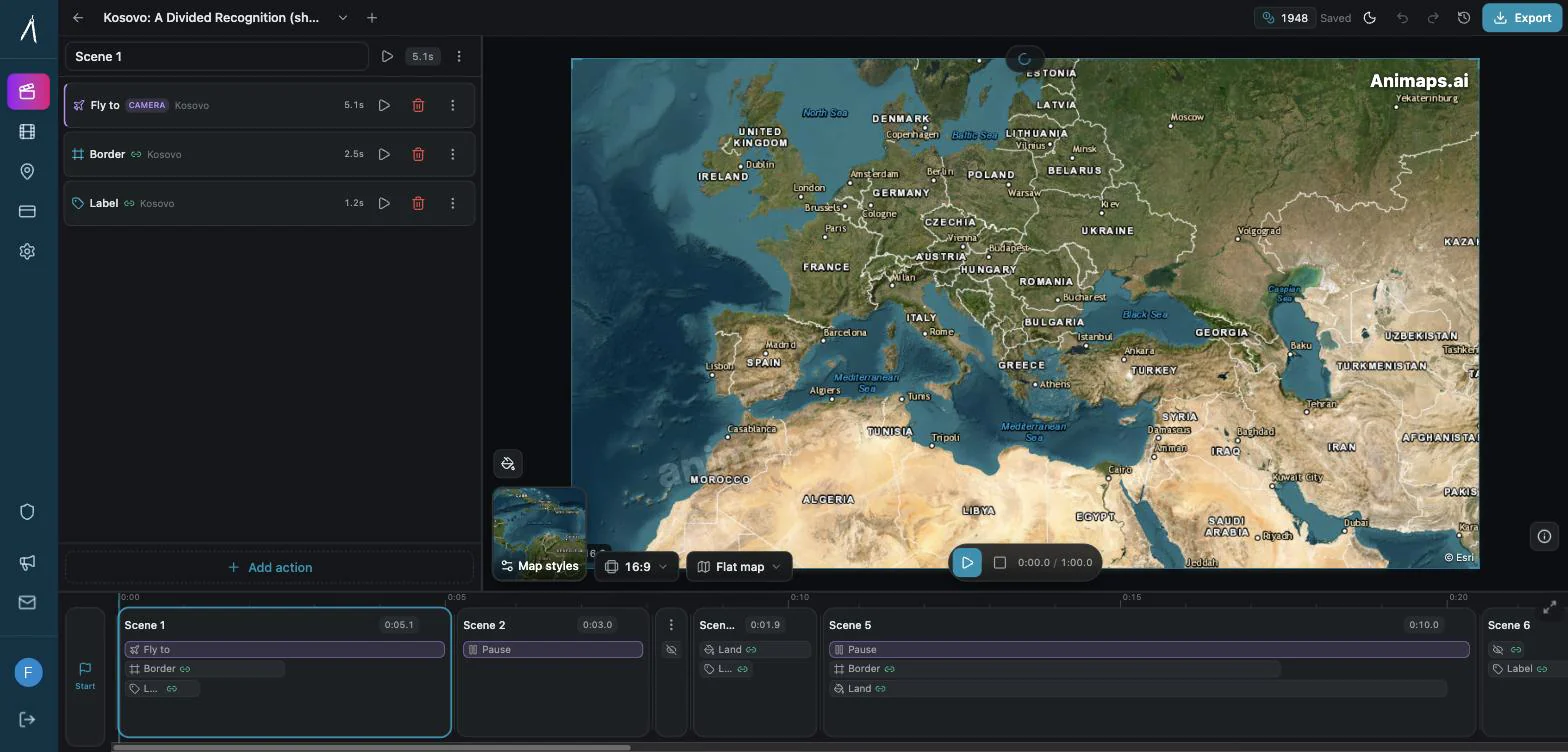
Animaps works differently. After AI generates your animation, you get a full interactive preview — the animation plays in your browser in real time, on a real map. You can:
- See every frame before spending a single credit
- Edit any step — change the camera angle, adjust timing, swap colors, move locations
- Add or remove steps — insert a label, delete a border, reorder the sequence
- Switch between AI and manual editing mid-project
- Test with different map styles (satellite, topographic, outline) and engines (flat map, 3D globe)
- Only render when you're happy — credits are spent on the final export, not on iterations
This is the fundamental difference. Animaps treats AI as a starting point, not the final product. The editor is where you turn a good draft into a polished animation.
1. Animaps — AI + Preview + Editor
Website: [animaps.ai](https://animaps.ai) Pricing: Free tier, Starter $9/month, Pro $19/month
How it works
Animaps gives you three ways to create map animations:
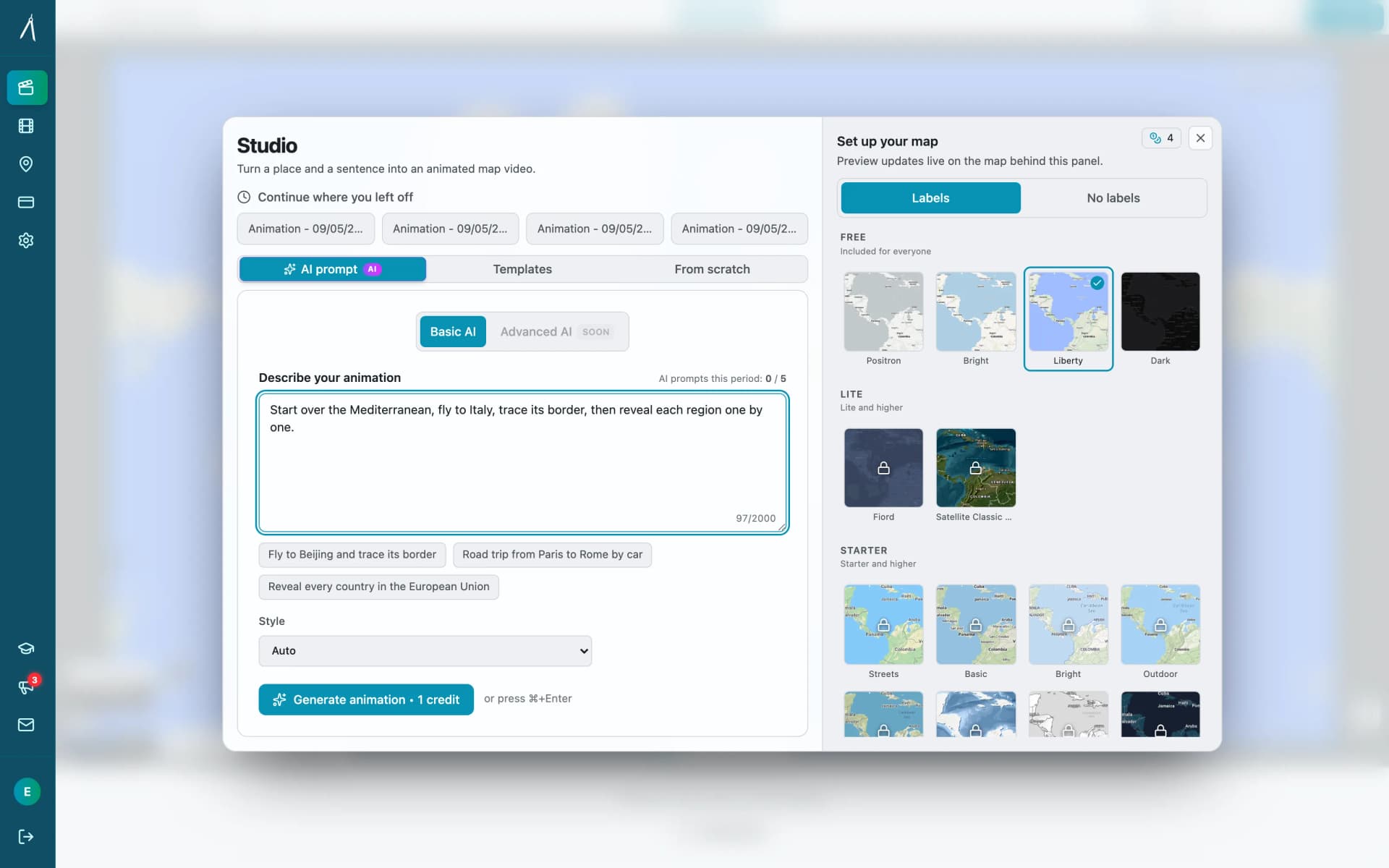
AI Prompts (fastest — 30-60 seconds to preview) Describe your animation in plain language. The AI generates a sequence of steps — camera movements, borders, fills, labels, icons, routes — and you see the result immediately in an interactive preview.
Editor (full control) Build animations from scratch or refine AI output. Each animation step is independently editable: change type, location, duration, camera angle, visual settings. You see every change in real time.
Templates (consistent) Start from pre-built animation structures. Customize locations, colors, and timing while keeping a consistent style.
The three modes are interchangeable. Start with AI, switch to the editor to fine-tune, save as a template for next time.
What sets it apart
Interactive preview before rendering: Every animation plays in your browser on a real map. Drag the camera, adjust the zoom, test different styles. No rendering needed to see your animation — you only export when it's ready.
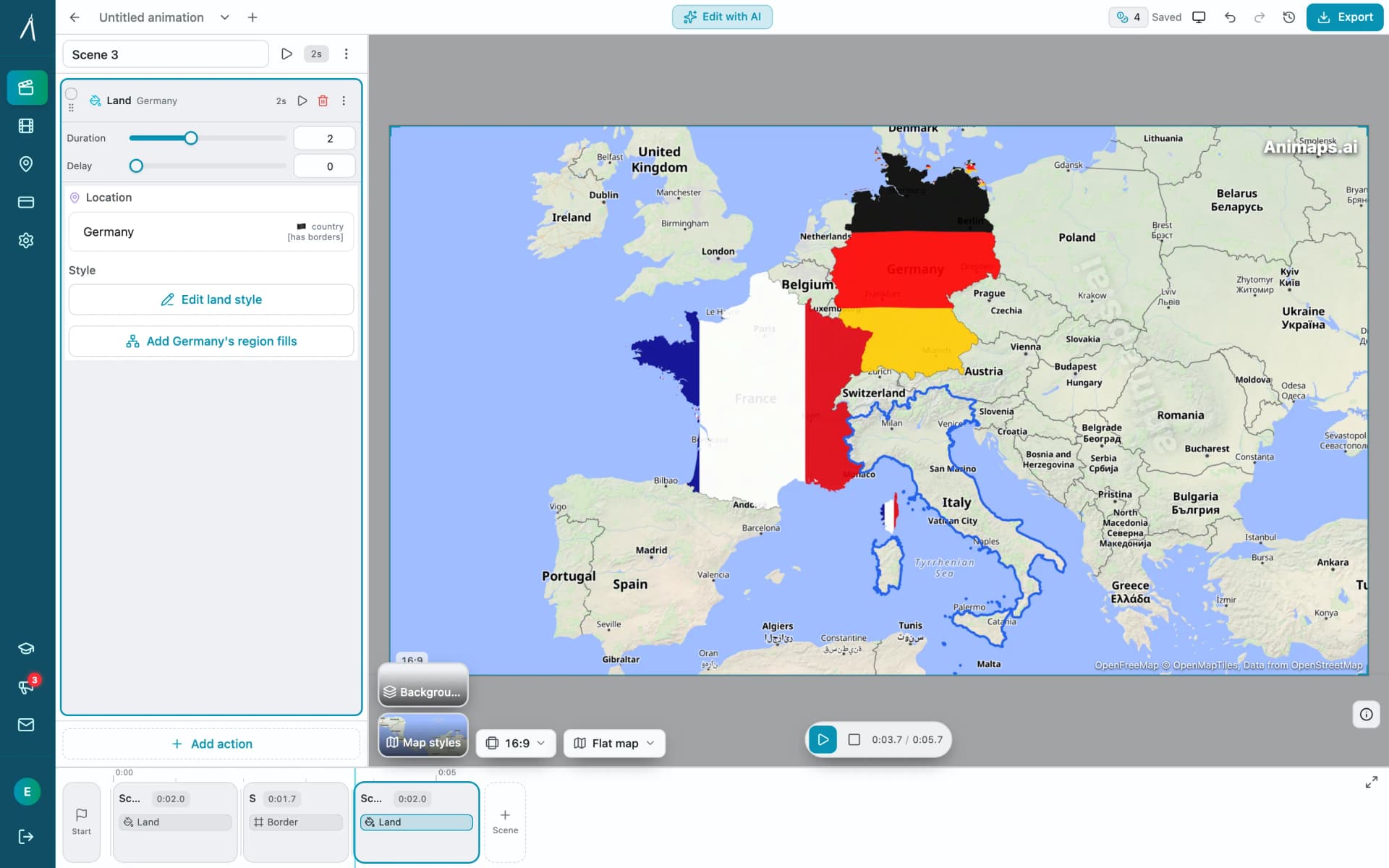
Step-by-step editor: Animations are broken into discrete steps (fly to Paris, trace the border of France, add a label). Each step can be edited independently — change the type, adjust timing, set exact camera coordinates. This gives you frame-level control without timeline complexity.
Scenes for simultaneous playback: Group steps into scenes that play at the same time. Fly to a city while tracing its border. Orbit a landmark while pulsing the surrounding region. Parallel execution makes complex sequences feel cinematic.
Historical borders, 1629–2024: 5,500+ historical entities — empires, kingdoms, US states and counties — with 25,000+ border snapshots. Animate the evolution of any region across nearly 400 years of history. No other tool on this list offers this.
Core features
21 animation types: Camera movements (fly, pan, zoom, orbit, arc, drone, dolly), border animations (trace, pulse, show, historical timelapse), land fills (color or flag, with pulse), labels, icons, path tracing with driving routes, element drawing (circles, parallel paths), shading, and layer visibility control. The border timelapse feature includes 5,500+ historical entities (empires, kingdoms, US states and counties) with 25,000+ border snapshots spanning 1629 to 2024 AD.
180,000+ geographic locations: Cities, countries, continents, regions, landmarks, rivers, mountains, seas, deserts, forests, parks, plains, lakes, and oceans — all with border geometry for highlighting and tracing.
Dual-engine rendering: Preview on a flat MapLibre map or a 3D Cesium globe. Render on whichever engine looks best for your content.
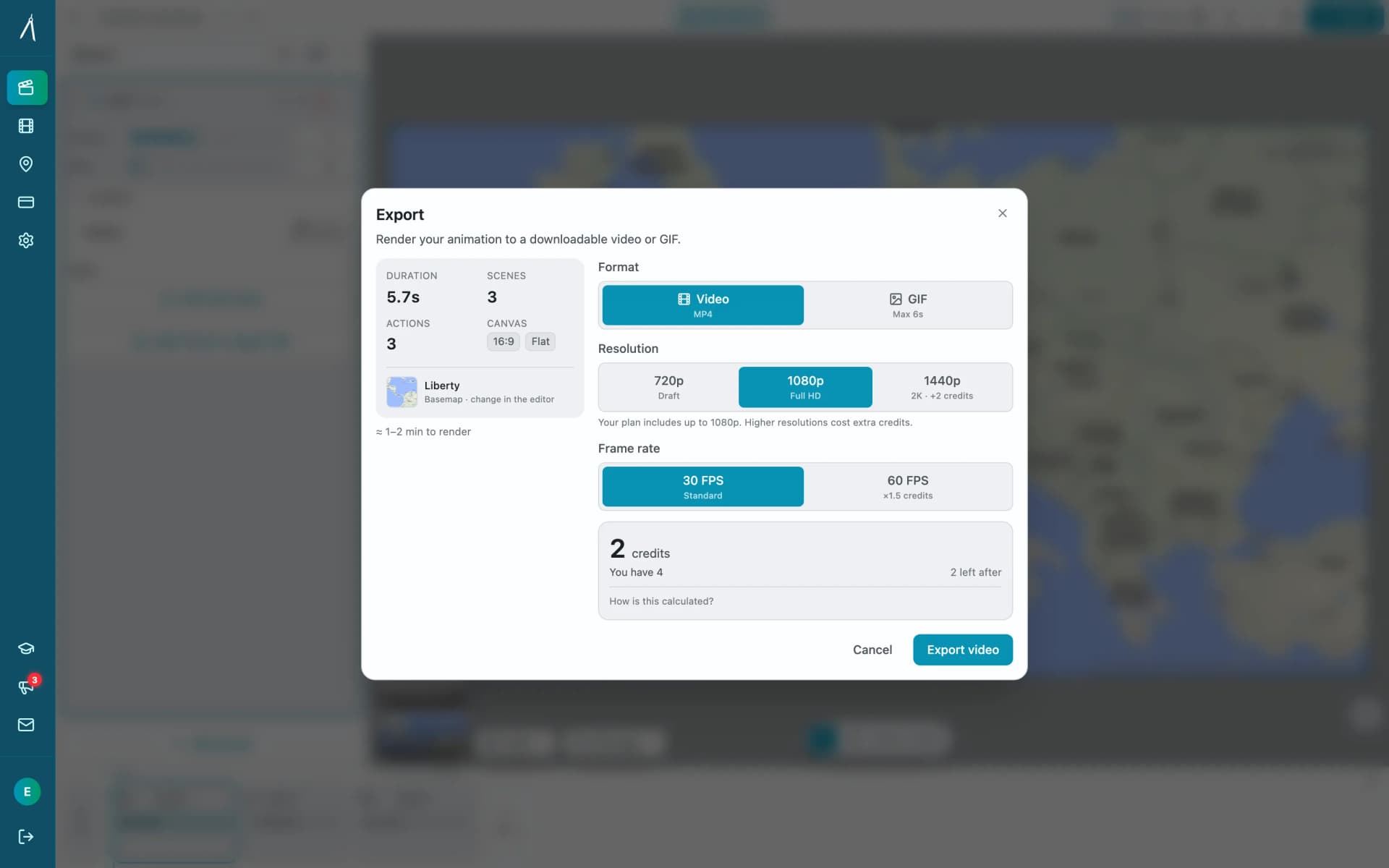
Professional export: 720p, 1080p, or 1440p. MP4 or GIF. 30fps or 60fps. 16:9, 9:16, or 1:1. Satellite, topographic, or outline map styles. No watermark on paid tiers.
Driving routes: Trace real road routes between cities with car icons that follow the actual road. AI generates multi-stop road trips automatically.
5,000+ icons: Curated icon library for travel, education, news, and storytelling. Icons animate along paths, scale with zoom, and support attached labels.
487 sounds and music beds: "Add sounds automatically" sounds the whole animation in one click — each action gets the sound it should have (a route its vehicle, a border its pencil, a typed title its keys), never more than three overlapping, each clip fitted to the action it sits on. One music bed runs underneath. Every clip is CC0, so nothing needs crediting. Previewing with sound is free; exporting a video with sound needs the Starter plan, and importing your own audio needs Pro.
Pros
- Full interactive preview — see your animation before spending credits
- Three creation modes — AI speed, manual control, template consistency
- Step-by-step editor — edit individual animation steps without timeline complexity
- Free AI iteration — refine prompts without using credits
- Scenes — run multiple steps simultaneously for cinematic sequences
- 21 animation types — covers camera, borders, fills, labels, icons, paths, historical border timelapse
- Dual engine — flat map and 3D globe
- Real driving routes — OSRM-powered road routing
- 75,000+ locations with border geometry
- All export formats and aspect ratios
Cons
- No 3D terrain flyovers (globe view is stylized, not photorealistic)
- Template library still growing
- New product — smaller community than established tools
Best for
Any creator who needs map animations and wants to see what they're getting before they pay. The preview + editor workflow eliminates the guess-and-hope cycle of pure AI tools.
2. MapAnimation.io — AI Text-to-Video
Website: [mapanimation.io](https://mapanimation.io) Pricing: First 3 videos free, no credit card. Their pricing page showed no plan table when we checked in August 2026.
How it works
MapAnimation.io is a pure text-to-video tool. You describe your animation in natural language, the AI renders a video, and you download it. Their site describes fixing a result by adjusting the prompt and generating again, not by editing the output.
Core features
- Natural language to video generation
- Zoom effects, country highlighting, border display, any colour including hex codes
- Map rotation, pan, tilt and fly-through camera moves
- Cinematic elements typed into the prompt, such as
[tank]or[helicopter] - Image, video and sprite upload in the prompt box
- HD export, with no pixel height stated on the pages we read
- 16:9, 9:16, 1:1 aspect ratios
Pros
- Very simple — just type and get a video
- First 3 videos free, no credit card
- Your own images, video and sprites can go into the shot
- Explicit commercial-use licensing in their FAQ, including resale, with no ongoing royalties
- Good for quick, one-off animations
Cons
- No editor described — if the output is wrong, their answer is to re-prompt and generate again
- No live preview described — you generate to see the result
- Iterations cost — every attempt consumes your allowance, even the bad ones
- No published plan table at the time of writing, so you cannot compare cost before signing up
- No stated resolution figure, frame rate or maximum clip length on their public pages
Best for
Users who need a quick, simple map animation and don't need to fine-tune the result. Works well when the first AI output is good enough, and when you want your own media inside the shot.
For a full head-to-head, see Animaps vs MapAnimation.io: Prompt-Only or Prompt-Then-Edit?.
3. EasyMotion — AI Chat-to-Video
Website: [easymotion.io/map-animation-maker](https://easymotion.io/map-animation-maker) Pricing: Basic $10/month (40 videos), Plus $20/month (100 videos), Pro $60/month (300 videos)
How it works
EasyMotion uses a chat-based interface. You describe your animation, chat back and forth to refine colors, styles, and angles, then export the video. The refinement happens through conversation, not through a visual editor.
Core features
- AI chat-based generation
- Flight routes, flag fills, pin markers, globe flythroughs
- Multiple map styles (satellite, voyager, dark mode)
- Templates
- Transparent export (alpha channel)
- Brand kit customization
- All aspect ratios
Pros
- Chat-based refinement — iterate through conversation
- Transparent background export for overlays
- Brand kit for consistent styling
- High volume plans available (up to 300 videos/month)
- Template system
Cons
- No visual preview — must render to see the animation
- No Editor — can't adjust individual steps or camera angles visually
- Chat refinement is imprecise — describing "move the camera 10 degrees left" is harder than dragging it
- Expensive at scale — $60/month for Pro vs. Animaps' $19/month
- Limited to chat-based iteration — no step-by-step control
- No driving routes or road routing
Best for
Creators who produce high volumes of simple map animations and prefer a conversational workflow over a visual editor.
4. Mapimator — Browser-Based Map Animation Tool
Website: [mapimator.com](https://www.mapimator.com) Pricing: Free (3 projects, watermarked), Pro $12/month ($99/year)
How it works
Mapimator is a browser-based tool with a traditional keyframe editor and an AI assistant. You create animations by setting camera positions, adding markers and highlights, then rendering the result.
Core features
- 60+ map styles (powered by MapLibre)
- Camera path animation with ease-in/out
- Country highlighting and markers
- AI Map Director (generates animations from descriptions)
- GeoJSON data import
- Export: MP4, GIF, up to 4K at 60fps
- Collaboration features (shared projects, review links)
Pros
- Established product with active community
- 4K rendering at 60fps
- Good selection of map styles
- AI Director for quick generation
Cons
- AI Director has limited credits (50/month on Pro)
- Free tier limited to 3 projects with watermark and 1 export/month
- No interactive step-by-step preview — renders are needed to see final output
- No driving routes or path tracing
- Smaller animation type set compared to Animaps
- No scene system for simultaneous step playback
Best for
Creators comfortable with keyframe-style editors who want a mature, browser-based tool with a wide selection of map styles. For a closer look at how the two compare on price, export resolution and what each tool's AI actually does, see Animaps vs Mapimator.
5. Google Earth Studio — 3D Terrain Flyovers
Website: [earth.google.com/studio](https://earth.google.com/studio) Pricing: Free (requires Google approval)
How it works
Google Earth Studio provides 3D satellite flyovers using Google's photorealistic terrain data. You set camera keyframes over real 3D terrain and render cinematic flyover sequences. It's free but requires approval that can take days to weeks.
Core features
- 3D photorealistic satellite terrain
- Camera keyframe animation
- Flight path creation
- After Effects camera data export
Pros
- Free (once approved)
- Photorealistic 3D terrain — unique capability
- High-quality satellite imagery
Cons
- Approval required — days to weeks, no guarantee
- 3D flyovers only — no borders, fills, labels, icons, routes, or highlights
- No AI — manual keyframe only
- Requires post-production — export to After Effects for text, graphics
- Slow workflow — 20-40 minutes per animation
- No flat map option — 3D perspective only
- No direct social media export
Best for
Documentary creators who specifically need photorealistic 3D terrain flyovers and have flexible timelines.
Head-to-head comparison
| Feature | Animaps | MapAnimation.io | EasyMotion | Mapimator | Earth Studio |
|---|---|---|---|---|---|
| AI generation | Yes | Yes | Yes | Yes (limited credits) | No |
| Interactive preview | Yes | No | No | No (must render) | Yes |
| Editor | Yes (step-based) | No | No | Yes (keyframe) | Yes (keyframe) |
| Edit after AI | Yes — full editor | No | Chat only | Limited | N/A |
| Animation types | 29 | ~6 | ~8 | ~10 | Camera only |
| Historical borders | Yes (1629–2024) | No | No | No | No |
| Globe/3D view | Yes (Cesium) | No | Yes | No | Yes (terrain) |
| Driving routes | Yes (real roads) | No | No | No | No |
| Icons | 5,000+ | No | Basic pins | Basic markers | No |
| Scenes (parallel) | Yes | No | No | No | No |
| Locations database | 180,000+ | Unknown | Unknown | Unknown | Global (3D) |
| Max resolution | 1440p | 720p (free) | Unknown | 4K | Unlimited |
| Free tier | Yes (with credits) | 1 free video | Limited | Yes (watermarked) | Yes (approval) |
| Starting price | $9/mo | Varies | $10/mo | $12/mo | Free |
Which tool should you pick?
"I need full control over my animations" Animaps. The step-by-step editor lets you adjust every camera angle, timing, color, and effect. Start with AI, refine in the editor, preview in real time. No other tool gives you this level of control combined with AI speed.
"I just need a quick map video and don't care about editing" MapAnimation.io for a free one-off, or EasyMotion if you need volume. Type a prompt, get a video. Simple.
"I want a traditional keyframe editor" Mapimator. If you think in keyframes and timelines, Mapimator's editor will feel familiar. The 60+ map styles are a nice bonus.
"I need 3D terrain flyovers" Google Earth Studio. It's the only tool with photorealistic 3D terrain. But it can't do borders, labels, icons, or routes — pair it with another tool for those.
"I'm a travel vlogger showing road trips" Animaps. It's the only tool with real driving routes (actual roads, not straight lines) plus vehicle icons that follow the path.
"I create 10+ map animations per month" Animaps ($19/mo for Pro) or EasyMotion ($10-60/mo depending on volume). Animaps is cheaper and gives you an editor; EasyMotion gives you higher volume caps.
Final thoughts
The map animation space has exploded in 2026. Every tool on this list can produce a decent map animation from a text prompt.
The real question isn't "can it make a map animation?" — they all can. The question is: what happens when the output isn't perfect?
With pure text-to-video tools (MapAnimation.io, EasyMotion), you re-prompt and re-render. With Animaps, you open the editor, fix the specific thing that's wrong, and export — without re-running the AI or spending additional credits.
That's why we built the preview and editor. AI gets you 80% there. The editor gets you to 100%.
Two other tools worth weighing if they fit your specific job: AnimateMyMap, which builds shot by shot and exports 4K, and anim8map, which is built specifically for animated travel routes and sells per video rather than by subscription.
Ready to try it? Start free at animaps.ai — no credit card required.
Tags
Related reading
Animaps vs Mapimator: Two AI Map Tools Compared
Animaps and Mapimator both run in a browser and both advertise AI, which makes them look more alike than they are. Mapimator's AI Map Director automates camera work inside a project you build; Animaps generates a whole animation from a written description. Mapimator Pro is $12 per month and exports up to 4K, where Animaps Pro is $19.90 and caps at 1440p. Animaps covers more animation categories and has a far more usable free tier.
Animaps vs MapAnimation.io: Prompt-Only or Prompt-Then-Edit?
Both tools turn a written sentence into a map video and neither needs After Effects. MapAnimation.io is built end to end around the prompt: describe, generate, download, with image, video and sprite uploads and cinematic elements in the prompt box. Animaps uses the prompt as a starting point and hands you a step editor with a live preview. Animaps publishes $9.90 and $19.90 per month; MapAnimation.io's pricing page showed no plan table when we checked.
Animaps vs EasyMotion: A Map Studio or a General Motion Graphics Tool?
EasyMotion is an AI motion graphics generator where maps sit alongside charts, UI motion, chat scenes and VFX, with transparent MOV export and a 180 second maximum. Animaps only does maps: 21 animation types, a step editor with per-step timing, and flat map or globe. Both publish prices, EasyMotion at $10, $20 and $60 per month and Animaps at $9.90 and $19.90, but only one free tier lets you write your own prompt.
Browse every article in the Animaps blog.
