Animaps vs AvoMap: GPS Track Videos or Map Stories?
AvoMap turns GPX, Strava and Garmin tracks into 3D route videos in the browser, paid per video; Animaps builds map videos from a prompt or by hand. Credits, 4K, imports and who each suits. Verified October 2026.
Animaps Team
Content Creator
Comparison verified October 2026. Both products change their plans from time to time. Check each site before you buy.
TL;DR
Short version: AvoMap and Animaps both run in the browser, and both make animated map videos. The difference is where the route comes from. AvoMap starts from your GPS track: a GPX, FIT, KML, KMZ or TCX file, a Strava activity, a Garmin export, a flight, or a route you draw. It renders 3D route videos in 1080p or 4K at 60 FPS, and you pay per video with one-time credits, no subscription. Animaps does not import GPX files or Strava activities. It starts from a sentence or from steps you build, and it covers borders, fills, labels and historical maps as well as routes. If you have a track file and want a flyover video of it, AvoMap is the better fit.
Quick links:
- Map animation maker hub: Create animated maps online
- Comparison hub: Map animation maker alternatives
- Route guide: Travel route animation
Key differences:
- Where it runs: both in a web browser
- Where the route comes from: Animaps: places you type or set by hand | AvoMap: GPS files, Strava, Garmin, flights or a drawn route
- How you pay: Animaps: monthly or yearly plan with credits | AvoMap: one-time credit packages, no subscription
- Top resolution: Animaps: 1440p (included on Pro) | AvoMap: 4K for one extra credit
- Maps that explain: Animaps: borders, fills, labels, history timelapses | AvoMap: route videos
Quick Comparison
Swipe sideways to see the whole table.
| Factor | Animaps | AvoMap |
|---|---|---|
| Platform | Web browser | Web browser |
| Free tier | 12 credits per month (up to 6 animations), 1080p, watermarked | Free editor and preview; exports cost credits |
| Paid model | Starter $9.90/mo, Pro $19.90/mo | One-time credit packages, no monthly plan |
| Cost per video | Credits per export and per AI prompt | 1 credit for 1080p, +1 for 4K, +1 to remove the logo |
| Route import | GeoJSON (Starter and Pro), no GPX | GPX, FIT, KML, KMZ, TCX, Strava, Garmin, and more |
| Top resolution | 1440p (included on Pro) | 4K Ultra HD |
| Frame rate | 30 or 60 FPS | 60 FPS |
| Aspect ratios | 16:9, 9:16 and 1:1 | Landscape, portrait and square |
| Borders and labels | Border trace and pulse, land fills, labels, history timelapses | Not described on its site |
| Start from text | Yes, a prompt returns editable steps | Not described on its site |
What Each Tool Is For
AvoMap says it is "a route video maker that runs in your browser." It turns GPS tracks and drawn routes into 3D map videos. It takes GPX, FIT, KML, KMZ and TCX files, Strava activities, and Garmin Connect exports. Its site also lists AllTrails, Apple Fitness, Fitbit, Komoot, Runkeeper, Runna and Wikiloc. You can animate a flight between 7,695 airports or from a Flightradar24 track. You can add an avatar or any image, and use your own symbols in PNG, JPEG, WEBP or SVG. Its how-to pages are about one thing: your track, as a video.
Animaps is a map animation studio. You describe a sequence in plain English and it returns a list of steps. Each step has a live preview, and you can change its timing, place, colour or camera. You can build every step by hand too. Road routes follow real roads, sea routes avoid land, and a 3D vehicle model rides the route when one exists for that travel mode. Around the routes, Animaps adds what a track tool does not: border tracing, land fills with colours or flags, labels, icons, and historical border timelapses.
A prompt you can paste into Animaps:
Sea route from Barcelona to Palma de Mallorca by ferry, then fly to Mallorca, tilt the camera and label Palma.
Animaps draws the route between the places you name. AvoMap draws the route you recorded.
Pricing Side by Side
AvoMap
AvoMap says it has "no monthly plan. You buy credits once and spend them when you render a video." Previewing in the editor is free. Its pricing page lists the cost of each export:
Swipe sideways to see the whole table.
| Export option | Cost |
|---|---|
| 1080p video | 1 credit |
| 4K Ultra HD | +1 credit |
| Remove or replace the logo | +1 credit |
| Ten or more custom symbols | +1 credit |
A 4K video without the AvoMap logo costs 3 credits. The pricing page did not show the package prices in dollars when we checked, so look at the credit calculator on its site. A small Mapbox logo stays in the corner, which AvoMap says the map provider requires.
Animaps
Swipe sideways to see the whole table.
| Plan | Price | What you get |
|---|---|---|
| Free | $0 | 12 credits per month (up to 6 animations), 1080p, watermarked, 30 second maximum, 4 AI prompts per month |
| Starter | $9.90 per month, $99 a year | 120 credits per month (up to 60 animations), 1080p, no watermark, 45 second maximum, GeoJSON import |
| Pro | $19.90 per month, $199 a year | 250 credits per month (up to 125 animations), 1440p included, 60 second maximum, 3D terrain |
Which costs less depends on how often you make videos. If you make a few route videos a year, AvoMap's one-time credits avoid a monthly fee. If you make map videos every week, a monthly plan can work out better. Compare with the calculator on each site.
Export and Quality
AvoMap exports MP4 at 60 FPS, in 1080p Full HD or 4K Ultra HD. It offers landscape, portrait and square formats. Its pricing page does not state a maximum video length.
Animaps exports MP4 or GIF at 30 or 60 FPS, in 16:9, 9:16 or 1:1. Exports are 1080p on every plan and 1440p is included on Pro. Each animation is capped at 30, 45 or 60 seconds depending on the plan.
Your Track or a Story
AvoMap is better when you have a GPS file. A marathon, an ultra trail, a bike tour, a motorbike trip, a flight. Drop the file, set the camera, render. Animaps cannot read a GPX, FIT or KML file, and has no Strava or Garmin connection.
Animaps is better when you start from an idea. A history video about the Roman Empire. A news clip that traces a border. A travel teaser that fills Japan with its flag, then draws the route from Tokyo to Kyoto on real roads.
None of that starts from a track file, and AvoMap's site does not describe borders, country fills or historical maps. In Animaps, a historical map starts from a search in the Historical panel.
For a plane between airports in Animaps, see flight path animation. For more examples, browse the map animation gallery.
Who Should Choose Which
Choose AvoMap if
You have a GPS track. GPX, FIT, KML, KMZ or TCX, or an activity from Strava or Garmin.
You want 4K. One extra credit per video.
You make videos now and then. One-time credits, no subscription.
You make race or event course videos. Its video gallery shows marathons and ultra trails.
Choose Animaps if
Your video is about a place or an event, not a recorded track. Borders, regions, labels and routes between named places.
You want to start from a sentence. Write the sequence in plain English and edit the steps.
You make history, geography or news content. Border traces, land fills and historical border timelapses.
You make many short videos a month. A plan covers many exports, with 9:16 for Shorts and Reels.
FAQ
Is AvoMap free? Previewing in its editor is free. Exports cost credits, which you buy in one-time packages.
Does AvoMap have a subscription? No. Its pricing page says it has no monthly plan.
Can I import a GPX file into Animaps? No. Animaps imports GeoJSON on Starter and Pro. AvoMap imports GPX and several other track formats.
Which one exports 4K? AvoMap, for one extra credit per video. Animaps exports up to 1440p on Pro.
Do both run in a browser? Yes. Neither needs a phone app.
The Bottom Line
AvoMap is the better pick when you have a GPS track and want a polished 3D flyover of it, in 4K if you need, without a subscription.
Animaps is the better pick when the map carries the story: borders, fills, labels, history and routes between places you name, built from a prompt and edited step by step.
Sources checked on 2026-10-28
- AvoMap home page: browser tool, file formats, Strava and Garmin, flights, images and symbols, export formats.
- AvoMap pricing: no subscription, credit cost per export, 4K, logo removal, Mapbox logo.
- AvoMap vs TravelAnimator page: video gallery of race and trip routes.
- Animaps pricing: plans, credits, resolutions, AI prompt cost.
Related Articles:
Keywords: avomap alternative, animaps vs avomap, avomap review, gpx to video, route video maker, map video without gpx
Tags
Related reading
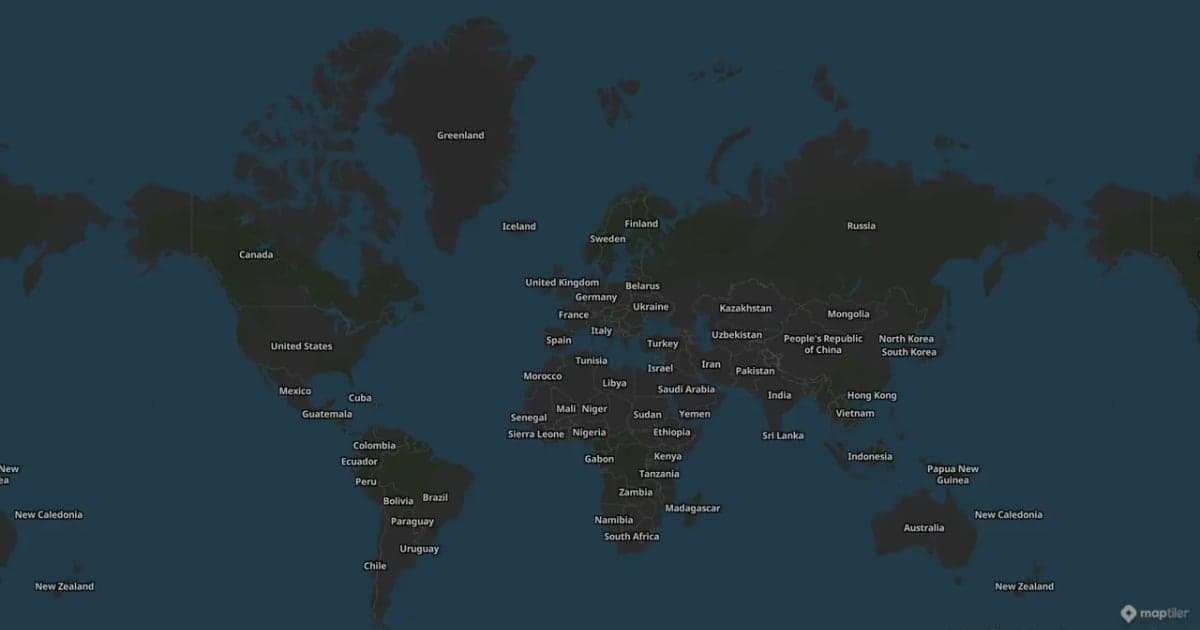
Animaps vs Mult.dev: A Trip Recap or a Map Animation Studio?
Mult.dev animates a journey: you add stops, pick the transport for each leg, drop your photos on the map, and export a travel recap, on your phone if you want, paid for once rather than by subscription. It imports GPX, KML and GeoJSON from Strava, Gaia and Komoot. Animaps animates a map: routes are one of 22 animation types alongside borders, fills, historical timelapses, labels and a globe view, with a step editor and published monthly pricing at $9.90 and $19.90.
Animaps vs TravelBoast: A Travel Video App or a Map Studio?
TravelBoast turns a trip into a short 3D travel video on your phone, with GPX import, photos at each stop and 250+ vehicles. Its subscription is $5.99 a month on the US App Store and unlocks 4K. Animaps runs in a browser, has no phone app and caps at 1440p, but covers borders, fills, labels and historical maps as well as routes. Your trip points to TravelBoast; a place or a story points to Animaps.
Map Video Maker: How to Make a Map Video Online
A map video maker turns a map into a video file you can post or edit. Here is how to make one in Animaps from a single sentence, which shape and size to pick for YouTube, Shorts or a feed, how long it should run, and what each export costs.
Browse every article in the Animaps blog.
