Animaps vs Mappi: Route Videos in 4K or a Full Map Studio?
Mappi is a browser tool for route and place map videos, with unlimited free exports and 4K on a $9 Pro plan; Animaps adds historical borders, 3D models, data overlays and sound. Prices, exports and who each suits. Verified October 2026.
Animaps Team
Content Creator
Comparison verified October 2026. Both products change their plans from time to time. Check each site before you buy.
TL;DR
Short version: Mappi is a browser tool for map animation videos, built around routes and places. You add destinations, pick a route type (fly-over, driving, walking, ocean), style the map, highlight countries, states or cities, and export an MP4. Its free plan has unlimited exports at up to 1080p with a watermark, and Pro costs $9 per month for 4K, no watermark and transparent backgrounds. On export options and price, Mappi gives more than Animaps. Animaps is a map animation studio with a wider set of map tools: historical border timelapses, 3D models, 3D terrain and buildings, ready-made data overlays, sound and music, and scenes that run several animations at once. If your video is a route between places and you want 4K for little money, Mappi is the better fit. If your video is a history, geography or news explainer, Animaps covers more of it.
Quick links:
- Map animation maker hub: Create animated maps online
- Comparison hub: Map animation maker alternatives
- Examples: Map animation examples gallery
Key differences:
- Free exports: Animaps: 12 credits per month (up to 6 animations) | Mappi: unlimited, up to 1080p, watermarked
- Paid price: Animaps: from $9.90 per month | Mappi: Pro at $9 per month
- Top resolution: Animaps: 1440p (Pro) | Mappi: 4K (Pro)
- Shapes: Animaps: 16:9, 9:16 and 1:1 | Mappi: 16:9, 9:16, 1:1 and 4:5
- History and 3D: Animaps: 5,500+ historical borders, 921 3D models, 3D terrain and buildings | Mappi: not described on its site
Both tools target the same creators: YouTubers, travel creators, journalists and teachers. They differ on how much the plans include and on how many kinds of map story each tool can tell.
Quick Comparison
Swipe sideways to see the whole table.
| Factor | Animaps | Mappi |
|---|---|---|
| Platform | Web browser | Web browser, on desktop, laptop, phone and tablet |
| Free tier | 12 credits per month (up to 6 animations), 1080p, watermarked | Unlimited exports, 720p and 1080p, watermarked |
| Paid plans | Starter $9.90/mo, Pro $19.90/mo | Pro $9/mo; Enterprise on quote |
| Top resolution | 1440p (included on Pro) | 4K (Pro) |
| Formats | MP4 or GIF, 30 or 60 FPS | MP4, GIF and image sequence; 24, 30 or 60 FPS |
| Aspect ratios | 16:9, 9:16 and 1:1 | 16:9, 9:16, 1:1 and 4:5 |
| Transparent export | Not offered | Yes, on Pro |
| How you build | Text prompt to editable steps, or steps by hand | Add places, or describe a trip to its AI, then edit on a timeline |
| Routes | Road, air, sea and rail, with moving icons and 3D models | Fly-over, driving, walking, ocean along shipping lanes, transit |
| Borders and regions | Trace, pulse, fill with color or flag, 5,500+ historical borders | Animated border drawing, region fills, your own GeoJSON boundary |
| Data import | GeoJSON geometry (Starter and Pro) | GeoJSON points, lines and polygons; CSV locations |
| Sound | Sound effects and music (Starter and Pro) | Not described on its site |
What Each Tool Is For
Mappi calls itself "the easiest way to create cinematic map animations for YouTube, TikTok, and Instagram." You search for places with Google Places, by name, address or coordinates, and chain them into a route with as many stops as you need. Each leg can fly, drive, walk or sail, and its site says every path "follows real-world GPS data." In October 2026 it added a Sail mode that follows real shipping lanes. You can also describe a trip in words and "let AI build the route, pacing, and narration," then change any detail.
Its changelog shows a fast pace through 2026: animated border drawing and region fills in June, 4K, GIF and image sequence export in July, text titles, camera keyframes and a per-element timeline in August, and custom boundary uploads in October. Export presets drop the video into Canva, CapCut, Premiere Pro, After Effects or DaVinci Resolve without cropping.
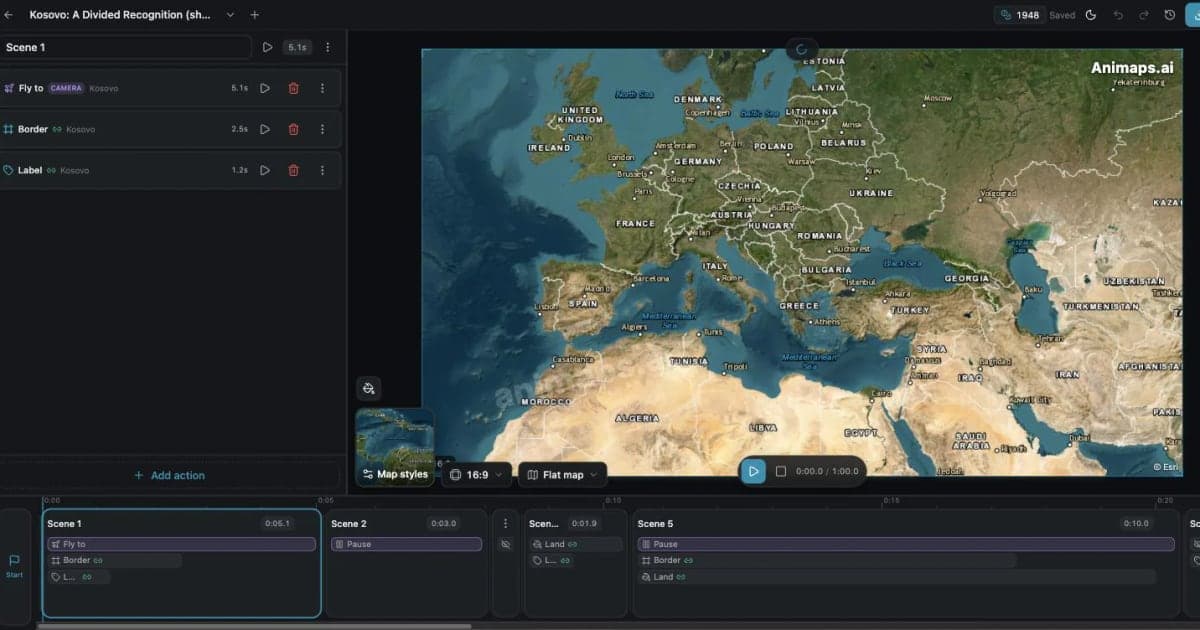
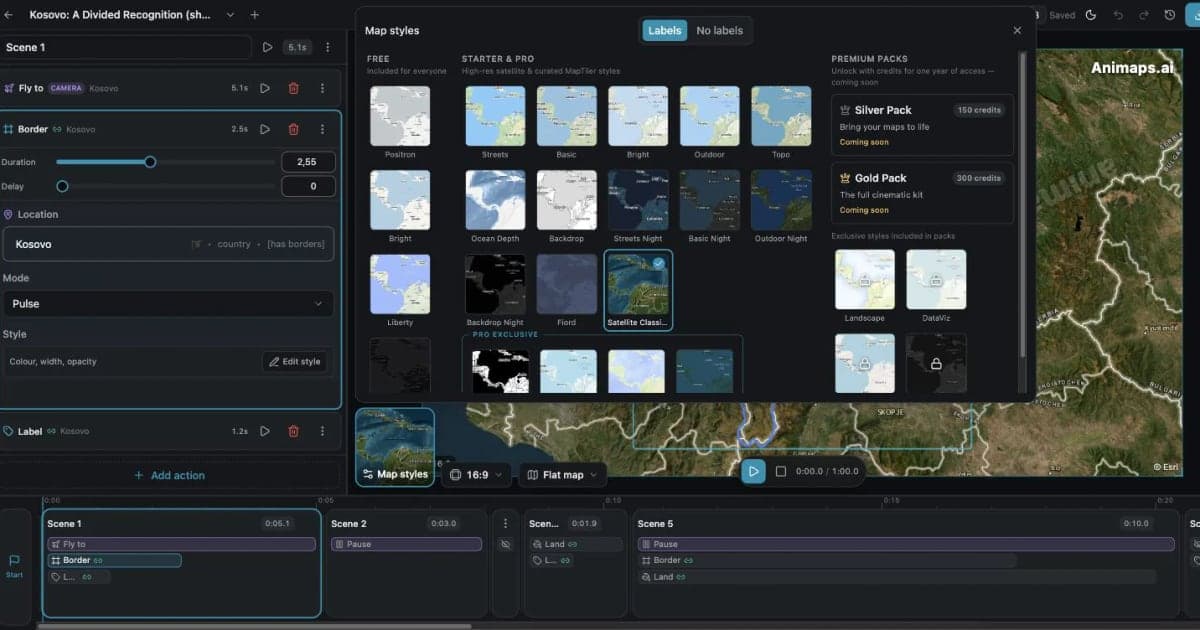
Animaps is a map animation studio. You describe what you want in plain English, for example "show the Ottoman Empire at its largest, then fly to Istanbul and add a label," and it returns a list of steps. Each step has a live preview, and you can change its timing, target, color or camera angle. You can also build every step by hand. Its site lists 23 animation types: camera moves such as orbit, drone and globe spin, border tracing, land fills, labels, text, icons and 3D models, road, air, sea and rail routes, shade and magnifier effects, Atlas data overlays, and historical border timelapses for 5,500+ empires, states and countries.
The simple way to say it: Mappi is shaped around a route between places. Animaps is shaped around a map story, and a route is one part of it.
Pricing Side by Side
Mappi
Swipe sideways to see the whole table.
| Plan | Price | What you get |
|---|---|---|
| Free | $0 | Unlimited map exports at 720p and 1080p with a Mappi watermark, custom map styles, country highlights, AI help |
| Pro | $9 per month | Everything in Free, plus a satellite map theme, 4K exports, no watermark, transparent backgrounds, priority support |
| Enterprise | On quote | Everything in Pro, plus API access, a custom watermark and custom integrations |
Its pricing FAQ says the price shows "in your currency" and that refunds are possible within 3 days, as long as you have not exported a video yet.
Animaps
Swipe sideways to see the whole table.
| Plan | Price | What you get |
|---|---|---|
| Free | $0 | 12 credits per month (up to 6 animations), 1080p, watermarked, 30 second maximum, 4 AI prompts per month |
| Starter | $9.90 per month, $99 a year | 120 credits per month (up to 60 animations), 1080p, no watermark, 45 second maximum, GeoJSON import, sound effects and music |
| Pro | $19.90 per month, $199 a year | 250 credits per month (up to 125 animations), 1440p included, 60 second maximum, image import, 3D terrain and buildings, priority support |
Each AI prompt costs 2 credits on every Animaps plan. Editing and preview by hand are free and unlimited. Credits go to AI prompts and exports. Plan credits reset each month, and credit packs you buy separately do not expire.
Mappi is cheaper and less metered. Its free plan has no export limit, where Animaps' free plan covers up to 6 animations a month. Its Pro plan costs $9 a month and includes 4K, where Animaps Starter costs $9.90 and stops at 1080p, and 1440p is included only on the $19.90 Pro plan. If you make many route videos, Mappi costs less.
Export and Resolution
Mappi leads on export options.
Mappi exports MP4 up to 4K on Pro, plus GIF and image sequences for compositing. Frame rates include 24, 30 and 60 FPS. It supports 16:9, 9:16, 1:1 and 4:5, so it also covers the Instagram portrait feed. Pro adds transparent backgrounds, which lets you lay the map over drone footage or your own video. Its site does not state a length limit.
Animaps exports MP4 or GIF at 30 or 60 FPS, in 16:9, 9:16 or 1:1. Exports are 1080p on every plan, and 1440p is included on Pro. Each animation can run 30, 45 or 60 seconds depending on the plan, and GIFs are capped at 6 seconds. There is no 4K, no 4:5 and no transparent export. Starter and Pro can add sound effects and music to the export, and Pro can import your own sounds.
If you need 4K, a transparent layer or a 4:5 crop, choose Mappi.
Routes, Places and Borders
Both tools animate routes and highlight regions, so the details matter.
Mappi is strong on routes. Unlimited stops, a duration per leg, travel icons for airplane, car, train and ship, route line styling, and sea routes that follow shipping lanes. For regions, it highlights countries, states, provinces and cities, draws borders over time, animates fills, and lets you upload your own boundary as a GeoJSON file of up to 25 MB, for example a historic border or a sales territory.
Animaps adds what a history or news explainer often needs. Its historical border timelapses play how 5,500+ empires, states and countries changed over time, with no file to find. It fills a country with a flag, places 921 3D models and 10,100+ icons, flies over 3D terrain and orbits 3D buildings on Pro, and overlays ready-made world data such as time zones, tectonic plates and earthquakes. Scenes run several steps at once, for example fly to a country while its border traces and a label appears.
Editing and AI
Mappi gives you a timeline with a track for every marker, route, label and highlight, custom camera keyframes for position, zoom, rotation and tilt, and cinematic camera presets. Its AI builds a route, pacing and narration from a trip description. Its site says it works on a phone or tablet browser as well as a computer.
Animaps turns a prompt into a list of steps you can edit one by one, with a live preview for each. Starter and Pro also include Edit with AI. Animaps does not use camera keyframes. You choose a camera move per step instead, such as fly to, orbit, drone or globe spin.
Both work for people who do not want to learn After Effects. Mappi's timeline suits people used to video editors. Animaps' steps suit people who think in a script: first this, then that.
Usage Rules
Mappi says in its FAQ: "You own every map animation you create with Mappi," and that you can use them commercially, including client work and ads. Its pricing FAQ recommends Pro or Enterprise for commercial work, because they remove the watermark.
Animaps puts a watermark on free plan exports. Starter and Pro remove it. Its pricing page states that map-data attribution appears on all exports, including paid plans, and cannot be removed.
Who Should Choose Which
Choose Mappi if
Your video is about a route or a set of places, and you want the most export for the money.
You want 4K for less. 4K comes with the $9 Pro plan. Animaps tops out at 1440p.
You make a lot of videos. The free plan has unlimited exports, and Pro has no credit system.
You need a transparent map layer. Pro exports with a transparent background.
You post in 4:5. It supports the Instagram portrait shape.
You like a timeline. A track per element and camera keyframes, close to a video editor.
Choose Animaps if
Your video explains a place, a region or a piece of history.
You make history content. Border timelapses for 5,500+ empires, states and countries, built in.
You want 3D on the map. 921 3D models, 3D terrain and 3D buildings.
You need sound in the export. Sound effects and music on Starter and Pro.
You want data on the map without a dataset. Atlas overlays such as time zones, tectonic plates and earthquakes.
You want to start from a description. Write the sequence in plain English and edit the steps it returns.
FAQ
Is Mappi free? Yes. Its free plan has unlimited map exports at 720p and 1080p, with a Mappi watermark.
How much is Mappi Pro? Its pricing page shows $9 per month. Its FAQ says the price shows in your currency.
Can Mappi export 4K? Yes, on Pro, as an MP4. It also exports GIF and image sequences.
Does Mappi have historical maps? Its site does not describe a built-in library of historical borders. You can upload your own boundary as GeoJSON, and it names "a historic border" as one use.
Does Animaps export 4K? No. Animaps exports 1080p on every plan and 1440p on Pro.
Does Animaps export a transparent background? No. Mappi does, on Pro.
The Bottom Line
Mappi is the better pick for route and place videos on a budget. It is cheaper, its free plan has no export limit, and Pro adds 4K, transparent backgrounds and a 4:5 shape.
Animaps is the better pick when the map has to explain more than a route: historical borders, 3D models and terrain, data overlays, sound, and several animations at once, built from a prompt and edited step by step.
Ask what your video is about. A route between places points to Mappi. A history, geography or news story points to Animaps.
Sources checked on 2026-10-17
- Mappi home page: what it does, route types, devices, AI, export, FAQ on ownership and commercial use.
- Mappi pricing: plans, prices, watermark, 4K, transparent backgrounds, refunds.
- Mappi changelog: border drawing, region fills, GeoJSON and CSV import, aspect ratios, 4K, GIF and image sequence, frame rates, timeline, camera keyframes, export presets, custom boundaries, Sail mode.
- Animaps pricing and Animaps features: plans, credits, resolutions, AI prompt cost, animation types.
Related Articles:
Keywords: mappi alternative, animaps vs mappi, mappi review, is mappi free, mappi studio, map animation tool comparison, animated route map, 4k map animation
Tags
Related reading
Animaps vs AnimateMyMap: Which Map Video Tool Fits Your Work?
Both Animaps and AnimateMyMap make map videos in a browser, both have an AI assistant, and both charge $9.90 and $19.90 per month. Animaps turns a written description into an editable step list, on a flat map or a globe. AnimateMyMap is built around camera modes and layers, with no render quota, a War tool and an Android app. Its free plan makes unlimited 720p videos, and its Pro plan exports 4K where Animaps caps at 1440p.
Mapimator vs Animaps: Free Plan, Pro and 4K Compared
Mapimator and Animaps both run in a browser and both turn a text prompt into a map animation. Mapimator Free gives 1 export a month at 480p, for personal use only, and Pro costs $12 per month for 4K. Animaps is free forever with no credit card, with 1080p exports you can use commercially and an AI result you edit as a step list, on a flat map or a globe.
Animaps vs TravelBoast: A Travel Video App or a Map Studio?
TravelBoast turns a trip into a short 3D travel video on your phone, with GPX import, photos at each stop and 250+ vehicles. Its subscription is $5.99 a month on the US App Store and unlocks 4K. Animaps runs in a browser, has no phone app and caps at 1440p, but covers borders, fills, labels and historical maps as well as routes. Your trip points to TravelBoast; a place or a story points to Animaps.
Browse every article in the Animaps blog.
