Animaps vs AnimateMyMap: Which Map Video Tool Fits Your Work?
A comparison of Animaps and AnimateMyMap for browser-based map videos. Pricing, free plans, export resolution, AI, camera control, and which tool suits which job. Verified October 2026.
Animaps Team
Content Creator
Comparison verified October 2026. Both products change their plans from time to time. Check each site before you buy.
Looking at AnimateMyMap? Read this first, then try Animaps free in your browser. It takes one sentence and no credit card.
TL;DR
Short version: Both are browser tools for making map videos, and neither needs After Effects. Both now have an AI assistant, a history library and paid plans at the same two prices, $9.90 and $19.90 per month. Animaps starts from a written description and gives you a step list you edit with a live preview, on a flat map or a globe. AnimateMyMap is built around camera modes and layers you place yourself, and adds a War tool, 3D models and an Android app. If you need 4K delivery, AnimateMyMap Pro offers it and Animaps does not.
Quick links:
- Try Animaps free: Create your free account, no credit card
- Map animation maker hub: Create animated maps online
- Comparison hub: Map animation maker alternatives
- Examples: Map animation examples gallery
Key differences:
- Top resolution: Animaps: 1440p | AnimateMyMap: 4K (Pro)
- Paid prices: Animaps: $9.90 and $19.90 per month | AnimateMyMap: $9.90 and $19.90 per month
- How you meter use: Animaps: credits per render and per AI prompt | AnimateMyMap: no render quota, a monthly AI message allowance
- Free tier: Animaps: free forever, no credit card, 12 credits per month, unlimited editing and preview, exports at 1080p, watermarked | AnimateMyMap: unlimited 720p videos at 30 FPS, watermarked
- Best fit: Animaps for prompt-first drafts, globe views and a wide range of animation types | AnimateMyMap for 4K, unmetered rendering, war maps and 3D models
You are choosing between Animaps and AnimateMyMap for map videos. Both run in a browser. Both export MP4. Neither one asks you to learn After Effects.
The prices are now the same, so the choice comes down to how each tool works and how each one meters what you do. This comparison covers what each tool is for, what it costs, what it exports, and who should pick which.
Quick Comparison
Swipe sideways to see the whole table.
| Factor | Animaps | AnimateMyMap |
|---|---|---|
| Runs in browser | Yes | Yes, plus an Android app on Google Play |
| Free tier | 12 credits per month (up to 6 animations), 1080p, watermarked | Unlimited videos at 720p and 30 FPS, watermarked |
| Paid prices | Starter $9.90/mo ($99/yr), Pro $19.90/mo ($199/yr) | Basic $9.90/mo ($99/yr), Pro $19.90/mo ($199/yr) |
| Top resolution | 1440p (included on Pro, extra credits on other plans) | 4K on Pro |
| Frame rate | 60 FPS option on every plan, free included | 30 FPS free, 60 FPS on paid |
| AI | Prompt to editable steps, 2 credits per prompt | AI assistant, 10 messages/mo on Basic, ~300 on Pro |
| History maps | Historical border timelapses (5,580 entities) | History library of animated empires with a date slider |
| Globe view | Yes, flat map or 3D globe | Not mentioned on their site |
| Aspect ratios | 16:9, 9:16, 1:1 | 16:9, 9:16 |
What Each Tool Is For
Animaps is a general map animation studio. You describe a sequence in plain English, and it produces the steps. You then open the editor and change timing, targets, and effects with a live preview. You can also build every step by hand. Its site lists 23 built-in animation types, flat and globe views, 180,000+ locations you can search by name, and historical border timelapses for empires, kingdoms, US states and counties.
AnimateMyMap is a cinematic map video studio built around direct control. You choose a camera mode (fly-to, orbit, top-down, sweep, bounce) and add layers on top: country flags, text, arrows, images and GIFs. Its site lists all 195 UN-recognised countries plus territories and disputed regions, with province level for many, a history library of animated empires, a War tool for conquest and border-morph animations, a 3D model library, custom map styles with per-layer colours, and an AI assistant that builds the timeline from a text prompt.
The two tools now overlap more than they did. The main difference is the working style. Animaps gives you a full draft as a step list to react to. AnimateMyMap gives you a stage, camera modes and layers, with the assistant as a helper.
Pricing Side by Side
Both companies publish their prices, and the paid prices match.
Animaps
Swipe sideways to see the whole table.
| Plan | Price | What you get |
|---|---|---|
| Free | $0 | 12 credits per month (6 every 15 days, up to 6 animations), 1080p, watermarked, 30 second maximum, 4 AI prompts per month |
| Starter | $9.90 per month, $99 a year | 120 credits per month (up to 60 animations), 1080p, no watermark, 45 second maximum, AI prompts within your credits, GeoJSON import |
| Pro | $19.90 per month, $199 a year | 250 credits per month (up to 125 animations), 1440p included, no watermark, 60 second maximum, image import, 3D terrain and buildings, priority support |
An AI prompt costs 2 credits on every Animaps plan. A short render costs at least 2 credits, so "up to 60 animations" means short clips at 30 FPS. Longer clips and 60 FPS cost more. Plan credits reset each month. Credit packs you buy separately do not expire.
AnimateMyMap
Swipe sideways to see the whole table.
| Plan | Price | What you get |
|---|---|---|
| Free | $0 | Unlimited videos, 720p at 30 FPS, watermarked, 3 built-in themes, 2 starter empires |
| Basic | $9.90 per month, $99 a year | 1080p at 60 FPS, no watermark, full historical map library, 10 AI messages a month, standard support |
| Pro | $19.90 per month, $199 a year | 4K at 60 FPS, custom map style, about 300 AI messages a month, priority support |
AnimateMyMap states there is no weekly or monthly render quota on any plan. It also sells a one-time 5-day Pro pass for single projects (no price shown on the pricing page), and every subscription comes with a 14-day full refund.
The difference is in how use is counted. AnimateMyMap does not count renders. Animaps counts credits for each render and each AI prompt. If you export many versions of the same video, AnimateMyMap's model is easier to plan around. If you rely on AI to write most of the animation, compare the prompt allowances: 10 AI messages on AnimateMyMap Basic against prompts limited only by your credits on Animaps Starter.
Is AnimateMyMap Free?
Yes. AnimateMyMap has a Free plan at $0 with no time limit. It lets you create unlimited videos at 720p and 30 FPS, with a watermark, 3 built-in themes and 2 starter empires from the history library. The pricing page lists no AI messages on the Free plan. Its home page says the Android app shows ads, only on the Free plan, and that rewarded ads there can unlock a couple of extra AI messages. To remove the watermark and get 1080p or 4K at 60 FPS, you need Basic ($9.90 per month) or Pro ($19.90 per month).
Is Animaps Free?
Yes, and the AI works on the Free plan too. The Animaps Free plan is free forever and needs no credit card. You get 12 credits every month:
- Building, editing, previewing and replaying an animation are free and unlimited. No credits, ever.
- An AI prompt costs 2 credits, to create a whole animation from a sentence or, on Starter and Pro, to change it. If the AI delivers nothing, the credits come back automatically. The Free plan allows up to 4 AI prompts a month.
- An export costs from 2 credits: 2 for up to 20 seconds, 4 for up to 40 seconds. Free exports go up to 30 seconds at 1080p, with a small watermark, up to 6 a month.
So one free month is, for example, 4 AI prompts plus 2 short exports, or 6 short videos you built by hand. Then you get 12 credits again. Free exports are 1080p, a step above the 720p of AnimateMyMap Free.
Is There an AnimateMyMap App or APK?
AnimateMyMap's home page says it is available on the web and as an Android app on Google Play, and that an iOS app is in App Store review. The site offers no APK download. If you want the Android app, get it from Google Play. A "mod APK" from another site does not come from AnimateMyMap.
Animaps needs no app at all. It runs in your browser, with nothing to install.
Export and Resolution
AnimateMyMap Pro exports 4K. Animaps does not. Animaps tops out at 1440p. Pro includes 1440p. On Free and Starter, 1440p costs extra credits, and 1080p is included. This is the clearest advantage AnimateMyMap has, and it is worth stating plainly.
It matters in specific situations. If you deliver to a client who asks for 4K masters, if your footage sits in a 4K timeline, or if you crop into the map in post and need the extra pixels, AnimateMyMap Pro covers a case Animaps currently does not.
It matters less if your output is YouTube at 1080p, Instagram, TikTok, or a slide deck. In those cases 1440p is already above delivery resolution.
Frame rate is close. Animaps offers a 60 FPS export option on every plan including Free, at twice the credits. AnimateMyMap runs 30 FPS on Free and 60 FPS on Basic and Pro.
On formats, Animaps exports MP4 and GIF, with GIF capped at 6 seconds, in 16:9, 9:16 and 1:1. AnimateMyMap exports MP4 in 16:9 or 9:16, rendered on its servers.
How You Build an Animation
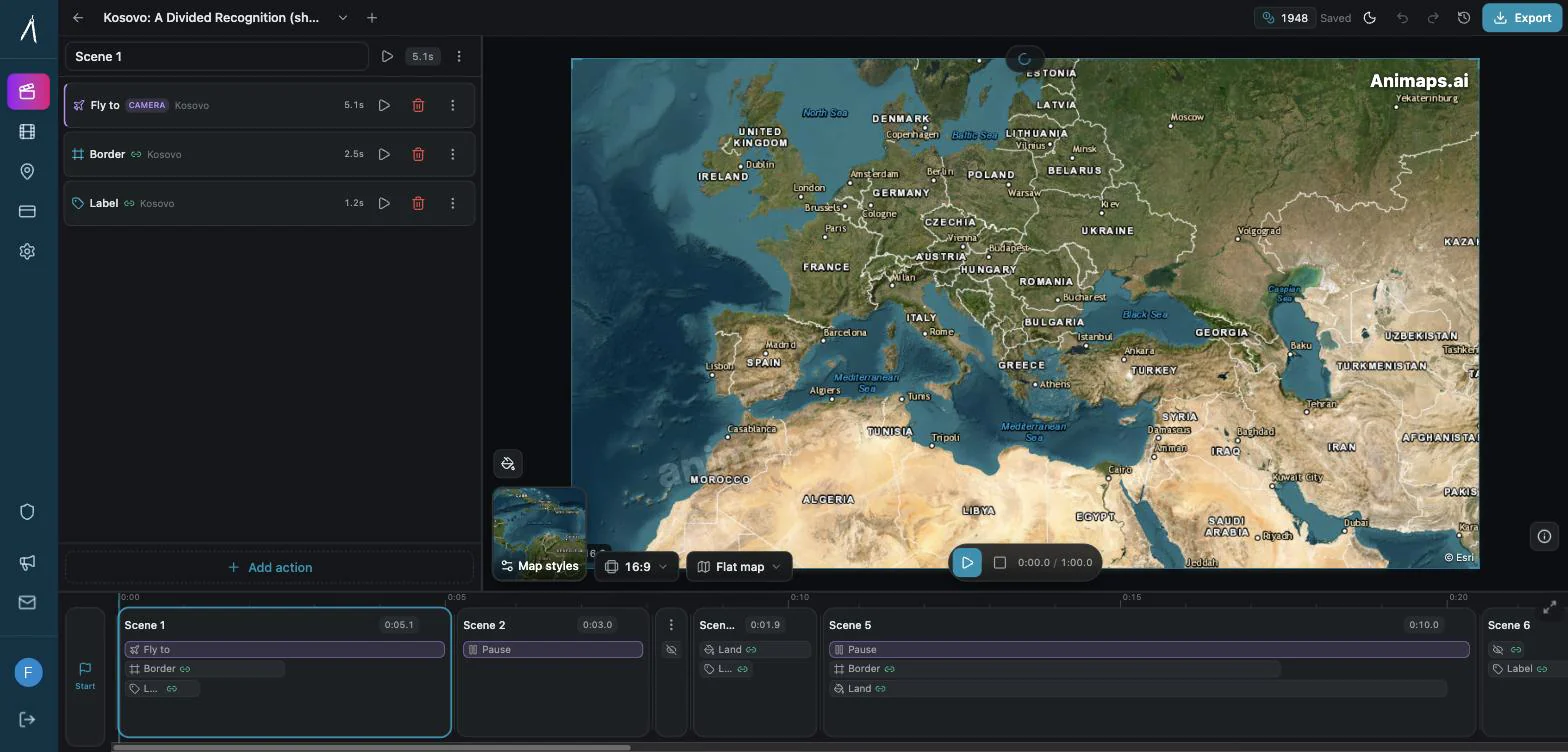
Animaps starts with a sentence. You write something like "zoom to Japan, trace the border, then fly to Tokyo" and the tool produces the steps. The editor then shows each step in a list with a live preview, and you adjust what you want. Each prompt costs 2 credits. The prompt is there to skip the blank page. You can build and edit steps by hand as well.
AnimateMyMap starts with a camera mode. You pick fly-to, orbit, top-down, sweep or bounce, set your locations, then add layers such as text, arrows, flags, images and GIFs. Its AI assistant can build or edit the timeline from a text prompt, within the monthly message allowance of your plan.
Neither approach is better in the abstract. A prompt-first draft is faster when you know roughly what you want and want something to react to. Building shot by shot is more predictable when you have a precise shot in mind.
Animation Range
Animaps lists 23 built-in animation types. They cover camera work (fly-to, zoom in and out, pan, bearing, tilt, orbit) plus border tracing, path tracing, land fills, labels, icons, and scenes that run several moves at once. It carries historical border timelapses for 5,580 entities (empires, kingdoms, US states and counties), and it supports driving routes. Views can be flat or a 3D globe.
AnimateMyMap lists five camera modes, a history library of animated empires with a date slider (Roman, Ottoman, Mongol and more), the War tool for conquest and border-morph animations, a 3D model library placed and animated on the map, and custom map styles with per-layer colours.
Feature counts across two products are not an exact science, since they group things differently. In practice, Animaps covers a wider set of animation types and offers a globe. AnimateMyMap goes further on war maps, 3D models and styling each map layer yourself.
Who Should Choose Which
Choose AnimateMyMap if
You need 4K delivery, or you export many versions and want no render quota. It also fits if you make war or conquest maps, want 3D models on the map, want to style each map layer yourself, or want to work from an Android phone.
You need 4K delivery. Animaps stops at 1440p. If a client or platform requires 4K, the decision is made for you.
You render a lot. No render quota on any plan means you can export again and again without watching a balance.
You make war and conquest maps. The War tool is built for conquest and border-morph animations.
You prefer building shot by shot. If you already know the exact camera move you want, choosing a camera mode and setting it directly is fewer steps.
Choose Animaps if
You want the AI to write the whole first draft as editable steps, you need a globe view or square video, or you want 60 FPS on a free account.
You want a draft fast. Describing a sequence and getting an editable step list back removes the slowest part of the job, which is starting.
You use AI a lot on a small budget. On Starter, prompts are limited only by your credits, not by a fixed message count.
You need a globe view. Flat and globe are both supported.
You need historical borders across many periods. The timelapses cover 5,580 entities, from ancient empires to US counties.
Your delivery is 1080p or vertical social. At that output, 1440p is more than enough, and the 4K advantage does not apply to you.
FAQ
Is AnimateMyMap free? Yes. The Free plan costs $0 and lets you make unlimited videos at 720p and 30 FPS, with a watermark. Paid plans start at $9.90 per month for 1080p at 60 FPS without a watermark.
Is Animaps free? Yes. The Free plan is free forever, with no credit card and 12 credits every month. Editing and preview are always free and unlimited. AI prompts cost 2 credits each, up to 4 a month, and exports start at 2 credits, at 1080p with a small watermark.
Is there an AnimateMyMap APK? AnimateMyMap's site points to its Android app on Google Play and offers no APK download. Animaps needs no app: it runs in your browser.
Does either tool require After Effects? No. Both run in a browser. Neither needs Adobe software.
Which is cheaper? They cost the same: $9.90 and $19.90 per month, or $99 and $199 per year. The difference is what each price buys. AnimateMyMap Pro adds 4K and has no render quota. Animaps meters renders and prompts in credits, and its prompts are not capped by a message count on paid plans.
Can I get 4K from Animaps? No. Animaps caps at 1440p. AnimateMyMap advertises 4K on its Pro plan.
Do both have AI? Yes. Animaps turns a prompt into an editable step list, at 2 credits per prompt. AnimateMyMap has an AI assistant with 10 messages a month on Basic and about 300 on Pro.
Do both remove the watermark on paid plans? Yes. Animaps removes it on Starter and Pro. AnimateMyMap removes it on Basic and Pro.
Can I use my own map data? Animaps lets you import your own GeoJSON from Starter, and your own images on Pro. AnimateMyMap lets you place image and GIF layers and paint your own map style on Pro.
Which one handles vertical video? Both. Animaps supports 16:9, 9:16 and 1:1. AnimateMyMap supports 16:9 and 9:16.
The Bottom Line
These tools now sell at the same prices and both use AI, so the choice is about working style and limits.
AnimateMyMap suits you if you need 4K, want to render without a quota, make war or conquest maps, or want 3D models and per-layer styling.
Animaps suits you if you would rather start from a description and edit a step list, want a globe view, and want a wide range of animation types including historical border timelapses.
If 4K is a hard requirement, that decides it. If it is not, the fastest way to choose is to try Animaps now. It is free, it runs in your browser, and your first animation takes one sentence.
Sources checked on 2026-10-17
- AnimateMyMap pricing: plans, prices, resolutions, AI message allowances, no render quota, 5-day pass, 14-day refund.
- AnimateMyMap home page: feature list, free plan, Android app on Google Play, iOS app in review, ads and rewarded ads on the Free plan.
- Animaps pricing: plans, credits, resolutions, AI prompt cost, export cost, prompt limit on Free.
Related Articles:
Try Animaps Free Now
You have read the comparison. Now see it move. Open Animaps, type one sentence about your map, and watch the preview build itself. Change any step by hand as often as you like, that never costs a credit. No credit card, no install, 12 credits every month.
Keywords: animatemymap alternative, animaps vs animatemymap, animate my map, is animatemymap free, map animation tool comparison, map video maker, 4k map animation, browser map animation, animatemymap free, animatemymap apk
Tags
Related reading
Mapimator vs Animaps: Free Plan, Pro and 4K Compared
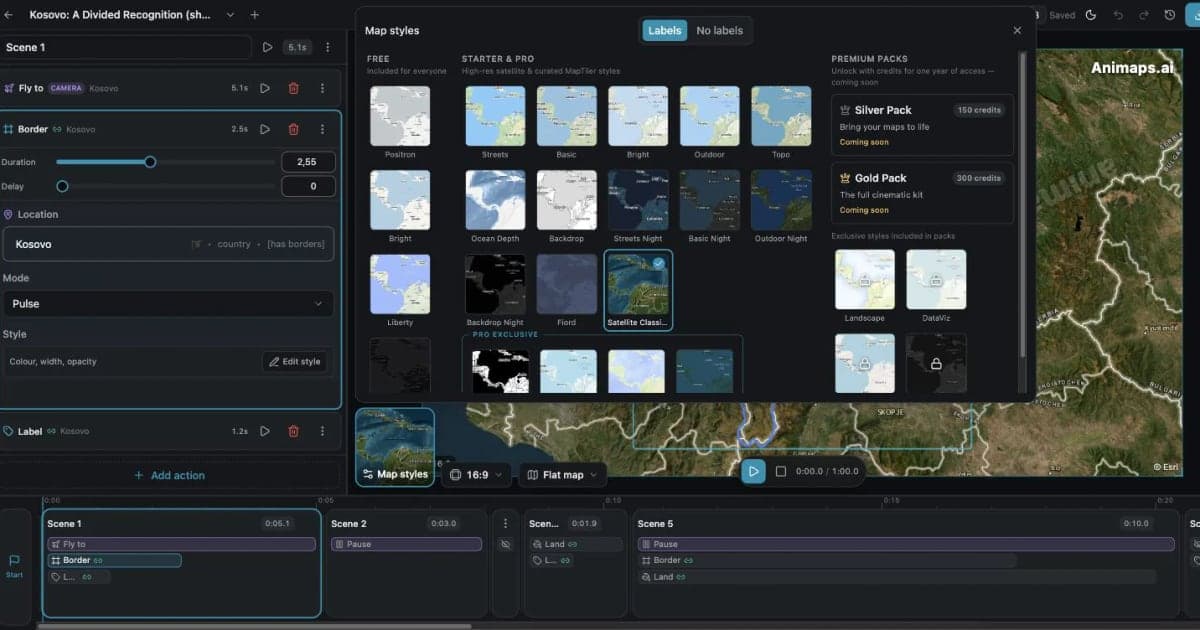
Mapimator and Animaps both run in a browser and both turn a text prompt into a map animation. Mapimator Free gives 1 export a month at 480p, for personal use only, and Pro costs $12 per month for 4K. Animaps is free forever with no credit card, with 1080p exports you can use commercially and an AI result you edit as a step list, on a flat map or a globe.
Animaps vs MapAnimation.io: Prompt-Only or Prompt-Then-Edit?
Both tools turn a written sentence into a map video and neither needs After Effects. MapAnimation.io is built end to end around the prompt: describe, generate, download, with image, video and sprite uploads and cinematic elements in the prompt box. Animaps uses the prompt as a starting point and hands you a step editor with a live preview. Animaps publishes $9.90 and $19.90 per month; MapAnimation.io's pricing page showed no plan table when we checked.
Animaps vs Mappi: Route Videos in 4K or a Full Map Studio?
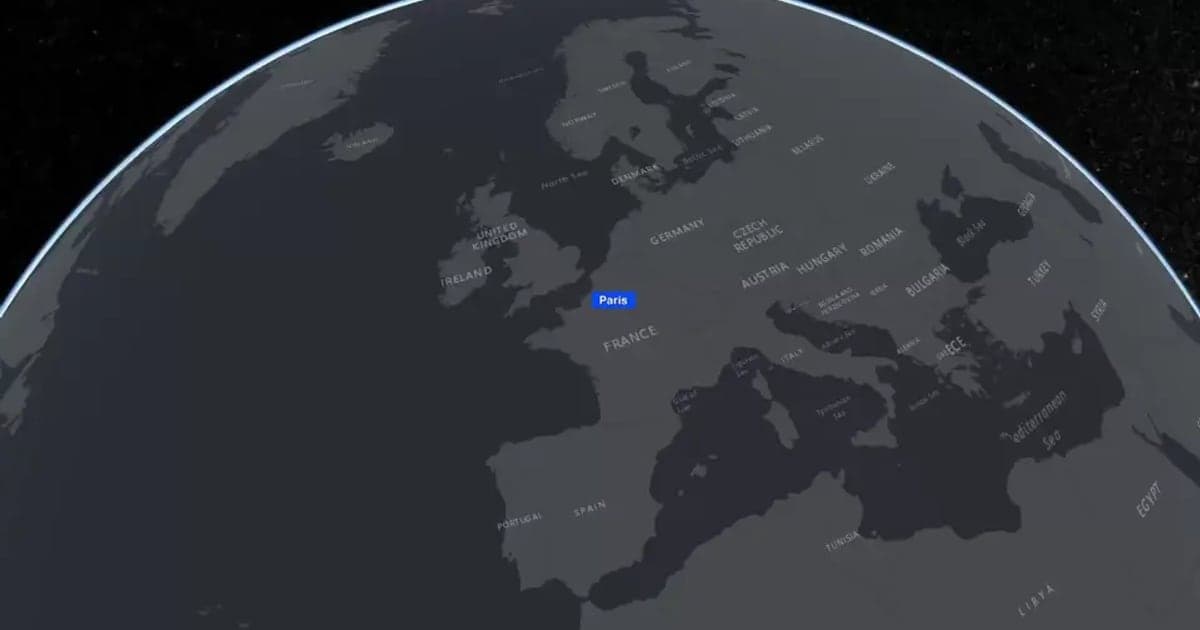
Mappi animates routes and places in the browser, with unlimited free exports at up to 1080p, and 4K, transparent backgrounds and no watermark on its $9 Pro plan. It also offers GIF, image sequences and a 4:5 shape. Animaps costs more and stops at 1440p, but adds 5,500+ historical borders, 3D models, terrain, data overlays, sound and scenes. A route between places points to Mappi; a history or news story points to Animaps.
Browse every article in the Animaps blog.
