Mapimator vs Animaps: Free Plan, Pro and 4K Compared
Is Mapimator free, and is Pro worth it? Mapimator and Animaps compared: free plans, prices, 4K export, AI credits, commercial use and who each tool suits. Verified October 2026.
Animaps Team
Content Creator
Comparison verified October 2026. Both products change their plans from time to time. Check each site before you buy.
Looking at Mapimator? Here is what its free plan and its Pro plan really give you, next to Animaps. Then try Animaps free in your browser. It takes one sentence and no credit card.
TL;DR
Short version: Both are browser map animation tools, and both turn a text prompt into a map animation. Mapimator is free to start, but its Free plan gives 1 export a month at 480p, for personal use only. Its Pro plan costs $12 per month and exports 4K. Animaps is free forever with no credit card: 12 credits every month, unlimited editing and preview, and 1080p exports you can use commercially. Animaps gives you the AI result as an editable step list with a live preview, on a flat map or a globe.
Quick links:
- Try Animaps free: Create your free account, no credit card
- Map animation maker hub: Create animated maps online
- Comparison hub: Map animation maker alternatives
- Examples: Map animation examples gallery
Key differences:
- Free plan: Animaps: 12 credits per month, up to 6 exports at 1080p, commercial use allowed | Mapimator: 1 export per month at 480p, personal use only
- Top resolution: Animaps: 1440p | Mapimator: 4K (Pro)
- Paid entry price: Animaps: $9.90 per month (Starter) | Mapimator: $12 per month (Pro)
- AI metering: Animaps: 2 credits per prompt, 4 prompts a month on Free | Mapimator: one AI Director credit per prompt, 3 one-time credits on Free, 50 per month on Pro
- Teams: Animaps: one account per person | Mapimator: Agency plan with 5 seats
You are comparing Animaps and Mapimator. Both run in a browser, both export MP4, and both use AI to build map animations from a text prompt.
The differences are in the limits, the resolution, the licence, and how you edit what the AI gives you. This comparison covers what each tool is for, what it costs, what it exports, and who should pick which.
Is Mapimator Free?
Yes, Mapimator has a Free plan at $0, which its pricing page calls "forever free". Its site says you need no credit card to begin. The limits are tight:
- Up to 3 projects
- 1 export per month, at 480p and 30 FPS, with a Mapimator watermark
- 3 AI Director credits to try, one time only. They do not renew.
- Basic templates and basic map styles
- Country pins only for regions, and straight lines for routes. Detailed borders and real driving routes come with Pro.
- Free exports are for personal, non-commercial use only
So the Mapimator Free plan lets you try the editor. It does not give you a video you can post on a monetized channel or deliver to a client. For that, you need Pro.
Is Animaps Free?
Yes, and the AI works on the Free plan too. The Animaps Free plan is free forever and needs no credit card. You get 12 credits every month:
- Building, editing, previewing and replaying an animation are free and unlimited. No credits, ever.
- An AI prompt costs 2 credits, to create a whole animation from a sentence or, on Starter and Pro, to change it. If the AI delivers nothing, the credits come back automatically. The Free plan allows up to 4 AI prompts a month.
- An export costs from 2 credits: 2 for up to 20 seconds, 4 for up to 40 seconds. Free exports go up to 30 seconds at 1080p, with a small watermark, up to 6 a month.
- Your exports are yours to use. Animaps says every exported video can go into commercial work, including monetized YouTube channels and client projects, on every plan.
Put the two side by side. One free month on Mapimator is 1 export at 480p. One free month on Animaps is, for example, 4 AI prompts plus 2 short exports at 1080p, or 6 short videos you built by hand. Then you get 12 credits again.
Is Mapimator Pro Worth It?
Mapimator Pro costs $12 per month, or $99 a year. For that you get:
- Unlimited projects and 100 exports per month
- Up to 4K at 60 FPS, with no watermark
- 50 AI Director credits per month
- Commercial use: monetized YouTube, social media and client work
- Premium templates, detailed regional borders and real driving routes
Students get 30% off Pro. The $12 is shown next to a crossed-out $19, so it may be an offer rather than a fixed price.
Pro is worth it if you need 4K. If you do not, compare it with Animaps Starter at $9.90 per month: 120 credits a month (up to 60 short animations), 1080p, no watermark, GeoJSON import, and AI prompts limited only by your credits. Before you pay for either one, make a few real 1080p videos on the Animaps Free plan. It costs nothing.
Quick Comparison
Swipe sideways to see the whole table.
| Factor | Animaps | Mapimator |
|---|---|---|
| Free tier | Free forever, no credit card, 12 credits per month (up to 6 animations), 1080p, watermarked | 3 projects, 1 export per month, 480p at 30 FPS, watermarked |
| Paid plans | Starter $9.90/mo, Pro $19.90/mo | Pro $12/mo, Agency $29/mo, Enterprise custom |
| Top resolution | 1440p (included on Pro, extra credits on other plans) | 4K on Pro and above |
| Monthly output on paid | Up to 60 (Starter) or 125 (Pro) short animations | 100 exports on Pro, 300 pooled on Agency |
| AI | Prompt to editable steps, 2 credits per prompt | AI Director, one credit per prompt, 50 per month on Pro |
| Commercial use | Every plan, Free included | Pro and above. TV and broadcast need Enterprise |
| Styles and templates | 4 free styles, 13 more on Starter, 13 Pro-exclusive styles | 30+ ready-made starter templates, premium templates on Pro |
| Own data import | GeoJSON from Starter, images on Pro | GeoJSON, GPX and KML tracks, CSV pins (Pro). Custom GeoJSON on Enterprise |
| Globe view | Yes | Not stated on their site |
What Each Tool Is For
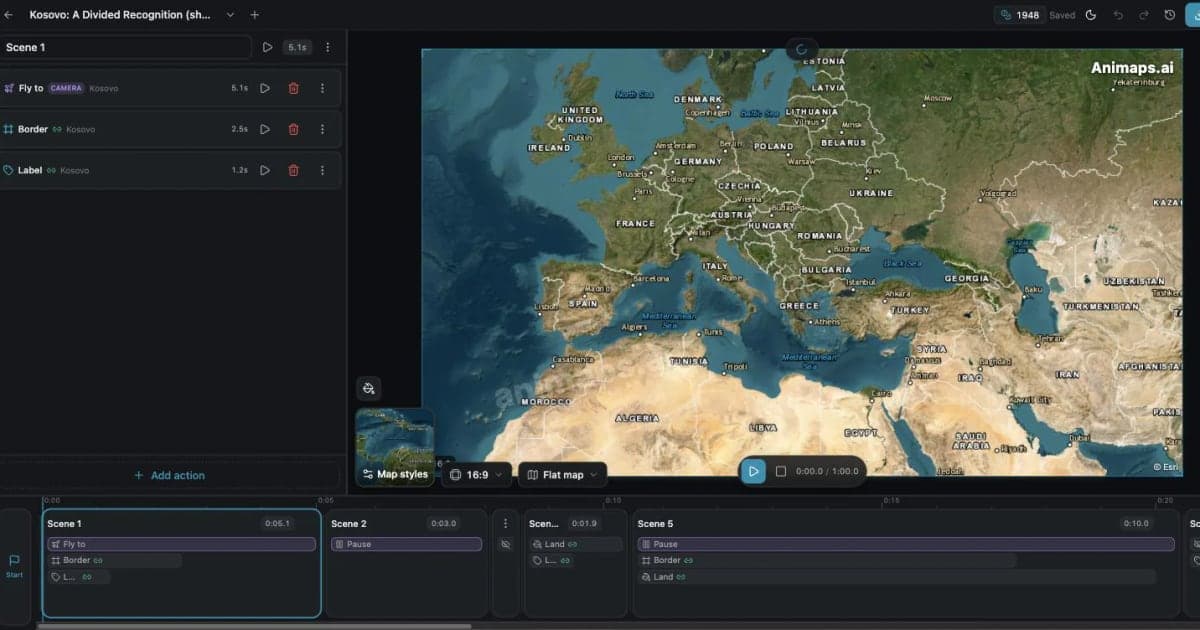
Animaps is a general map animation studio. You describe what you want in plain English and it produces an editable sequence of steps. The editor shows each step with a live preview so you can change timing, targets, and effects. You can also build every step by hand. Its site lists 23 built-in animation types, flat and globe views, 180,000+ searchable locations, and historical border timelapses for 5,580 entities covering empires, kingdoms, US states and counties.
Mapimator is an online map animation studio built around projects and camera slides. Its AI Director lets you describe a journey and handles camera work, routes and regional highlights, and its pricing FAQ says AI Director credits generate complete map animations from text prompts. Its site lists 30+ ready-made starter templates, map designs powered by MapLibre, GeoJSON, GPX and KML import, 3D models and map overlays, 4K export presets, and use-case pages for war maps and history maps.
Both let you work by hand and both let the AI do the first pass. The difference is the shape of the result: a step list in Animaps, a project of camera slides in Mapimator.
Pricing Side by Side
Both publish their prices, which makes this straightforward.
Animaps
Swipe sideways to see the whole table.
| Plan | Price | What you get |
|---|---|---|
| Free | $0 | 12 credits per month (6 every 15 days, up to 6 animations), 1080p, watermarked, 30 second maximum, 4 AI prompts per month |
| Starter | $9.90 per month, $99 a year | 120 credits per month (up to 60 animations), 1080p, no watermark, 45 second maximum, AI prompts within your credits, GeoJSON import |
| Pro | $19.90 per month, $199 a year | 250 credits per month (up to 125 animations), 1440p included, no watermark, 60 second maximum, image import, 3D terrain and buildings, priority support |
An AI prompt costs 2 credits on every Animaps plan. A short render costs at least 2 credits, so "up to 60 animations" means short clips at 30 FPS. Longer clips and 60 FPS cost more. Plan credits reset each month. Credit packs you buy separately do not expire.
Mapimator
Swipe sideways to see the whole table.
| Plan | Price | What you get |
|---|---|---|
| Free | $0 | Up to 3 projects, 1 export per month, 480p at 30 FPS, watermarked, 3 AI Director credits to try (one time), basic styles, personal use only |
| Pro | $12 per month or $99 a year | Unlimited projects, 100 exports per month, 50 AI Director credits per month, up to 4K at 60 FPS, no watermark, commercial use, premium templates |
| Agency | $29 per month or $290 a year | Everything in Pro, 5 seats, shared workspace, 300 pooled exports and 150 pooled AI Director credits per month |
| Enterprise | Custom, annual billing | TV and broadcast licence, custom GeoJSON borders, custom branding, dedicated account manager, invoice billing |
A few honest observations on these numbers.
Mapimator Pro is cheaper than Animaps Pro, at $12 per month against $19.90, and it exports 4K where Animaps stops at 1440p. Its pricing page shows Pro's $12 next to a crossed-out $19, and Agency's $29 next to a crossed-out $49, so treat both as current offers. Mapimator also offers 30% off Pro for students.
Animaps has the cheaper way in, at $9.90 per month for Starter, but that plan includes 1080p (1440p costs extra credits). Yearly, Animaps Starter and Mapimator Pro both cost $99.
The licence terms differ. Mapimator states that Free exports are for personal, non-commercial use only. Pro and Agency cover monetized YouTube videos, social media, sponsored content and client work, and only TV and broadcast use needs Enterprise. Animaps says all exported videos can be used in commercial projects, including monetized YouTube channels, client work and broadcast, on every plan. Free exports carry a small watermark.
The free plans are very different in size. Mapimator's free plan allows one export per month at 480p and 3 AI credits that do not renew. Animaps' free plan allows up to six short animations per month at 1080p and 4 AI prompts per month. If you want to test a tool properly without paying, Animaps gives you more room.
Export and Resolution
Mapimator Pro exports up to 4K at 60 FPS. Animaps caps at 1440p. That is a clear advantage for Mapimator, and it should factor into your decision.
Where it counts: client deliverables in 4K, footage in a 4K timeline, or cropping into the map in post. Where it counts less: YouTube at 1080p, Instagram, TikTok, or presentations, since 1440p already exceeds those.
Frame rate is comparable at the top end. Both offer 60 FPS on paid plans. Animaps also offers a 60 FPS export option on its free plan, at twice the credits. Mapimator's free plan is 30 FPS.
On volume, Mapimator Pro allows 100 exports per month. Animaps Pro gives 250 credits, which is up to 125 short animations. Long clips and 60 FPS use more credits per render, so count your typical video length when you compare.
Both export MP4 and GIF. Animaps caps GIF at 6 seconds and supports 16:9, 9:16 and 1:1. Mapimator exports landscape, vertical or square.
How the AI Differs
Both products turn a prompt into an animation, so the useful question is what you get and how it is metered.
Mapimator's AI Director is metered in credits: one credit per prompt, 3 one-time credits on Free, 50 per month on Pro and 150 pooled on Agency. Its site describes it as handling camera work, routes and regional highlights from a description of your journey. You then refine the result slide by slide.
Animaps' prompting returns the animation as a list of steps, for example zoom to a country, trace its border, then fly to a city. You then edit each step with a live preview. Each prompt costs 2 credits from the same balance you use for renders. Free accounts get 4 prompts per month. On Starter and Pro, prompts are limited only by your credits.
Neither is more advanced in the abstract. If you prompt many times per video, compare the totals: 50 AI Director credits on Mapimator Pro, or prompts paid from 120 or 250 monthly credits on Animaps.
Data and Styling
Both can import GeoJSON. Animaps lets you import your own GeoJSON geometry from the Starter plan, and your own images on Pro. Mapimator's FAQ says you can import GeoJSON, GPX and KML tracks, and pins from CSV or GeoJSON files, and marks it as a Pro feature. Its pricing table lists custom GeoJSON borders under Enterprise.
Animaps works from its own location database of 180,000+ places, searchable by name, with coordinate entry as a fallback. It also supports driving routes and carries historical border timelapses for 5,580 entities. Mapimator's Free plan has country pins only and straight-line routes. Detailed state and country borders and real driving paths come with Pro. It also has a history map use-case page.
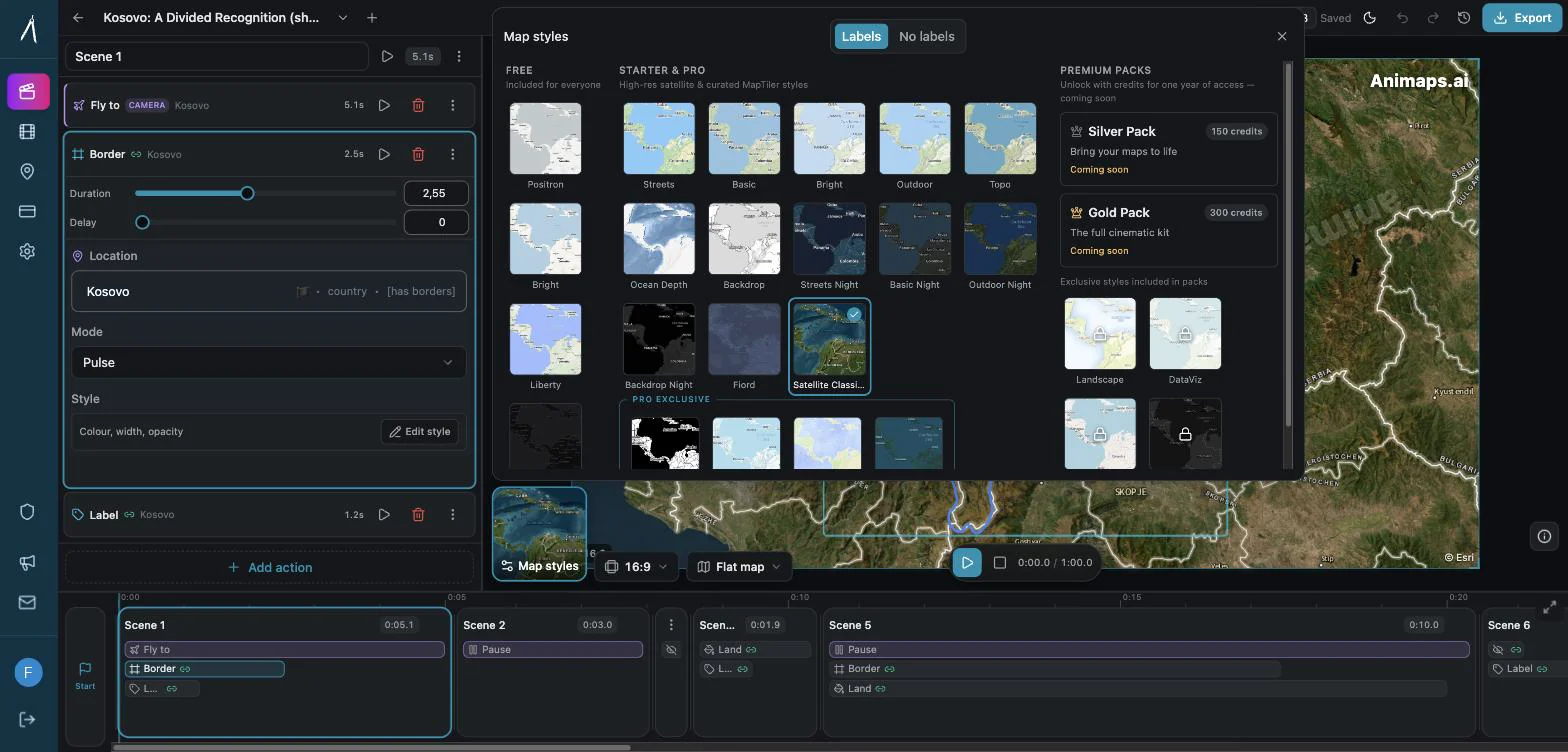
On looks, Mapimator lists 30+ ready-made starter templates, with premium templates on Pro, and map designs powered by MapLibre. Animaps has 4 free styles plus the globe, 13 Starter styles with satellite, night, terrain and ocean looks, and 13 more styles only on Pro. If you like to start from a ready-made template, Mapimator gives you a wide choice.
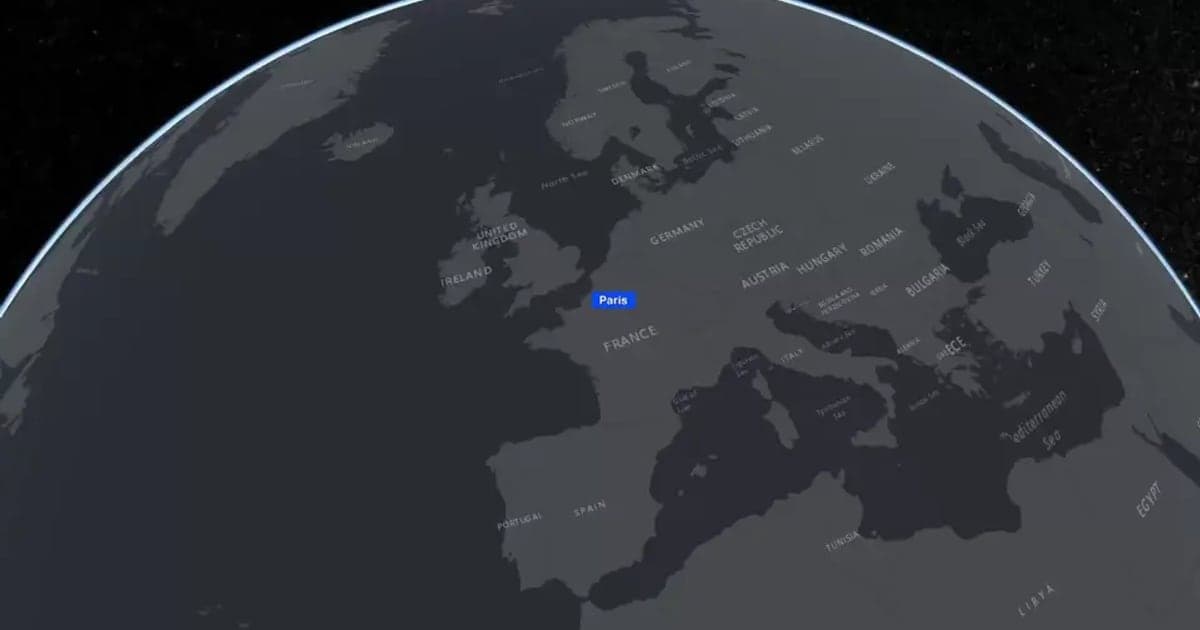
Animaps offers a globe view alongside the flat map. Mapimator's site does not state a globe view among the features checked.
Who Should Choose Which
Choose Mapimator if
You need 4K, a team workspace, a TV broadcast licence in your contract, or a wide choice of ready-made templates. It is also the better price if you would otherwise pay for Animaps Pro.
You need 4K delivery. Animaps stops at 1440p. If 4K is required, this settles it.
You work in a team. The Agency plan gives 5 seats with a shared workspace and pooled limits.
You want the lowest price for a 4K plan. Pro at $12 per month, or $99 per year, undercuts Animaps Pro at $19.90.
You like starting from a template. Mapimator lists 30+ ready-made starter templates.
You are a student. Mapimator offers 30% off Pro with proof of enrollment.
You want an account manager and invoice billing. Its Enterprise plan includes both, with a TV and broadcast licence.
Choose Animaps if
You want to test seriously for free, want to use your free videos commercially, want a globe, or want to edit the AI result as a clear list of steps.
You want to evaluate seriously before paying. Up to six animations per month at 1080p tells you far more than one export per month at 480p.
You want to publish what you make on the Free plan. Animaps exports can go on a monetized channel or to a client on every plan. Mapimator Free exports are for personal use only.
You want to edit the AI result step by step. Each step is listed with a live preview, so you change one move without rebuilding the rest.
You need historical borders. Timelapses for 5,580 entities cover empires, kingdoms, US states and counties.
You need a globe view. Flat and globe are both supported.
You want the cheapest paid entry point with GeoJSON import. Starter at $9.90 per month includes GeoJSON import, though it includes 1080p rather than 4K.
FAQ
Is Mapimator free? Mapimator has a Free plan at $0, and its site says you need no credit card to begin. It allows up to 3 projects and 1 export per month at 480p and 30 FPS, with a watermark, plus 3 AI Director credits that do not renew. Free exports are for personal, non-commercial use only.
How much is Mapimator Pro? $12 per month or $99 a year, shown next to a crossed-out $19. Pro gives 100 exports and 50 AI Director credits per month, up to 4K at 60 FPS, no watermark and commercial use. Students get 30% off.
Can I use Mapimator free videos on YouTube? Only for personal, non-commercial use. Mapimator says monetized YouTube videos, sponsored content and client work need Pro or Agency. Animaps lets you use exported videos commercially on every plan, the Free plan included.
Is Animaps free? Yes. The Free plan is free forever, with no credit card and 12 credits every month. Editing and preview are always free and unlimited. AI prompts cost 2 credits each, up to 4 a month, and exports start at 2 credits, at 1080p with a small watermark.
Which is cheaper? It depends on the plan. Animaps Starter is $9.90 per month, below Mapimator Pro at $12. But Mapimator Pro includes 4K and 100 exports. Against Animaps Pro at $19.90, Mapimator Pro is cheaper. Yearly, Animaps Starter and Mapimator Pro both cost $99.
Can Animaps export 4K? No. Animaps caps at 1440p. Mapimator Pro advertises up to 4K at 60 FPS.
Do both have AI? Yes. Both build an animation from a text prompt. Mapimator's AI Director uses one credit per prompt, with 50 credits per month on Pro. Animaps charges 2 credits per prompt from your monthly credits.
Can I import my own map data? Animaps imports GeoJSON from Starter and images on Pro. Mapimator imports GeoJSON, GPX and KML tracks and CSV pins as a Pro feature, and lists custom GeoJSON borders under Enterprise.
Do unused credits carry over? Animaps plan credits reset each month, but credit packs you buy separately never expire. Mapimator's pricing page does not state rollover for exports or AI Director credits.
The Bottom Line
These two overlap more than most tools in this category, so the decision comes down to a few concrete points.
Mapimator is the better pick if you need 4K, a team plan, a TV broadcast licence, ready-made templates, or the lowest price for a 4K plan. Its free plan is small and for personal use only, so budget for Pro if you want to test it seriously.
Animaps is the better pick if you want a free plan you can actually judge the product on, free videos you can publish, a globe view, historical borders, or an AI result you edit as a step list.
If 4K is on your requirements list, Mapimator answers it and Animaps does not. If it is not, the fastest way to choose is to try Animaps now. It is free, it runs in your browser, and your first animation takes one sentence.
Sources checked on 2026-10-18
- Mapimator pricing: plans, prices, crossed-out prices, exports, resolutions, AI Director credits, commercial and broadcast terms, free plan for personal use, student discount, no credit card to begin.
- Mapimator home page: starter template count, AI Director description, GeoJSON, GPX and KML import, 3D models and overlays.
- Animaps pricing: plans, credits, resolutions, AI prompt cost, export cost, prompt limit on Free.
- Animaps map animation maker: commercial use of exported videos.
Related Articles:
Try Animaps Free Now
You have read the numbers. Now see a map move. Open Animaps, type one sentence about your map, and watch the preview build itself. Change any step by hand as often as you like, that never costs a credit. Export at 1080p and post it wherever you want. No credit card, no install, 12 credits every month.
Keywords: mapimator alternative, animaps vs mapimator, mapimator review, is mapimator free, mapimator free, mapimator pro, mapimator pricing, ai map animation, map animation tool comparison, geojson map animation, 4k map video
Tags
Related reading
Animaps vs AnimateMyMap: Which Map Video Tool Fits Your Work?
Both Animaps and AnimateMyMap make map videos in a browser, both have an AI assistant, and both charge $9.90 and $19.90 per month. Animaps turns a written description into an editable step list, on a flat map or a globe. AnimateMyMap is built around camera modes and layers, with no render quota, a War tool and an Android app. Its free plan makes unlimited 720p videos, and its Pro plan exports 4K where Animaps caps at 1440p.
Animaps vs Mappi: Route Videos in 4K or a Full Map Studio?
Mappi animates routes and places in the browser, with unlimited free exports at up to 1080p, and 4K, transparent backgrounds and no watermark on its $9 Pro plan. It also offers GIF, image sequences and a 4:5 shape. Animaps costs more and stops at 1440p, but adds 5,500+ historical borders, 3D models, terrain, data overlays, sound and scenes. A route between places points to Mappi; a history or news story points to Animaps.

Animaps vs MapAnimation.io: Prompt-Only or Prompt-Then-Edit?
Both tools turn a written sentence into a map video and neither needs After Effects. MapAnimation.io is built end to end around the prompt: describe, generate, download, with image, video and sprite uploads and cinematic elements in the prompt box. Animaps uses the prompt as a starting point and hands you a step editor with a live preview. Animaps publishes $9.90 and $19.90 per month; MapAnimation.io's pricing page showed no plan table when we checked.
Browse every article in the Animaps blog.
