Show Travel Itineraries as Map Videos, Not PDFs
Turn a day by day travel itinerary into a short map video for clients: real-road drives, sea crossings, flights and a label for every stop.
Animaps Team
Content Creator
Most travel itineraries still reach the client as a PDF: a table of days, hotels and transfers. A short map video shows the same trip in 30 seconds, day by day, and clients understand it at once. You can make one in a browser with the map animation maker.
TL;DR
Short version: A travel itinerary map video draws the trip leg by leg: Day 1 in Lisbon, a drive to Porto on Day 3, a flight to the Azores on Day 6. Each stop gets its name and its day number. Travel agencies, tour operators and travel planners use these videos in proposals, on product pages and on social media. In Animaps you type the itinerary as one sentence, or build it with Route steps (driving on real roads, sea routes that avoid land, flights on arcs) plus labels and text. Export an MP4 in 16:9 for a proposal or a website, 9:16 for Reels and Stories.
Quick links:
- Routes between stops: Travel route animation guide
- Step by step: Route tutorial
- Examples: Travel map animation
Why a Map Video Beats a PDF
A PDF itinerary is complete, but it is hard to picture. A client reads "Day 4: transfer to Sintra (40 min)" and has no idea where Sintra is. A map video shows the whole trip as one line across the country, with each stop in its place. Clients see how far they will travel each day, which parts are by car and which are by boat or plane, and where they will sleep.
It also sells. A short video in a proposal email or on a tour page gets watched more than a table, and it is easy to share with the other people on the trip.
Keep the PDF for the details: hotels, times, prices, terms. Use the video to give the trip a shape.
Where Agencies Use Itinerary Videos
- In a proposal email, next to the PDF.
- On each tour's product page, above the day by day text.
- On Instagram, TikTok and Facebook, as a 9:16 clip per tour.
- In a client presentation or a travel fair screen.
- In a WhatsApp message to a client deciding between two routes.
Plan the Video From the Itinerary
Take your day by day plan and keep only what a map can show:
- The stops, in order.
- The day of arrival at each stop.
- How the client travels between them: car, train, boat, plane or on foot.
Example, a 10 day Portugal trip:
- Day 1 to 2: Lisbon
- Day 3: Sintra (by car)
- Day 4 to 5: Porto (by car)
- Day 6: Douro Valley (by car)
- Day 7 to 9: Sao Miguel, Azores (by plane from Porto)
- Day 10: back to Lisbon (by plane)
Make It in One Prompt
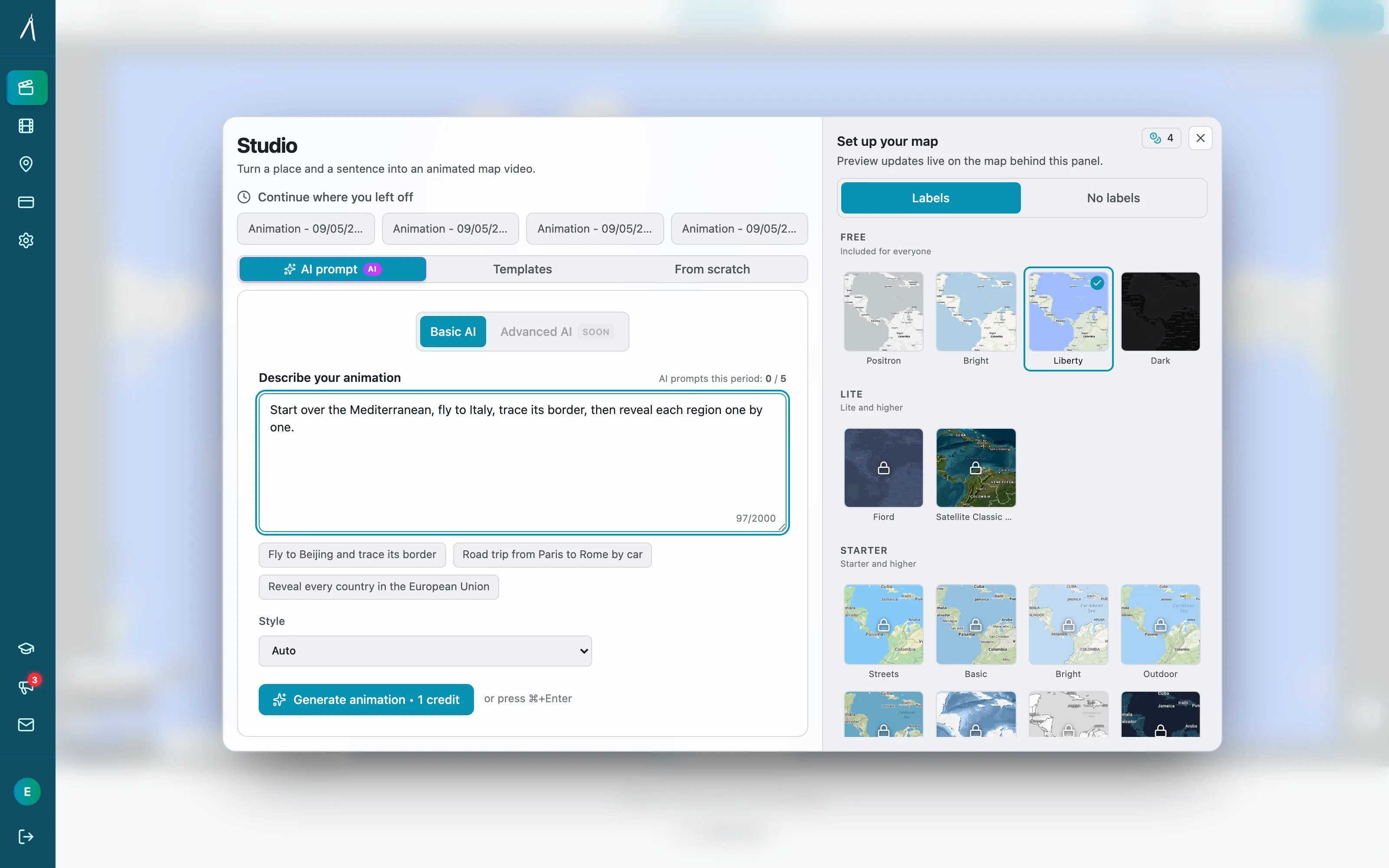
The AI builds the steps: the camera moves, one route leg per transfer, a label per stop. You can then change any step by hand before you export. The AI map prompts guide shows how to write prompts that work well.
Or Build It Step by Step
- Pick a map style. Light or Bright for a clean brochure look, Satellite to show the landscape.
- Start on a view of the whole country or region. Hold it 2 seconds, so the client sees where the trip happens.
- Add a Label on the first stop: "Day 1 Lisbon".
- Add a Route step to the next stop. Choose the travel mode for that leg: driving follows real roads, sea routes avoid land, flights draw an arc.
- Pick a route look for each leg. Road trip, Flight, Rail, Sea and Walk each set a line color, a stop style and an arrival effect in one click.
- Add a Label for each stop with its day number.
- Repeat for every leg. Give a short drive 2 to 3 seconds and a long flight 3 to 4 seconds.
- End on a wide view of the full route, and hold 3 seconds.
- Preview, adjust, export.
The travel route animation guide covers travel modes and route looks in detail.
3D Vehicles Along the Route
Each leg can carry a 3D model that moves along the line: a car on the road, a ship on the sea, a plane on the arc. Animaps picks a model for the travel mode when one exists, and has 921 3D models to choose from. For a cruise or a ferry trip, a ship on the water makes the mode clear without a word.
More Itinerary Prompts
7 day Japan rail trip. Day 1 Tokyo. Day 3 train to Kyoto. Day 5 train to Hiroshima. Day 6 ferry to Miyajima. Day 7 train back to Osaka. Label each stop with the day.
Safari itinerary in Tanzania. Fly from Arusha to the Serengeti, drive to the Ngorongoro Crater, then fly to Zanzibar. Label each stop and end on the full route.
Two week road trip in the western United States: Los Angeles, Las Vegas, Grand Canyon, Page, Zion, then back to Las Vegas. Car on real roads, day number on each stop.
One Template, Many Tours
An agency sells many tours with the same structure. Build the first video with your colors, map style and label design. For the next tour, change the places and the days, and keep the rest. A team can produce a video for each tour on the website in one afternoon.
Tips for Client-Facing Itinerary Videos
- One label per stop, with the day and the name. Hotel names belong in the PDF.
- Show the transport. A car, a train line or a ship tells the client what each day feels like.
- Start and end on the same wide view, so the client remembers the whole loop.
- Make a 9:16 version for social posts, and a 16:9 version for the proposal and the website.
- Use your brand color for the route line.
What a Map Video Does Not Replace
For photos and music, add them in your video editor after you export the map.
FAQ
How do I turn a travel itinerary into a map video? List the stops in order with the day and the transport for each leg. Type that list as one sentence in Animaps, or build one Route step per leg, then export an MP4.
Can the route follow real roads? Yes. Driving legs follow real roads. Sea legs avoid land, and flights draw an arc.
Can I show the day number at each stop? Yes. Put the day in the stop's label, such as "Day 4 Porto".
Can I send the video to a client? Yes. The export is a standard MP4 that plays in email, on a phone and on any website.
Can I import an itinerary from a booking tool? No. Type or paste the stops.
For more ways travel creators use route maps, read 10 ways travel bloggers use animated maps.
Tags
Related reading
10 Ways Travel Bloggers Use Animated Maps (And How You Can Too)
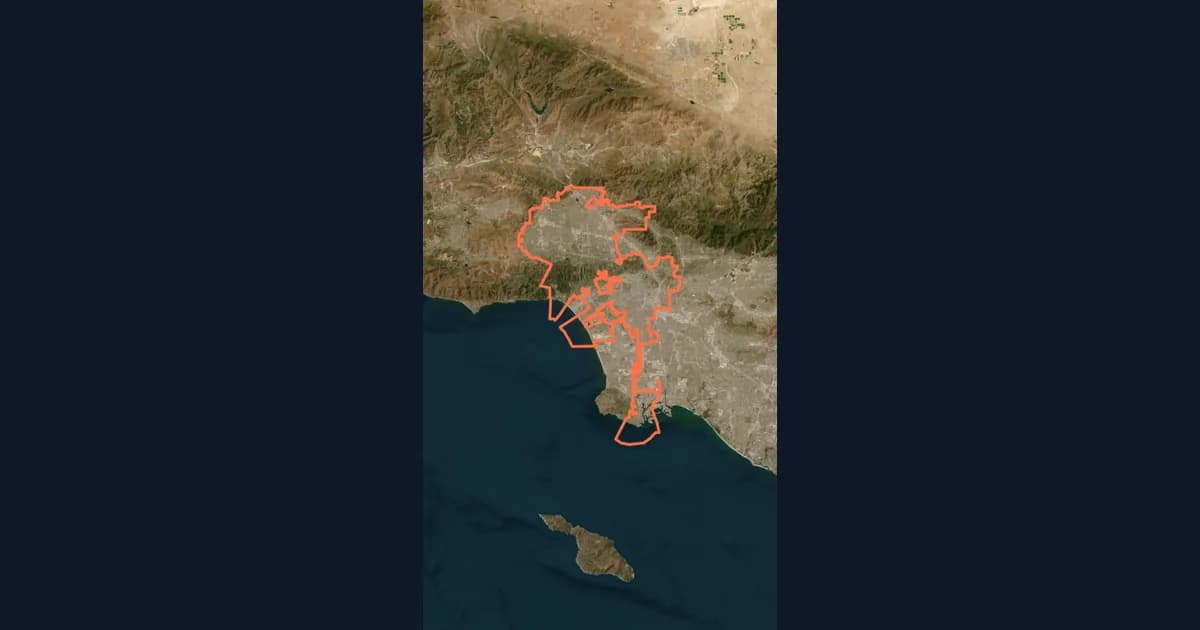
Travel bloggers face a unique challenge: how do you make someone feel a journey they haven't taken? Static photos show destinations. Written stories describe experiences. But animated maps? They transport viewers into your journey, transforming passive readers into active participants following along your path. In 2026, animated maps have evolved from nice-to-have embellishments to essential storytelling tools.
Animaps vs TravelBoast: A Travel Video App or a Map Studio?
TravelBoast turns a trip into a short 3D travel video on your phone, with GPX import, photos at each stop and 250+ vehicles. Its subscription is $5.99 a month on the US App Store and unlocks 4K. Animaps runs in a browser, has no phone app and caps at 1440p, but covers borders, fills, labels and historical maps as well as routes. Your trip points to TravelBoast; a place or a story points to Animaps.
Map Video Maker: How to Make a Map Video Online
A map video maker turns a map into a video file you can post or edit. Here is how to make one in Animaps from a single sentence, which shape and size to pick for YouTube, Shorts or a feed, how long it should run, and what each export costs.
Browse every article in the Animaps blog.
