10 Ways Travel Bloggers Use Animated Maps (And How You Can Too)
Discover 10 proven ways travel bloggers use animated maps to boost engagement, increase followers, and create shareable content. Complete guide with examples and implementation strategies.
Preview & Editor advantage
Draft with AI prompts or templates, then refine every animation step in real time (zoom, opacity, border width, colors, bearing, tilt). Credits are used only when you render the final video.
Animaps Team
Content Creator
10 Ways Travel Bloggers Use Animated Maps (And How You Can Too)
Last updated: December 20, 2025
TL;DR
10 proven strategies: Route visualizations, journey intros, destination highlights, multi-stop itineraries, country comparisons, before/after transformations, seasonal travel patterns, cultural region mapping, adventure route tracking, and social media snippets.
Key benefits: Increased engagement, better viewer retention, shareable content, professional production value, and improved storytelling.
Creation time: AI-powered tools can create professional travel map animations in 60-90 seconds. Traditional tools require 30-90 minutes per animation.
Related reading:
- Map animation maker hub: Create animated maps online
- Travel route guide: How to create travel route animations
- Comparison hub: Map animation maker alternatives
Travel bloggers face a unique challenge: how do you make someone feel a journey they haven't taken?
Static photos show destinations. Written stories describe experiences. But animated maps? They transport viewers into your journey, transforming passive readers into active participants following along your path.
Animated maps add a dynamic element to travel stories, making them more engaging for viewers while creating visually appealing, eye-catching content perfect for social media, blogs, and travel vlogs that serve as memorable keepsakes of adventures.
In 2025, animated maps have evolved from nice-to-have embellishments to essential storytelling tools. The most successful travel creators aren't just using them—they're using them strategically in ways that boost engagement, increase followers, and turn casual viewers into loyal fans.
This article reveals the 10 most effective ways travel bloggers use animated maps, complete with examples, implementation strategies, and tools to make it happen (including how to create professional animations in under 2 minutes).
Why Animated Maps Work: The Psychology
Before we dive into the techniques, let's understand why animated maps are so effective:
1. They Activate Spatial Memory Humans process visual-spatial information 60,000x faster than text. Maps tap into our innate ability to navigate and understand geography.
2. They Create Narrative Flow Movement equals story. An animated path creates forward momentum that keeps viewers watching.
3. They Build Anticipation "Where are they going next?" becomes a subconscious question that holds attention.
4. They Provide Context Viewers instantly understand scale, distance, and geographic relationships that paragraphs of text can't convey.
5. They're Shareable Map animations look professional and cinematic—content people actually want to share on social media.
Now, let's explore exactly how top travel bloggers leverage these psychological triggers.
1. The Cinematic Video Intro (The Hook)
What It Is
A 10-30 second animated map sequence that opens your travel video, showing your complete journey at a glance before diving into detailed footage.
Why It Works
A dynamic travel video intro instantly signals quality and earns attention in the first 5 seconds—critical for retention, while setting the mood for the entire content whether it's a serene nature retreat or a chaotic urban adventure.
Psychological hook: Viewers immediately understand the scope and see the "story" of your journey, making them curious about the details.
Real Example
A travel vlogger opens with a 15-second map animation showing a route from Bangkok → Chiang Mai → Phuket with plane icons flying between destinations. Background music builds as the camera zooms to each location. Cut to: actual footage from each city.
Result: Viewers know they're about to see three distinct adventures. They're primed to watch through the entire video.
How to Implement
Traditional Approach:
- Create map animation in After Effects (2-3 hours)
- Sync with music timing
- Export and add to video timeline
- Time investment: 3+ hours
Modern Approach with Animaps:
Type: "Show Thailand, zoom to Bangkok, then Chiang Mai, then Phuket"
Export: 1080p MP4 in 60 seconds
Add to video: Import into editing software
Total time: 3 minutes
Pro Tips:
- Keep intro under 20 seconds (mobile attention spans)
- Match music tempo to animation speed
- Use dramatic zoom for the final destination
- Include your channel logo overlay
- Test different versions to see what retains viewers best
Metrics That Matter
- Average view duration increase: 15-30%
- Click-through rate improvement: 20-40%
- "Skip intro" rate: Dramatically lower vs. static intros
2. The Multi-Destination Journey Recap
What It Is
A comprehensive animated map showing your entire trip with multiple stops, perfect for month-long adventures or multi-country tours.
Why It Works
Travel fatigue is real for viewers. Showing 30 days of content linearly is exhausting. An animated map lets you compress time while maintaining geographic context.
The power: Viewers see "Oh, they went to 12 countries!" immediately, creating respect for the scope of your adventure.
Real Example
"Our 90-Day Southeast Asia Adventure" video opens with animated map showing route through Thailand (5 cities) → Vietnam (4 cities) → Cambodia (3 cities) → Laos (2 cities). Each country highlighted in different colors. Icons drop at major stops.
Engagement result: Comments fill with "Where did you like best?" and "I'm planning the same route!"
Implementation Strategy
For comprehensive journeys, show:
- Overall route with all countries/regions
- Zoom to highlight 3-5 "must-see" locations
- Add icons representing experiences (🏖️ beaches, 🏔️ mountains, 🏛️ historical sites)
- Include subtle country flag displays as you enter each nation
Animaps implementation:
"Show Southeast Asia, highlight Thailand with Thai flag, zoom to Bangkok, Chiang Mai, Phuket, Koh Samui, Krabi, then show Vietnam, highlight Hanoi, Ho Chi Minh City, Hoi An"
Add vehicle animations: Show plane/train/boat icons moving between countries, car icons for domestic travel.
When to Use It
- Video outros/recaps
- Blog post headers
- Instagram carousel summaries
- Newsletter content
- Sponsorship tilt decks
3. The "Here's Where We Are" Social Media Update
What It Is
Quick 10-15 second animated maps posted to Instagram Stories, TikTok, or YouTube Shorts showing current location or next destination.
Why It Works
FOMO (Fear of Missing Out) is a powerful motivator. Followers become invested in where you'll go next, not just what you're doing now.
Higher animation speeds are recommended for engaging TikTok/Instagram/YouTube shorts, while slower speeds work well for traditional travel documentaries.
Real Example Formats
Format 1: "Guess where we're going next?"
- Show current location
- Animated line starts drawing toward mystery destination
- Stop animation at 80%
- Caption: "Drop your guess in comments!"
Format 2: "You told us to visit, so we did!"
- Show follower comment screenshot
- Animate route to suggested location
- Cut to you arriving there
- Caption: "Thanks @follower for the tip!"
Format 3: "Current location vibes"
- Quick zoom to current city
- Add emoji that represents the vibe (🌧️ rainy, 🔥 hot, 🎉 party)
- 3-second clip of actual location
- Loop the sequence
Platform-Specific Tips
Instagram Stories:
- Vertical format (9:16)
- 10-15 seconds max
- Use countdown stickers for "arriving in..."
- Add polls: "Should we go here next?"
TikTok:
- Trend-jack with travel sounds
- Text overlay with funny commentary
- Fast-paced animation (3-5 seconds)
- End with hook: "Follow for part 2"
YouTube Shorts:
- Hook in first 1 second
- Slightly longer (15-20 seconds)
- Voice-over explaining route
- CTA to full video
Creating Quick Social Updates with Animaps
Speed matters for social:
"Zoom to Bali, place beach emoji on Ubud"
Export: Vertical format for Stories/Reels
Time: 90 seconds from idea to upload
4. The Ultimate Guide Companion
What It Is
Static or slightly animated maps embedded in comprehensive destination guides, showing all recommended locations in a single visual.
Why It Works
Guide posts are SEO gold but often overwhelming. A map provides visual relief and helps readers spatially understand recommendations.
Real Example
"Complete Guide to Tokyo: 15 Best Neighborhoods" blog post includes animated map showing:
- All 15 neighborhoods with location markers
- Zoom sequence to each neighborhood as article sections progress
- Color-coding by vibe (pink = trendy, blue = traditional, green = nature)
- Train lines connecting them
SEO impact: Time on page increased 40%, bounce rate decreased 25%
Types of Guide Maps
Neighborhood Guides:
- Mark districts/areas
- Show transport connections
- Indicate walking vs. transit distances
- Highlight accommodation clusters
Restaurant/Cafe Guides:
- Drop pins at exact locations
- Color-code by price range
- Add cuisine icons
- Show proximity to tourist areas
Activity Guides:
- Connect adventure activities geographically
- Show hiking trails or walking tours
- Indicate difficulty levels with colors
- Display seasonal variations
Implementation for Blogs
Option 1: Embedded Interactive Map
- Create animation showing all locations
- Export as video and embed
- Add clickable timestamps in description
- Link to detailed sections below map
Option 2: Sectioned Animations
- Create one map per guide section
- "Western Tokyo" map shows those neighborhoods
- "Eastern Tokyo" map shows those neighborhoods
- Helps readers focus on one area at a time
With Animaps for guide creation:
"Show Tokyo, place pin on Shibuya, Shinjuku, Harajuku, Roppongi, Asakusa, Ginza, Akihabara, highlight each with different colors"
Export as MP4, embed in blog post, or use as featured image.
5. The Itinerary Planner/Template
What It Is
Animated maps showing recommended routes for specific time frames (3 days, 1 week, 2 weeks), designed to help followers plan their own trips.
Why It Works
Value proposition: You're not just entertaining—you're providing actionable planning tools. This builds trust and positions you as an expert.
Real Example Formats
"Perfect 7-Day Italy Itinerary":
- Day 1-2: Rome (red markers)
- Day 3-4: Florence (orange markers)
- Day 5-7: Venice (blue markers)
- Animated train routes between cities
- Hotel recommendations at each stop
"Budget Backpacker's 30-Day SEA Route":
- Shows optimal path to minimize backtracking
- Estimated costs at each destination
- Best transport modes highlighted
- "Skip if short on time" locations marked differently
Monetization Opportunities
These maps are perfect for:
- Paid digital products ($9-29 downloadable itineraries)
- Affiliate partnerships (link to booking.com for exact hotels shown)
- Sponsorships (tour companies pay to be featured on route)
- Email lead magnets ("Download full itinerary PDF")
Creating Shareable Itinerary Maps
Template format:
- Overview animation of complete route
- Day-by-day breakdown with zoom-ins
- Estimated time between destinations
- Budget-friendly vs. luxury alternatives
Animaps for itinerary creation:
"Show Europe, highlight Italy with Italian flag, zoom to Rome, then Florence with train icon, then Venice with train icon, place hotel pin in each city"
Export multiple versions:
- Full journey (for video intro)
- Individual days (for daily recap posts)
- Static final frame (for Pinterest pins)
6. The Comparison Video (City vs. City, Route vs. Route)
What It Is
Side-by-side or sequential animated maps comparing two destinations or travel routes, helping viewers make decisions.
Why It Works
Decision paralysis is real. Travel planning involves overwhelming choices. Visual comparisons cut through analysis paralysis.
Popular Comparison Topics
Geographic Comparisons:
- "Bali vs. Thailand: Which Should You Visit First?"
- "East Coast vs. West Coast USA Road Trip"
- "Northern vs. Southern Vietnam"
Route Comparisons:
- "Trans-Siberian Railway: All 3 Routes Compared"
- "Inca Trail vs. Salkantay Trek to Machu Picchu"
- "Driving Route 66: Classic vs. Scenic Alternative"
Time-Based Comparisons:
- "See Japan in 10 Days vs. 30 Days" (different routes)
- "Weekend City Break: Prague vs. Budapest"
Implementation Strategy
Split-screen approach:
- Left side: Route A animation
- Right side: Route B animation
- Run simultaneously
- Voice-over explains differences
- Graphics show pros/cons of each
Sequential approach:
- Show Route A animation
- List pros/cons
- Show Route B animation
- List pros/cons
- Conclusion: "Choose A if..., choose B if..."
Creating Comparison Maps
With Animaps:
Create Animation 1: "Show Southeast Asia, highlight Thailand route: Bangkok, Chiang Mai, Phuket"
Create Animation 2: "Show Southeast Asia, highlight Vietnam route: Hanoi, Hoi An, Ho Chi Minh City"
Import both into video editor, position side-by-side, sync animations.
Engagement trick: Poll your audience before revealing which you recommend. The debate in comments boosts algorithm visibility.
7. The Storytelling Timeline (Historical or Personal Journey)
What It Is
Chronological animated maps that show how a journey unfolded over time, not just geographically.
Why It Works
Emotion through progression. Showing how plans changed, adventures pivoted, or historical events unfolded creates narrative depth.
Creative Applications
Personal Journey Stories:
- "How Quitting My Job Led Me Around the World in 365 Days"
- Show day-by-day progression
- Pause at significant emotional moments
- Overlay diary entries or journal quotes
Historical Travel Content:
- "Following Marco Polo's Silk Road Journey (1271-1295)"
- Animate his 24-year route
- Add historical context at major cities
- Compare to modern travel times
Van Life/Nomad Diaries:
- Month-by-month movement around continent
- Show seasons changing (visual cues)
- Indicate work locations vs. explore locations
- Mark where major life events happened
Emotional Storytelling Elements
Add depth with:
- Pauses at emotionally significant locations
- Text overlays with quotes from that moment
- Photo pop-ups at specific pins
- Music that changes with journey progression
- Weather/season indicators
Timeline Maps with Animaps
"Show world map, zoom to Europe, highlight London with start marker, then slowly trace route over 12 months: Paris, Berlin, Prague, Vienna, Rome, Athens, Istanbul, back to London with end marker"
Add chapter markers in video editor at each major destination for emotional storytelling beats.
8. The Educational/Cultural Context Builder
What It Is
Maps that teach viewers about geography, culture, or history they might not know, positioned as value-added content within travel videos.
Why It Works
You're not just a traveler—you're a guide and teacher. Educational content builds authority and creates repeat viewers.
Educational Map Topics
Geographic Education:
- "Why Is This Part of Southeast Asia Called Indochina?"
- Map shows historical boundaries and naming origins
- Current borders overlaid
Cultural Regions:
- "Understanding Spain's Distinct Regions: Catalonia, Basque Country, Andalusia"
- Map highlights linguistic/cultural boundaries
- Explains why Barcelona feels different from Madrid
Historical Context:
- "The Border That Divided Vietnam" (DMZ)
- Show historical division with animated line
- Transition to modern unified map
Climate Zones:
- "Best Times to Visit India by Region"
- Color-code map by season
- Animate monsoon patterns
- Show recommended travel windows
Educational Value = Algorithm Love
Why platforms push educational content:
- Longer watch times
- Higher save rates
- More comments (questions and discussions)
- Repeat viewers (they trust you to teach them)
Creating Educational Maps
With Animaps:
"Show Spain, highlight Catalonia in red, Basque Country in green, Andalusia in yellow, Galicia in blue, display each regional flag"
Pair with:
- Voice-over explaining history/culture
- Historic photos/documents
- Modern travel footage showing differences
9. The Sponsorship/Collaboration Showcase
What It Is
Animated maps featuring sponsor locations, partner hotels, or affiliate tour routes in a natural, value-added way.
Why It Works
Authentic integration. Maps let you showcase sponsor locations geographically without feeling like an ad.
Sponsorship-Friendly Map Types
Hotel/Accommodation Chains:
- "Our 30-Day Europe Trip Powered by [Hotel Brand]"
- Map shows route with pins at all their locations
- Subtle branding on pins
- Voice-over: "We stayed at their properties in..."
Tour Company Partnerships:
- "Ultimate Peru Adventure with [Tour Company]"
- Animate exact tour route they offer
- Show included destinations
- Add "Book this exact route" CTA
Travel Gear Brands:
- "Testing [Luggage Brand] Across 10 Countries"
- Map shows your testing route
- Works for any travel gear brand
Tourism Board Collaborations:
- "Discover Hidden Gems in [Region]"
- Map highlights off-beaten-path locations
- Sponsored by regional tourism authority
Disclosure Without Destroying Engagement
Smart integration:
``` Natural: "Thanks to [Brand] for sponsoring this adventure! Here's the amazing route they helped us create..." [Show map animation]
Awkward: "This video is sponsored by [Brand]. Now here's our trip..." [Boring transition] ```
Creating Sponsor Maps
Animaps for sponsored content:
"Show Europe, zoom to Portugal, highlight Lisbon, Porto, Algarve, place hotel pin at [Partner Hotel] locations, show Portuguese flag"
Sponsor benefits they see:
- Professional production value
- Geographic context for their coverage
- Shareable content they can repost
- Metrics on viewer engagement
Your benefits:
- Higher sponsorship fees (you're providing premium deliverables)
- Proof of value for future tiltes
- Reusable templates for similar sponsors
10. The Community Engagement Tool (Interactive Challenges)
What It Is
Using animated maps to create interactive challenges, polls, or games with your audience.
Why It Works
Participation = investment. When followers interact, they become more emotionally invested in your content.
Engagement Map Ideas
"Guess the Destination" Challenge:
- Show map with mystery route
- Reveal one city at a time
- First correct guess wins prize
- Encourages repeat viewing
"Plan My Next Trip" Poll:
- Create 3 different route options
- Animate each one
- Let followers vote
- Actually follow winning route (builds accountability)
"I've Been Here Too!" Community Map:
- Show your route
- Ask followers to comment cities they've also visited
- Create follow-up map combining routes
- Feature follower experiences
"Spot the Hidden Gems" Game:
- Animate map with 10 locations
- 7 are famous, 3 are hidden gems
- Followers guess which are hidden
- Winners get travel guide PDF
Building Community Through Maps
Why this works psychologically:
- Creates insider knowledge ("I helped plan their trip!")
- Builds reciprocal relationship (you value their input)
- Generates social proof (hundreds of comments = popular creator)
- Algorithmic boost (high engagement = more reach)
Interactive Map Implementation
Example flow:
``` Post 1 (Monday): "Help me decide! Should I go Route A or Route B?" [Show both animated routes] [Poll in comments]
Post 2 (Wednesday): "Route B is winning! But here's the twist..." [Show modified Route B with follower suggestions]
Post 3 (Friday): "Final route based on YOUR input!" [Show final animated map] [Thank specific followers by name]
Ongoing: Document trip following that exact route [Shout out followers who suggested each location] ```
Creating Engagement Maps
With Animaps:
Route A: "Show Southeast Asia, highlight Thailand, Vietnam, Cambodia"
Route B: "Show Southeast Asia, highlight Indonesia, Philippines, Malaysia"
Export both, post side-by-side, watch engagement soar.
The Tools: How to Actually Create These Maps
Now that you know what to create, here's how to create it:
The Reality Check
Traditional professional approach:
- Adobe After Effects + GEOlayers plugin
- Learning curve: 150+ hours
- Time per animation: 1-3 hours
- Monthly cost: $25-50
- Best for: Professional studios, full-time creators
For 90% of travel bloggers: This is massive overkill. You need speed and consistency, not unlimited customization.
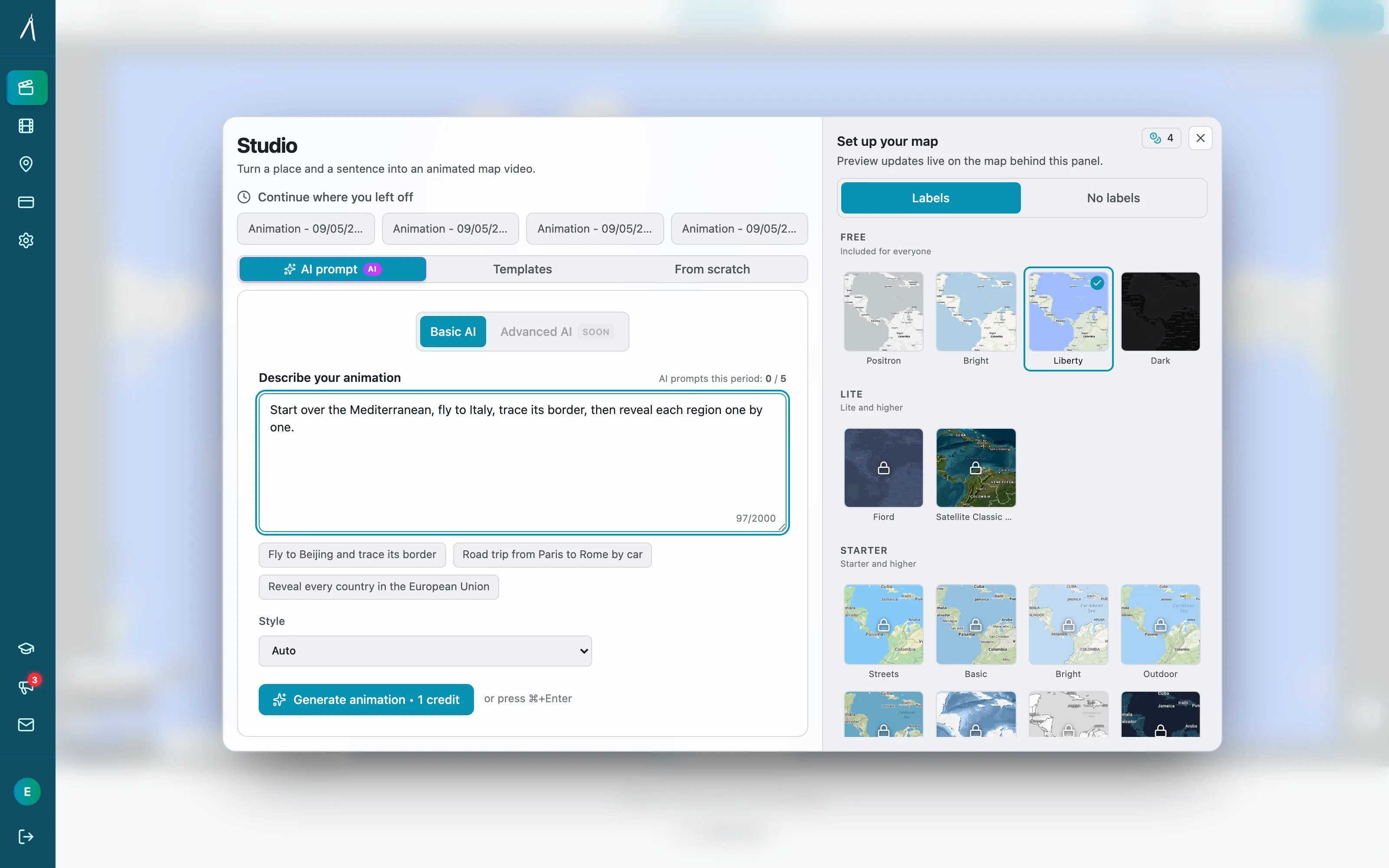
The Modern Solution: Specialized Tools
Animaps: Built Specifically for Travel Content
Why it's perfect for travel bloggers:
1. Natural Language Interface
Instead of: 15 clicks, 8 menus, 30 minutes of positioning
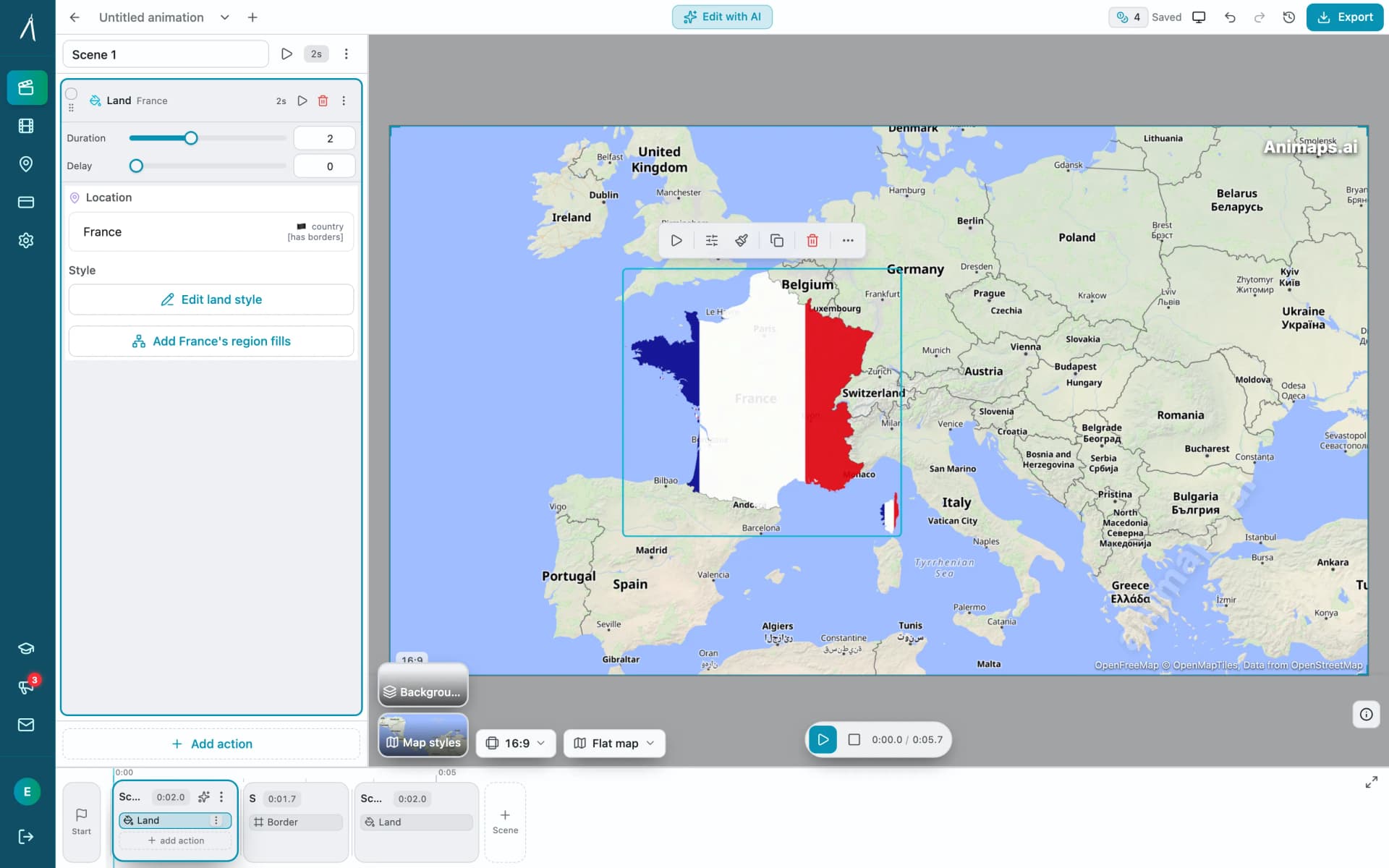
You type: "Show Europe, zoom to France, highlight Paris, show French flag"
Time: 60 seconds
2. Travel-Specific Features
- Vehicle animations (planes, boats, cars)
- Country flags built-in (250+ countries)
- Border animations for country highlights
- Icon library for experiences (🏖️🏔️✈️🏛️)
3. Speed That Matches Travel Pace
- Create intro map while uploading video
- Make social update between connecting flights
- Generate itinerary maps during coffee break
4. Cost That Makes Sense
- Free tier: Test it out, see if it fits your workflow
- Pro tier ($19/month): Unlimited maps, no watermark, icon features
- No hidden costs, no plugins, no learning curve
The Animaps Workflow for Travel Bloggers
Use Case 1: Video Intro (3 minutes total)
```
- Type your route (30 seconds)
- Add icons (20 seconds)
- Export (30 seconds)
- Add to video (90 seconds)
Use Case 2: Instagram Story Update (90 seconds total)
```
- Type command (15 seconds)
- Export vertical (15 seconds)
- Upload (60 seconds)
Use Case 3: Blog Post Embedded Map (2 minutes total)
```
- Type itinerary (30 seconds)
- Export (30 seconds)
- Embed (60 seconds)
Alternative Tools (For Different Needs)
For 3D cinematic animations:
- Google Earth Studio (free but requires approval)
- Best for: Documentary-style flyovers
- Time investment: 30-60 minutes per animation
For travel-specific route animations:
- Multi.dev: Automatic route drawing
- Anim8map: 3D globe perspective
- Best for: Simple journey visualizations
- Time investment: 5-15 minutes
For custom branded work:
- After Effects + GEOlayers ($150+)
- Best for: Production companies, agencies
- Time investment: 1-3 hours per animation
Measuring Success: Metrics That Matter
Track these to see if your animated maps are working:
Video Performance
- Average view duration: Maps should increase by 15-30%
- Completion rate: More viewers watching to the end
- Click-through rate: Better thumbnails with maps
- Shares: Cinematic maps = shareable content
Blog Performance
- Time on page: Should increase 20-40%
- Bounce rate: Should decrease 15-25%
- Scroll depth: People scrolling to see full content
- Return visitors: Educational content builds loyalty
Social Media Performance
- Saves: High save rate = valuable content
- Shares: Especially for comparison and itinerary maps
- Comments: Engagement maps drive discussion
- Profile visits: Quality content attracts curious followers
Monetization Metrics
- Sponsorship inquiries: Professional maps attract brands
- Affiliate clicks: Itinerary maps drive booking actions
- Digital product sales: Downloadable guides sell better
- Email signups: Lead magnets with maps convert higher
Common Mistakes to Avoid
1. Making Maps Too Long
Problem: 60-second map animation for 15-minute video Solution: Keep intro maps under 20 seconds, story maps under 45 seconds
2. Information Overload
Problem: Showing 30 destinations in 10 seconds Solution: Limit to 5-7 major stops, use "and more" for others
3. Mismatched Audio
Problem: Calm music over fast-paced map animation Solution: Sync animation speed to music tempo
Or let the map bring its own audio. In Animaps, "Add sounds automatically" gives every action the sound it should have — the vehicle on your route, keys under a typed title, a pin dropping on a destination — and one music bed runs under the whole animation. The library is 487 CC0 clips, so nothing needs crediting. Previewing with sound is free; exporting a video with sound needs the Starter plan.
4. Forgetting Mobile Viewers
Problem: Text too small, animation too fast Solution: Always preview on mobile device before publishing
5. No Clear Purpose
Problem: "Here's a map because everyone uses maps" Solution: Every map should serve a specific storytelling purpose
6. Inconsistent Branding
Problem: Different map styles in every video Solution: Create 2-3 template styles, reuse consistently
7. Skipping the Hook
Problem: Starting video with "Hey guys!" then showing map Solution: Open with map immediately, grab attention visually
Action Plan: Implement This Week
Day 1-2: Choose Your First Use Case
- Pick one of the 10 methods above
- Identify which existing content would benefit
- Script your map animation
Day 3: Create Your First Map
- Sign up for Animaps (free tier works for testing)
- Create 2-3 variations
- Export and review
Day 4: Implement in Content
- Add to video or blog post
- Don't overcomplicate—simple is better
- Publish!
Day 5-7: Measure and Iterate
- Check performance metrics
- Compare to previous content
- Adjust based on results
The Bottom Line
Animated maps aren't just visual flourishes—they're strategic tools that:
- ✅ Increase watch time and engagement
- ✅ Build your authority as a travel expert
- ✅ Create shareable, high-value content
- ✅ Attract sponsorships and partnerships
- ✅ Help your audience actually travel (not just dream)
The most successful travel bloggers in 2025 aren't necessarily visiting more places or having bigger adventures. They're telling better stories. And animated maps are the secret weapon in their storytelling arsenal.
The best part? You don't need to spend 150 hours learning After Effects or hire expensive motion designers. Tools like Animaps have democratized professional map animation, putting broadcast-quality visuals in the hands of every travel creator.
Your audience is waiting to be transported. Show them the journey.
Ready to create your first animated map?
Get Started:
- Try Animaps Free - No credit card required, create your first animation in 60 seconds
- Natural language interface - just describe your route
- Travel-specific features - flags, icons, vehicles, routes
- Export in seconds - 1080p, 60fps, social media ready
Free tier includes:
- 10 animations/month
- All core features
- Multiple map styles
- Perfect for testing
Pro tier unlocks:
- Unlimited animations
- No watermark
- Advanced icon system
- Priority rendering
- Commercial use rights
The creators who act first will have the advantage. While others are still learning After Effects, you'll be publishing compelling map animations weekly.
Related Articles:
- How to Create Map Animations for YouTube Videos (2026 Guide)
- 5 Best After Effects Alternatives for Map Animations in 2026
- Travel route animation guide — the step-by-step version of tactics 1, 4 and 9
- Manual map editor workflow — how to tighten the pacing of a finished route
Keywords: travel blogger maps, animated map tutorial, travel vlog intro, map animation for blogs, Instagram travel maps, YouTube travel animations, itinerary map creator, travel content creation, social media travel tips, professional travel videos
Tags
Related reading
Animaps vs anim8map: Travel Route Videos or a Full Map Studio?
These two tools are not built for the same job. anim8map makes animated 3D travel routes with stops, travel modes and your own photos, and sells per video or as a six-month pass. Animaps is a general map animation studio covering camera work, borders, labels and highlights on a monthly subscription. For a single trip recap, paying once beats subscribing. For ongoing map content, the subscription is the cheaper shape.
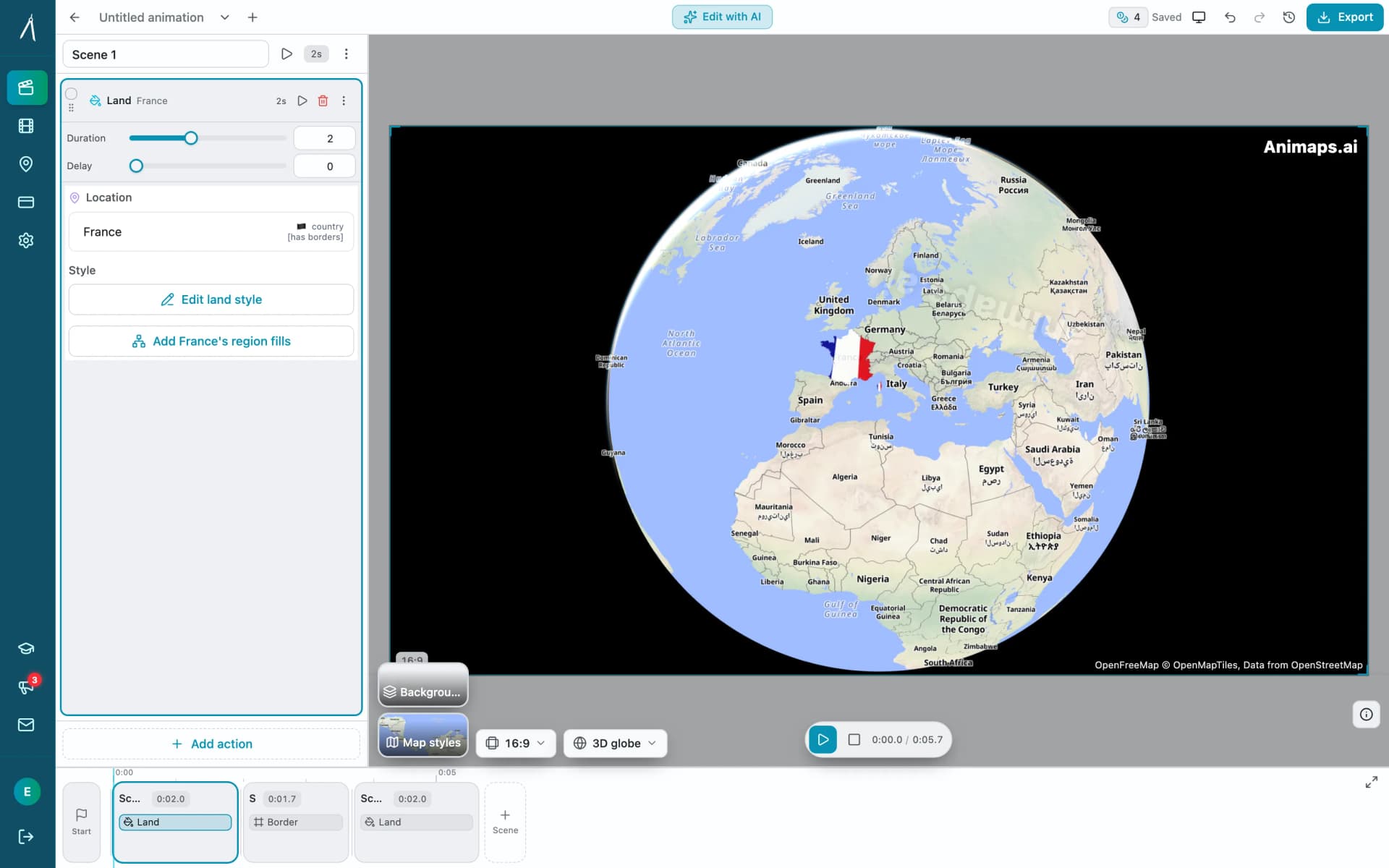
Animaps vs Mult.dev: A Trip Recap or a Map Animation Studio?
Mult.dev animates a journey: you add stops, pick the transport for each leg, drop your photos on the map, and export a travel recap, on your phone if you want, paid for once rather than by subscription. It imports GPX, KML and GeoJSON from Strava, Gaia and Komoot. Animaps animates a map: routes are one of 21 animation types alongside borders, fills, historical timelapses, labels and a globe view, with a step editor and published monthly pricing at $9.90 and $19.90.
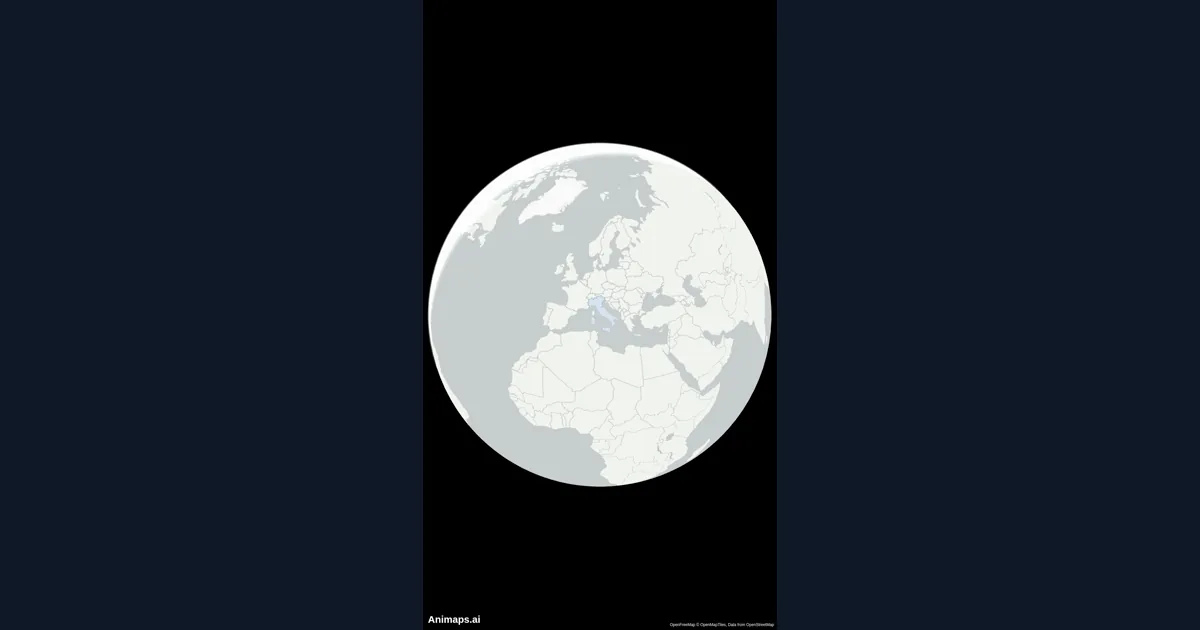
How to Create Stunning Map Animations for YouTube Videos
Map animations are one of the most engaging visual elements you can add to your YouTube videos. Whether you're explaining geography, history, travel routes, or global trends, animated maps capture your audience's attention and make complex information easy to understand.
Browse every article in the Animaps blog.
