What's Coming to Animaps: AI Narration, Battles and More
AI narration with captions and an AI voice, a timeline without scenes and animated battles are coming soon to Animaps. Here is the full list, and what is live today.
Animaps Team
Content Creator
Published October 17, 2026. "Soon" means we are testing it right now. "Later" means it is planned. We give no dates.
Six big things are on the way to Animaps. Three arrive soon, three come later. And a lot of what you asked for is already live today, free to try.
TL;DR
Short version: Animaps is getting a voice. Soon your map animations get AI narration with captions and an AI voice, a timeline without scenes for finer control, and Conquest, a new action for animated battles. Later come more hand-drawn styles, new map effects and a Premium plan. You do not have to wait for any of it: credit packs, sound and music, the advanced AI, theme packs, bike and walk routes, Globe Spin and the Magnifier are all live now.
Quick links:
- Start free now: Create your free account, no credit card
- See what it does today: Map animation examples
- Plans and credits: Pricing
This post covers:
- Coming soon: AI narration, a timeline without scenes, Conquest
- Coming later: more hand-drawn styles, new map effects, a Premium plan
- Already here: seven features you can use today
Coming Soon
These three are built and in testing right now. They are the changes you asked for most.
AI Narration: Captions and an AI Voice
Your map will tell its own story.
Write one sentence for each moment of your film. Or let the AI write them while it builds your animation. Each sentence sits on its own Narration row of the timeline, right under the moment it describes.
- Captions show the current sentence on the video, and the spoken word lights up as the voice reads it.
- Pick an AI voice and play a sample with one click. Set its tone, its pace and its volume.
- Your music dips under the voice, so every word stays clear.
- Drag a caption anywhere on the frame, or pick a ready-made caption look.
- If a sentence runs longer than its moment, one click makes room for it.
When it ships, the captions and the voice are part of the video you export. No recording session. No separate subtitle file.
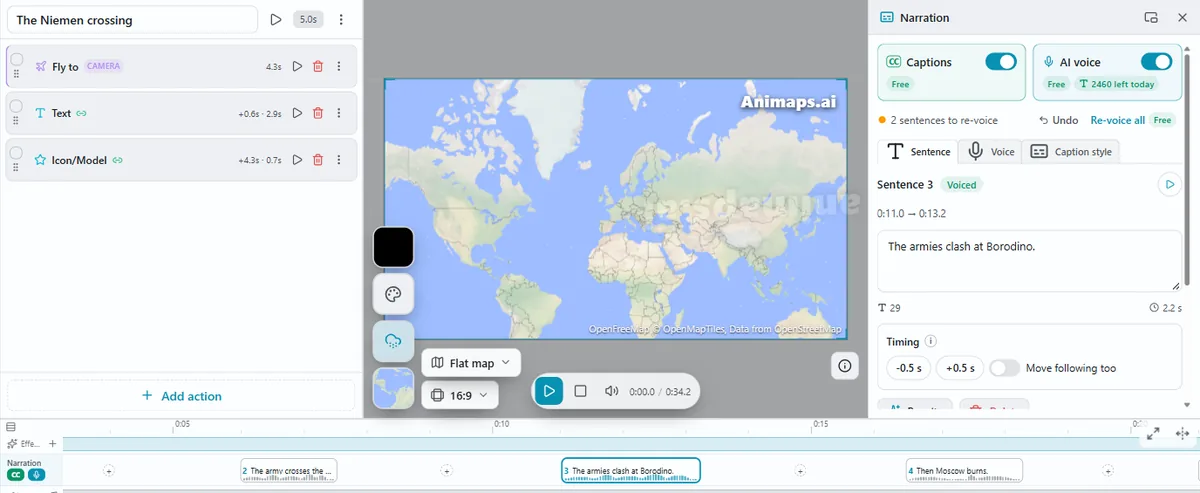
An early look at narration in our test studio. Details will change before it ships.
A Timeline Without Scenes
Today an animation is a list of scenes that play one after another. Soon, scenes go away. You get finer control over every second.
- Every action sits on one timeline, at its own start time.
- The camera gets its own row on top. Your visuals sit in rows below it.
- A visual's bar shows how long it stays on screen. Stretch the bar to keep it longer.
- Drag an action to move it. Select several and edit them together.
- Add a new action from the "+" in any empty space.
Animations you already made keep working. You will not need to rebuild them.
Conquest: Animated Battles
A new action to create battles on the map.
Pick the land being taken. Pick one or more attackers. Each attacker pushes a curved front line across the map, with arrows and spearheads leading the advance. Draw a stop line where an advance halts, or start from a ready-made scenario.
If you make history videos, war explainers or geopolitics content, this one is for you. Until it lands, the war map animation page and the geopolitics map animation guide show what you can build today.
Coming Later
These three are planned. They come after the "soon" list.
More Hand-Drawn Styles
The pencil, rough, hatch and crosshatch looks you can already use on borders and shapes will come to maps of borders over time and to battle maps. So will dashed, dotted and fading outlines. Drawn polygons get a Grow entrance, like the one circles have today.
We are also planning whole new materials for your maps: chalk, ink, paint and watercolour, felt marker and highlighter.
Advanced Map Effects
New ways for a shape to appear on the map: it can bounce in, snap into place, or open from its edge like a camera lens. Themes will also be able to switch on 3D terrain, hill shading and 3D buildings for you, in the same click that restyles the map.
A Premium Plan
A plan above Pro, for creators who publish a lot: more credits and longer videos than Pro. You can see today's plans on the pricing page.
Already Here: Try These Today
You do not have to wait. Everything below is live right now.
Credit Packs
Run out of credits before the month ends? Buy a one-time credit pack and keep going. Pack credits never expire. See the packs on the pricing page.
Sound Effects and Music
Sound your whole animation in one click. Every action on the map gets the sound it should make: a plane on its route, keys under a typed title, a pin dropping on a city. One music track plays under the whole film, and the mix stays clean.
The Advanced AI
Describe your whole film in a few sentences. The AI builds every step for you: the camera moves, the routes, the labels and the look. Then, on Starter and Pro, ask for changes in plain words. A prompt costs 2 credits, and if the AI delivers nothing, the credits come back. Not sure what to type? Copy a sentence from the AI map prompts guide.
Theme Packs
Ten themes restyle the whole map in one click: Cinematic Doc, War Room, News Broadcast, Neon Future, Vintage Parchment, Medieval Chronicle, Travel Vlog, Treasure Hunt, Premium Gold and Minimal Flat. Each comes in three looks.
Bike and Walk Routes
Routes can now follow cycle paths and footpaths, next to car, train, boat and plane. Draw your cycling tour or your hike exactly where you went. See travel map animation.
Globe Spin and the Magnifier
Globe Spin turns the 3D globe, then can land on a place. A classic intro for a YouTube video. The Magnifier holds a magnifying glass over one spot, so viewers see the detail and the wider map at the same time.
More globe ideas are in the 3D globe animation guide.
FAQ
When will the new features ship? "Soon" features are built and in testing now. "Later" features are planned. We do not give dates, and we will announce each one when it is live.
Will my saved animations still work with the new timeline? Yes. Animations you already made keep working. You will not need to rebuild anything.
What is Conquest? A new action to animate battles: attackers push a curved front line across the land, with arrows and spearheads, until they reach a stop line.
Can I use these features for free? Everything in the "Already here" list is in the studio today. The Free plan is free forever, with no credit card and 12 credits every month. Building, editing and previewing an animation never use credits.
Do I need to install anything? No. Animaps runs in your browser.
Related Articles:
Start Free Today
The best way to get ready for what is coming is to start now. Build your first map today with everything that is already live. When narration, the new timeline and Conquest arrive, you will be ready to use them on the first day.
Free forever, no credit card, 12 credits every month.
Keywords: Animaps roadmap, what's new in Animaps, AI narration for map videos, map animation captions, AI voice map video, animated battle map, map animation timeline, free map animation maker
Tags
Related reading
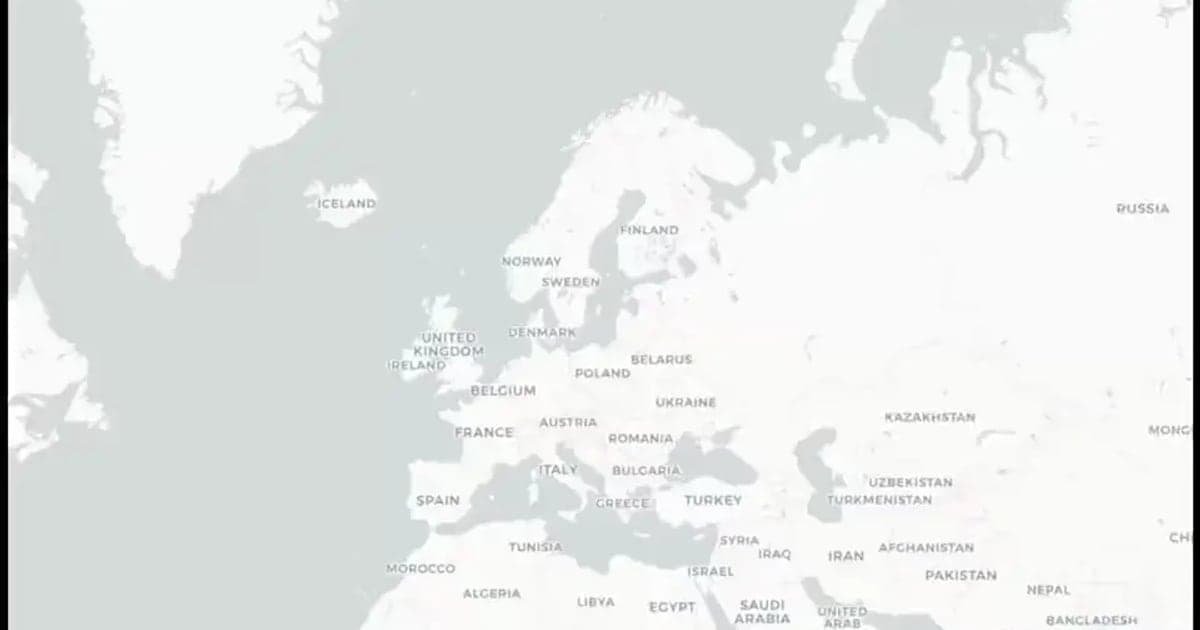
Animaps Free Plan Explained: What You Can Make for $0
How far does a free plan go? Here is exactly what the Animaps Free plan includes, what is free and unlimited, what uses credits, what 12 credits make each month, and how to make your first map animation for a video today.
Map Video Maker: How to Make a Map Video Online
A map video maker turns a map into a video file you can post or edit. Here is how to make one in Animaps from a single sentence, which shape and size to pick for YouTube, Shorts or a feed, how long it should run, and what each export costs.
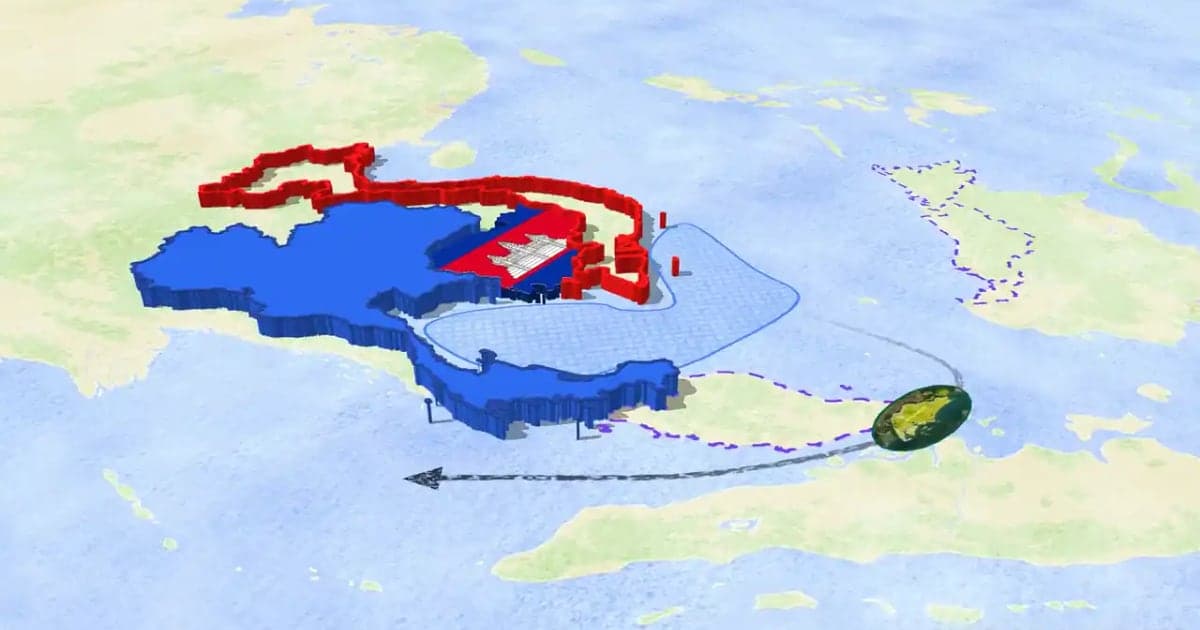
How to Make a 3D Map Animation in Your Browser
A 3D map animation gives the map depth: a turning globe, a tilted camera, raised mountains, a city skyline or a plane model on its route. Animaps does all five in a browser. The globe is on every plan, Free included; 3D terrain and 3D buildings are on Pro.
Browse every article in the Animaps blog.
