Best AI Map Animation Makers in 2026: What the AI Does
Animaps, Easymotion, Mapimator and Mult.dev all start from text. What each AI does with a prompt, what you can edit after, prompt costs, free plans and exports. Verified October 2026.
Animaps Team
Content Creator
Comparison verified October 2026. Every tool here changes its plans and AI features often. Check each site before you buy.
TL;DR
Short version: Four map animation tools that start from text are compared here: Animaps, Easymotion, Mapimator and Mult.dev. They do not do the same thing with your words. Animaps turns a prompt into a list of map steps you can edit one by one. Easymotion turns a prompt into a map video and lets you ask for changes in a chat. Mapimator's AI Director turns a journey or a timed script into slides, routes and captions. Mult.dev's AI assistant builds a route from plain text. If you have a GPS track instead of an idea, an AI tool is the wrong start: a GPX tool fits better.
Quick links:
- Map animation maker hub: Create animated maps online
- Comparison hub: Map animation maker alternatives
- Prompt library: AI map prompts
This list looks at one question: what does the AI actually do with your prompt? For a full tour of what a map animation tool should do, read map animation tools.
How We Compared Them
Each tool was judged on its own public pages, checked on 2026-10-28:
- What a prompt can produce: routes, places, borders, fills, captions.
- What you can change after the AI is done, and how.
- What a prompt costs, and what the free plan allows.
- What you can export: resolution, frame rate, shapes.
Quick Comparison
Swipe sideways to see the whole table.
| Tool | What the AI does | Edit after the AI | AI on the free plan | Export |
|---|---|---|---|---|
| Animaps | Prompt to a list of map steps | Each step by hand, live preview | 4 AI prompts per month | MP4 or GIF, 1080p, 1440p on Pro, 30 or 60 FPS |
| Easymotion | Prompt to a map video, changes by chat | Chat requests, quick edits | Templates only; own prompt is paid | MP4 or MOV, 1080p, 30 FPS, GIF on paid plans |
| Mapimator | Journey or timed script to slides, routes and captions | Its editor | 3 AI Director credits, one time | 480p on Free, up to 4K at 60 FPS on Pro |
| Mult.dev | Plain text to a route | Its route editor | Not stated | 768p on Free, 1920p on Pro |
1. Animaps: a Prompt Becomes Editable Map Steps
What the AI does. You describe a sequence in plain English. Animaps returns a list of steps: camera moves, border traces, land fills, routes, labels. Nothing is a finished video yet. Each step plays in a live preview in the browser.
A prompt you can paste:
Start on a globe, fly to Japan, fill Japan with its flag, then draw a road route from Tokyo to Kyoto and label both cities.
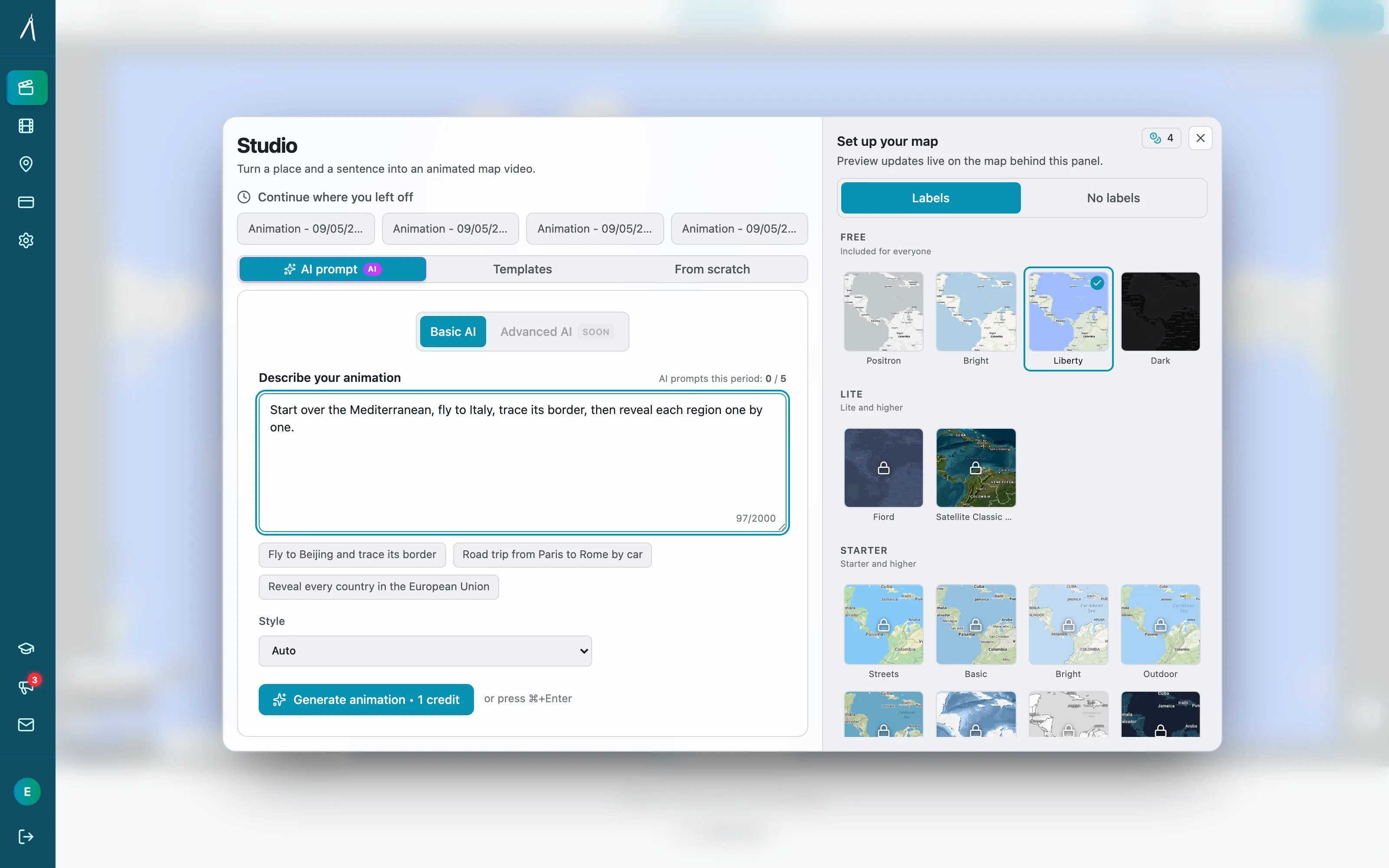
What you can change after. Every step: its place, timing, colour, camera angle, and its order. You can delete a step or add one by hand. Editing and preview by hand are free and unlimited, so a wrong zoom does not cost a new prompt. On Starter and Pro you can also ask the AI to edit the animation you already have.
What the prompt can show. Road routes on real roads, sea routes that avoid land, air routes, 3D vehicle models on routes, border trace and pulse, land fills with colours or flags, labels and icons, historical border timelapses, 3D terrain on Pro, and 31 map styles.
Cost. Each AI prompt costs 2 credits on every Animaps plan. The free plan has 12 credits a month and up to 4 AI prompts. Starter is $9.90 a month with 120 credits, and Pro is $19.90 a month with 250 credits.
Export. MP4 or GIF, 16:9, 9:16 or 1:1, 30 or 60 FPS. 1080p on every plan, 1440p included on Pro.
Limits. No GPX import, no photos at each stop, no phone app, no 4K. Mapimator Pro exports 4K.
2. Easymotion: a Prompt and a Chat
What the AI does. Its map animation page says: "Name the cities and the map type in a prompt." After the first version, you ask in a chat for changes to style, colours, labels or the camera path. You can also remix one of its map templates.
What the prompt can show. Its page lists flights and ferries as curved arcs, drives, bike rides and walks on real road networks, pins by name or by latitude and longitude, region fills with a colour or a flag, and a spinning 3D globe. It does not describe border tracing.
Cost. Its pricing page lists Basic at $10 a month with 40 credits, Plus at $20 with 100 credits, and Pro at $60 with 300 credits. It says: "Writing your own prompt needs a paid plan, from $10 a month." The free plan lets you edit templates, and free exports are for personal, non-commercial use.
Export. MP4 or MOV at 1080p and 30 FPS, GIF on paid plans, in 16:9, 9:16, 1:1 or 4:5. Its page says there is no 4K or 60 FPS on any plan.
Best for. People who like to talk to the tool instead of editing steps, and who need a 4:5 shape. Easymotion also makes motion graphics that are not maps. See Animaps vs Easymotion for more.
3. Mapimator: an AI Director for Scripts
What the AI does. Its home page says you can "describe a journey or paste a script with timestamps" and "get slides, routes, highlights, captions, and narration timing." This is the only AI on the list built around a voiceover script.
Cost. Its free plan gives 3 AI Director credits, one time, with 1 export a month at 480p and 30 FPS, a watermark, and up to 3 projects. Pro is $12 a month or $99 a year, with 50 AI Director credits a month. Agency is $29 a month or $290 a year, with 150 credits a month shared by the team.
Other strengths. Pro exports up to 4K at 60 FPS, 100 exports a month. Its site also lists GPX track import on Pro, GeoJSON, 3D models and vehicles, and exports in 9:16, 16:9 and 1:1.
Best for. Narrated videos where the map must follow a script with timings. See Mapimator vs Animaps for a full comparison.
4. Mult.dev: Text to a Route
What the AI does. Mult.dev's own article on travel map tools describes a "built-in AI assistant that builds a route from plain text." You can also type city names in order. The AI is about the route, not the rest of the map.
Cost. Mult.dev sells one-time packs, no subscription. Its pricing page lists 5 videos on Free at 768p and 30 FPS with its logo, and Pro packs of 5, 25 or 100 videos at up to 1920p and 60 FPS.
Other strengths. Google Maps import, GPX, KML and GeoJSON import, land and sea routes, and images.
Best for. Trip recaps where you want a route fast and pay once. See Animaps vs Mult.dev.
Which AI Fits Which Video
A YouTube explainer about a country, a border or a war. Animaps. The AI writes the borders, fills and labels as steps you can fix one by one.
A narrated video with a script and timings. Mapimator's AI Director is built for that.
A quick map clip you shape by talking to the tool. Easymotion, on a paid plan.
A trip route in a few words, paid once. Mult.dev.
A video of your own GPS track. None of the AI features matter here. Use a tool that imports GPX: Mapimator Pro, Mult.dev, or a travel app such as Travel Animator. See Animaps vs Travel Animator.
Tips for Any Map Prompt
One idea, one clip: an outline that pulses, then a flag.
More prompts to copy are in the AI map prompts guide.
FAQ
Which AI map animation maker lets me edit after the AI? All four let you edit in some way. Animaps returns separate steps you change one by one with a live preview. Easymotion takes changes by chat.
Which one has AI on the free plan? Animaps gives up to 4 AI prompts a month on Free. Mapimator gives 3 AI Director credits once. Easymotion asks for a paid plan to write your own prompt.
Which one exports 4K? Mapimator Pro, up to 4K at 60 FPS. Mult.dev Pro goes to 1920p, Animaps Pro to 1440p, and Easymotion to 1080p.
Can an AI map tool use my GPX file? Animaps and Easymotion's pages do not describe GPX import. Mapimator Pro and Mult.dev import GPX.
Sources checked on 2026-10-28
- Easymotion map animation maker: prompt and chat, routes, fills, globe, exports.
- Easymotion pricing: plans, credits, own prompts on paid plans, free plan use.
- Mapimator home page: AI Director, GPX and GeoJSON import, 3D models, aspect ratios.
- Mapimator pricing: plans, prices, free plan limits, AI Director credits.
- Mult.dev: best travel map animation tools in 2026: AI assistant that builds a route from text.
- Mult.dev pricing: Free and Pro limits, one-time packs, imports.
- Animaps pricing: plans, credits, resolutions, AI prompt cost.
Related Articles:
Keywords: best ai map animation maker, ai map animation tools 2026, map animation from text, easymotion vs mapimator, ai route animation
Tags
Related reading
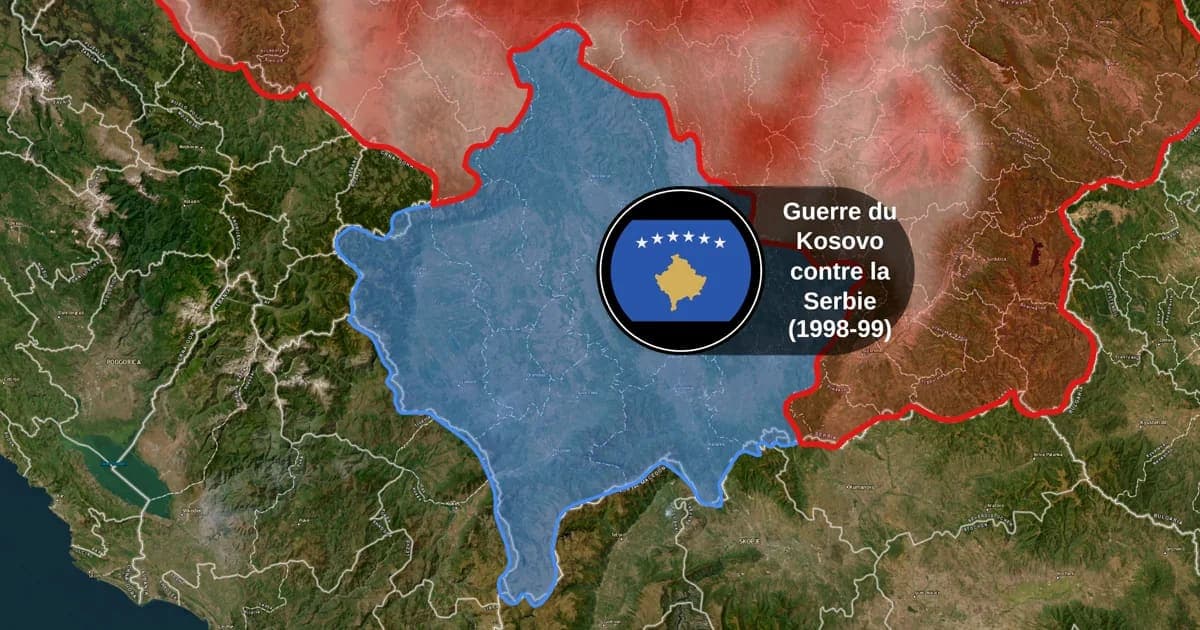
Map Animation Tools: How to Create Animated Maps in 2026
A map animation tool turns a place and a sentence into a moving map video - camera flights, country borders, flag fills, routes, labels - without After Effects, plugins or keyframes. Here is what to look for, and what Animaps does.
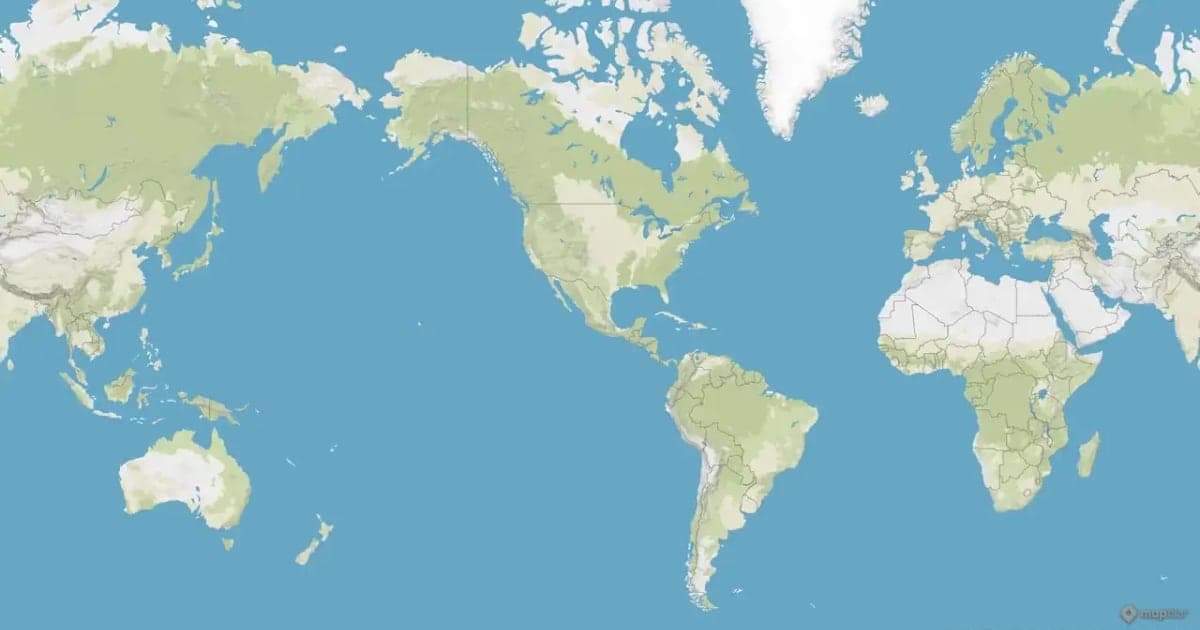
Animaps vs EasyMotion: A Map Studio or a General Motion Graphics Tool?
EasyMotion is an AI motion graphics generator where maps sit alongside charts, UI motion, chat scenes and VFX, with transparent MOV export and a 180 second maximum. Animaps only does maps: 22 animation types, a step editor with per-step timing, and flat map or globe. Both publish prices, EasyMotion at $10, $20 and $60 per month and Animaps at $9.90 and $19.90, but only one free tier lets you write your own prompt.
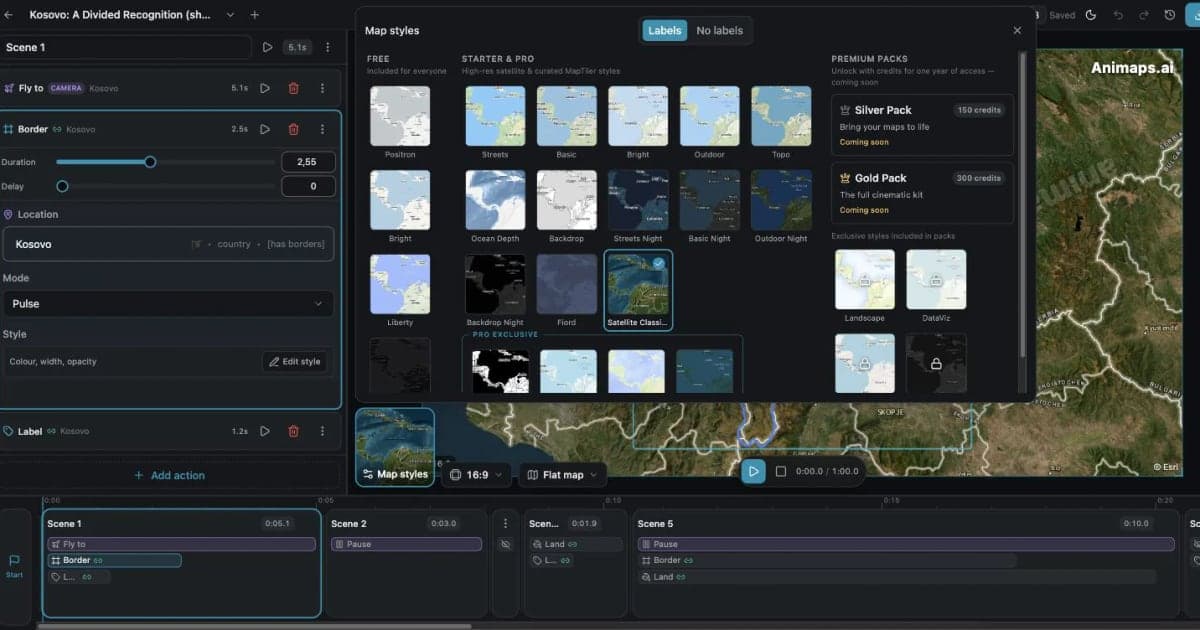
Mapimator vs Animaps: Free Plan, Pro and 4K Compared
Mapimator and Animaps both run in a browser and both turn a text prompt into a map animation. Mapimator Free gives 1 export a month at 480p, for personal use only, and Pro costs $12 per month for 4K. Animaps is free forever with no credit card, with 1080p exports you can use commercially and an AI result you edit as a step list, on a flat map or a globe.
Browse every article in the Animaps blog.
