Animaps vs anim8map: Travel Route Videos or a Full Map Studio?
anim8map makes animated 3D travel route videos; Animaps is a general map animation studio. A comparison of scope, pricing models, output and who each suits. Verified July 2026.
Animaps Team
Content Creator
Comparison verified July 2026. Both products change their plans from time to time. Check each site before you buy.
TL;DR
Short version: These are not the same kind of product. anim8map makes animated 3D travel route videos, with stops, travel modes, and your photos along the way. Animaps is a general map animation studio covering camera work, borders, labels, paths, and highlights. If you want one travel video, anim8map is built for exactly that and sells per video. If you make map content regularly and need more than routes, Animaps covers more ground.
Quick links:
- Map animation maker hub: Create animated maps online
- Comparison hub: Map animation maker alternatives
- Examples: Map animation examples gallery
Key differences:
- Scope: anim8map: travel routes | Animaps: general map animation
- Pricing model: anim8map: free tier, pay-per-video, or 6-month pass | Animaps: monthly subscription with credits
- Published prices: anim8map: not published on their public pages | Animaps: yes, $9.90 and $19.90 per month
- Top resolution: anim8map: Full HD on premium | Animaps: 1440p on Pro
- Best fit: anim8map for a trip recap | Animaps for ongoing map content
Most comparisons weigh two tools doing the same job. This one does not, and that is the most useful thing to know before you read further.
anim8map builds animated 3D travel maps. You add stops, pick how you travelled between them, attach photos, and it renders the journey. Animaps is a general map animation studio, where routes are one of many things you can animate.
If your task is a trip recap, that difference works in anim8map's favour. This comparison covers what each is for, how they charge, what they output, and who each suits.
Quick Comparison
Swipe sideways to see the whole table.
| Factor | Animaps | anim8map |
|---|---|---|
| Built for | Map animation in general | Animated 3D travel routes |
| Pricing model | Monthly subscription with credits | Free tier, pay-per-video, or 6-month premium pass |
| Prices published | Yes ($9.90 / $19.90 per month) | Not on their public pages |
| Free tier | 12 credits per month (up to 6 animations), 1080p, watermarked | Basic features, up to 15 stops per video, watermarked |
| Top resolution | 1440p on Pro | Full HD on premium (standard is medium quality) |
| Orientation | 16:9, 9:16, 1:1 | Vertical or horizontal |
| Travel modes | Driving routes and path animations | Airplane, car, bus, train, boat |
| Photos along the route | Icons and labels | Photos attached to route legs |
What Each Tool Is For
anim8map makes animated 3D travel maps. You plan a route, choose a travel mode per leg from airplane, car, bus, train or boat, attach photos to legs, pick background music and a style, then render and download. Their site describes the audience as digital nomads, frequent travellers, content creators, media studios and educators. The company is Canadian, listing a Toronto address.
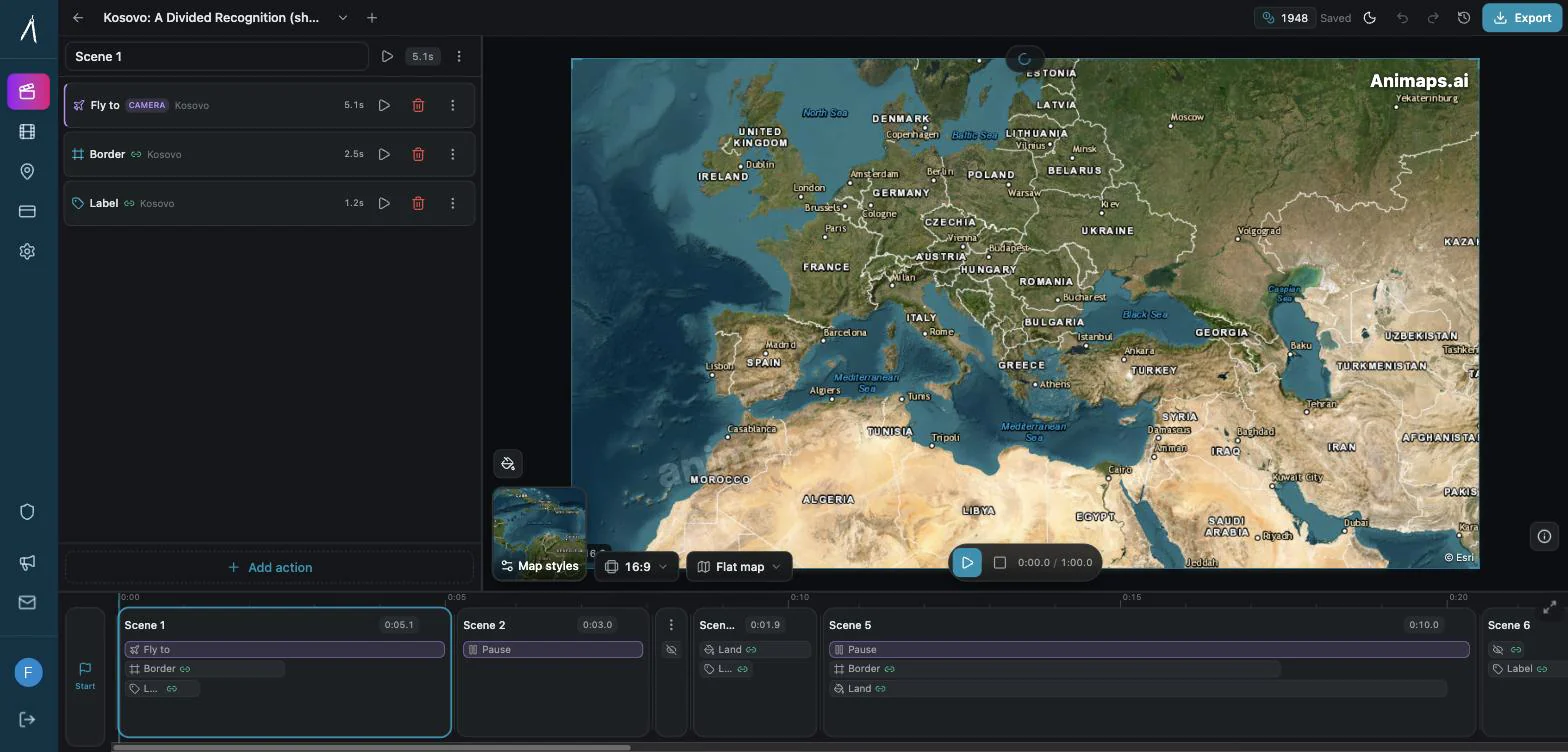
Animaps is a general map animation studio. You describe a sequence in plain English and get an editable set of steps, or you build them by hand in an editor with live preview. Its site lists 23 built-in animation types covering camera moves, border tracing, path tracing, land fills, labels and icons, plus 31 map styles, flat and globe views, 180,000+ searchable locations, and 5,580 historical border timelapses.
The scope difference shows up quickly in practice. A trip across six countries with photos is a first-class use case in anim8map and something you would assemble step by step in Animaps. A border trace of the Roman Empire, an election map, or a label sequence explaining a news story is straightforward in Animaps and outside what anim8map is built to do.
How They Charge
The two products use different pricing models, so comparing them needs care.
Animaps charges a monthly subscription with a credit allowance.
Swipe sideways to see the whole table.
| Tier | Price | What you get |
|---|---|---|
| Free | $0 forever | 12 credits per month (up to 6 animations), 1080p, watermarked, 30 second maximum |
| Starter | $9.90 per month | 120 credits (up to 60 animations), up to 1080p, no watermark, 45 second maximum |
| Pro | $19.90 per month | 250 credits (up to 125 animations), up to 1440p, no watermark, 60 second maximum |
| Custom | Contact | Custom credit packages, dedicated support, SLA |
anim8map offers three plans, and does not publish dollar amounts on its public pages. As of July 2026 the plans named on their site are:
- Free, described as basic features with up to 15 stops per video. Their terms state the watermark must not be removed from videos generated with the Free plan.
- Premium Flex, described as giving 150 stops and advanced features with pay-per-video flexibility.
- 6-Month Premium, described as unlimited Premium features for all your videos for 183 days.
The amounts appear during the create flow rather than on a public pricing page, so you will need to start a video to see the current figures. Third-party sites quote numbers for anim8map, but since those are not on anim8map's own pages, they are not reproduced here. Their terms do state that refunds are issued within 30 days of purchase provided you have not used the download or share features.
Even without the figures, the structural difference is clear and it favours anim8map for occasional use. A pay-per-video option means a single trip recap costs you one payment and nothing after. Every Animaps paid tier is a recurring monthly charge, which only makes sense if you keep making animations. If you want one video and never expect to make another, a per-video purchase is the cheaper shape regardless of the exact amount, and Animaps has no equivalent option.
Output and Resolution
anim8map advertises Full HD video on its premium plans, and describes the standard quality as medium. Videos can be rendered in vertical or horizontal screen format to suit the platform you are posting to. Premium also removes the anim8map logo, and adds animation speed adjustment, a gentle zoom mode, and advanced style settings.
Animaps exports up to 1440p on Pro, and up to 1080p on Starter and Free, with a 60 FPS option available on every tier including Free. It supports 16:9, 9:16 and 1:1, and exports MP4 or GIF, with GIF capped at 6 seconds. Clip length is capped by tier, at 30, 45 and 60 seconds for Free, Starter and Pro.
On raw resolution Animaps Pro goes higher, at 1440p against Full HD. The gap is one step, not a category difference, and for social platforms both are above delivery resolution. The clip length cap is worth checking against your plans, since a long multi-stop journey may need more than 60 seconds and Animaps limits that by tier.
Both offer vertical output, so either works for Instagram, TikTok and YouTube Shorts.
Scope of What You Can Animate
This is where the products separate most.
anim8map covers the travel route case in depth. Stops (15 on Free, 150 on Premium Flex), a travel mode per leg, photos attached to legs, background music, style and colour options, a globe intro among the animation style options, and speed control on premium. Within that job it is focused and complete.
Animaps covers a wider set. Camera moves such as fly-to, zoom, pan, bearing, tilt and orbit. Border animations including tracing and pulsing. Land fills, labels, icons, path traces, and scenes that combine several camera actions. Historical border timelapses across 5,580 entries. Flat and globe views. Driving routes are one animation type among many rather than the organising idea.
If you only need routes, the extra range is not worth anything to you. If you need to highlight a region, trace a border, or build an explainer that is not a journey, the range is the whole point.
Who Should Choose Which
Pick anim8map if
You want one travel video. This is the strongest case. A pay-per-video purchase costs you once, where any subscription keeps charging. For a single trip recap, that is the cheaper structure.
Your video is a journey with stops. Route, travel mode per leg, photos on the legs. That is the product, and you will not be assembling it from general-purpose pieces.
You want photos along the route. Attaching your own photos to legs of the journey is built in.
You want a lot of stops. 150 stops on Premium Flex covers long or complex itineraries.
You want to try it without a subscription. The free tier gives you 15 stops per video with a watermark, and no recurring commitment.
Pick Animaps if
You make map content regularly. A monthly allowance of up to 60 or 125 short animations suits ongoing output. Paying per video does not.
You need more than routes. Borders, labels, region highlights, land fills, and camera work on their own.
You need historical borders. 5,580 timelapses of empires, kingdoms, US states and counties is outside anim8map's scope.
You want to know the price before starting. $9.90 and $19.90 per month are published, with what each tier includes.
You want to start from a description. Writing what you want and getting editable steps back is a different workflow from filling in a route form.
You need slightly higher resolution. 1440p on Pro against Full HD.
FAQ
What does anim8map cost? Their public pages name three plans (Free, Premium Flex, and 6-Month Premium) but do not publish dollar amounts. The figures appear in the create flow. Premium Flex is described as pay-per-video, and 6-Month Premium as covering all your videos for 183 days.
Is anim8map a subscription? Partly. Premium Flex is described as pay-per-video. 6-Month Premium covers a fixed 183 day period. Animaps by contrast is a monthly subscription on every paid tier.
Which has higher resolution? Animaps Pro at 1440p, against Full HD on anim8map premium. One step apart, and both exceed what social platforms need.
Can anim8map do things other than travel routes? It is built for animated travel routes. Their site also mentions informative maps and educational quizzes, but the product is organised around journeys with stops.
Do both do vertical video? Yes. anim8map offers vertical or horizontal screen format. Animaps supports 16:9, 9:16 and 1:1.
Do both watermark the free version? Yes. anim8map's terms state the watermark must not be removed from Free plan videos, and logo removal is a premium option. Animaps watermarks its free tier and removes it from Starter upward.
How many stops can I have? anim8map allows up to 15 stops per video on Free and 150 on Premium Flex. Animaps does not organise around stops, but caps clip length at 30, 45 or 60 seconds by tier.
Can I get a refund from anim8map? Their terms state refunds are issued within 30 days of the original purchase date, provided you have not used the download or share features. Check their current terms before purchasing.
The Bottom Line
The honest summary is that these tools are not really competing for the same job.
anim8map is the right choice for a travel route video, especially a one-off. It is built for journeys, it handles photos along the way, and paying per video beats subscribing to anything if you only need one. You will need to start the create flow to see current prices.
Animaps is the right choice if you make map content on an ongoing basis, or if what you need is not a journey. Borders, labels, region highlights and camera work are first-class here, pricing is published, and a monthly allowance suits regular output.
Ask what you are actually making. One trip recap points to anim8map. A steady stream of map content, or anything that is not a route, points to Animaps.
Related Articles:
Keywords: anim8map alternative, animaps vs anim8map, animated travel map, travel route video maker, 3d travel map animation, trip recap video, map animation tool comparison
Tags
Related reading
Animaps vs Mult.dev: A Trip Recap or a Map Animation Studio?
Mult.dev animates a journey: you add stops, pick the transport for each leg, drop your photos on the map, and export a travel recap, on your phone if you want, paid for once rather than by subscription. It imports GPX, KML and GeoJSON from Strava, Gaia and Komoot. Animaps animates a map: routes are one of 23 animation types alongside borders, fills, historical timelapses, labels and a globe view, with a step editor and published monthly pricing at $9.90 and $19.90.
10 Ways Travel Bloggers Use Animated Maps (And How You Can Too)
Travel bloggers face a unique challenge: how do you make someone feel a journey they haven't taken? Static photos show destinations. Written stories describe experiences. But animated maps? They transport viewers into your journey, transforming passive readers into active participants following along your path. In 2026, animated maps have evolved from nice-to-have embellishments to essential storytelling tools.
Animaps vs TravelBoast: A Travel Video App or a Map Studio?
TravelBoast turns a trip into a short 3D travel video on your phone, with GPX import, photos at each stop and 250+ vehicles. Its subscription is $5.99 a month on the US App Store and unlocks 4K. Animaps runs in a browser, has no phone app and caps at 1440p, but covers borders, fills, labels and historical maps as well as routes. Your trip points to TravelBoast; a place or a story points to Animaps.
Browse every article in the Animaps blog.
