Animaps vs GEOlayers: Specialized Tool or After Effects Plugin?
Compare Animaps standalone platform with GEOlayers After Effects plugin for map animations. Workflow differences, costs, requirements, and use cases to help you choose.
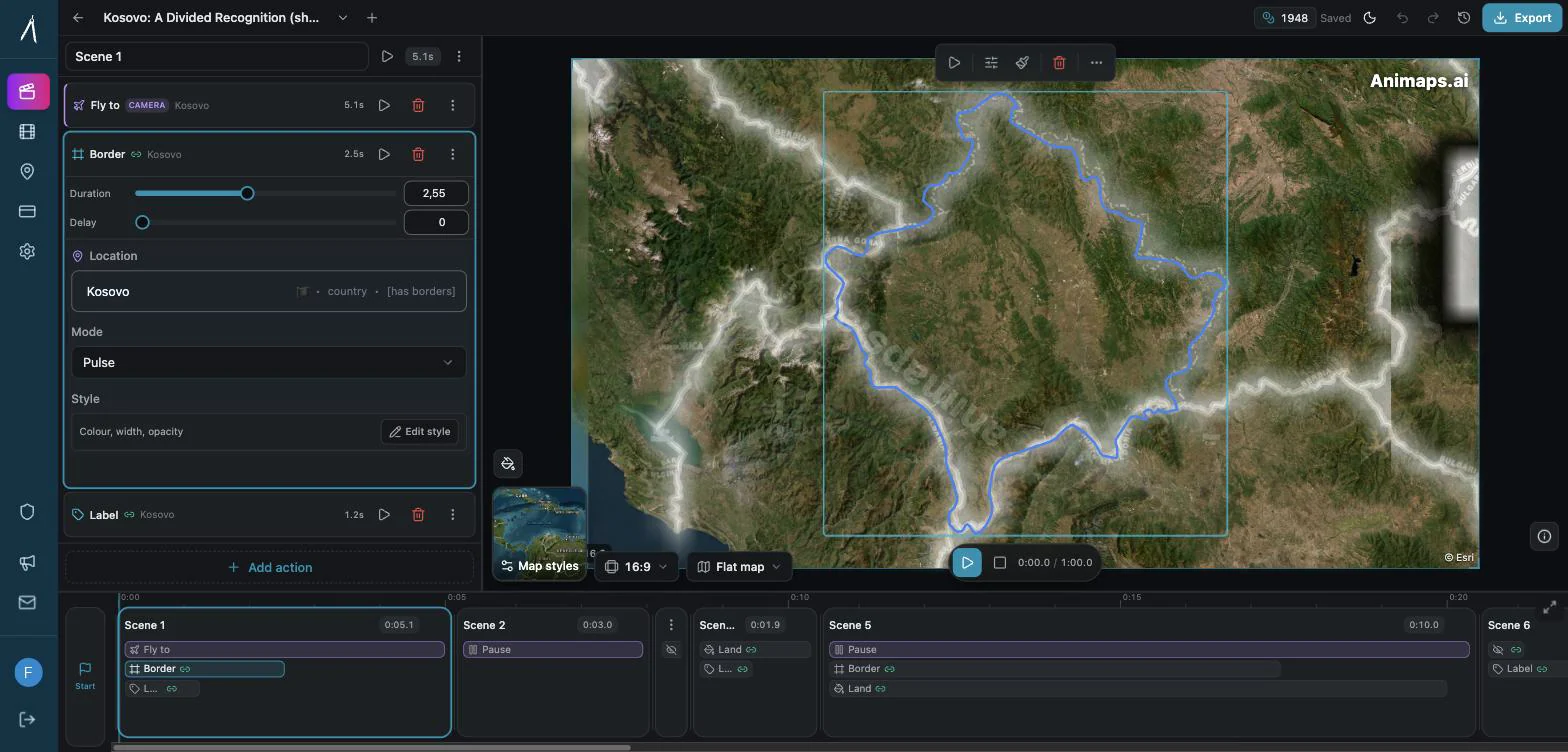
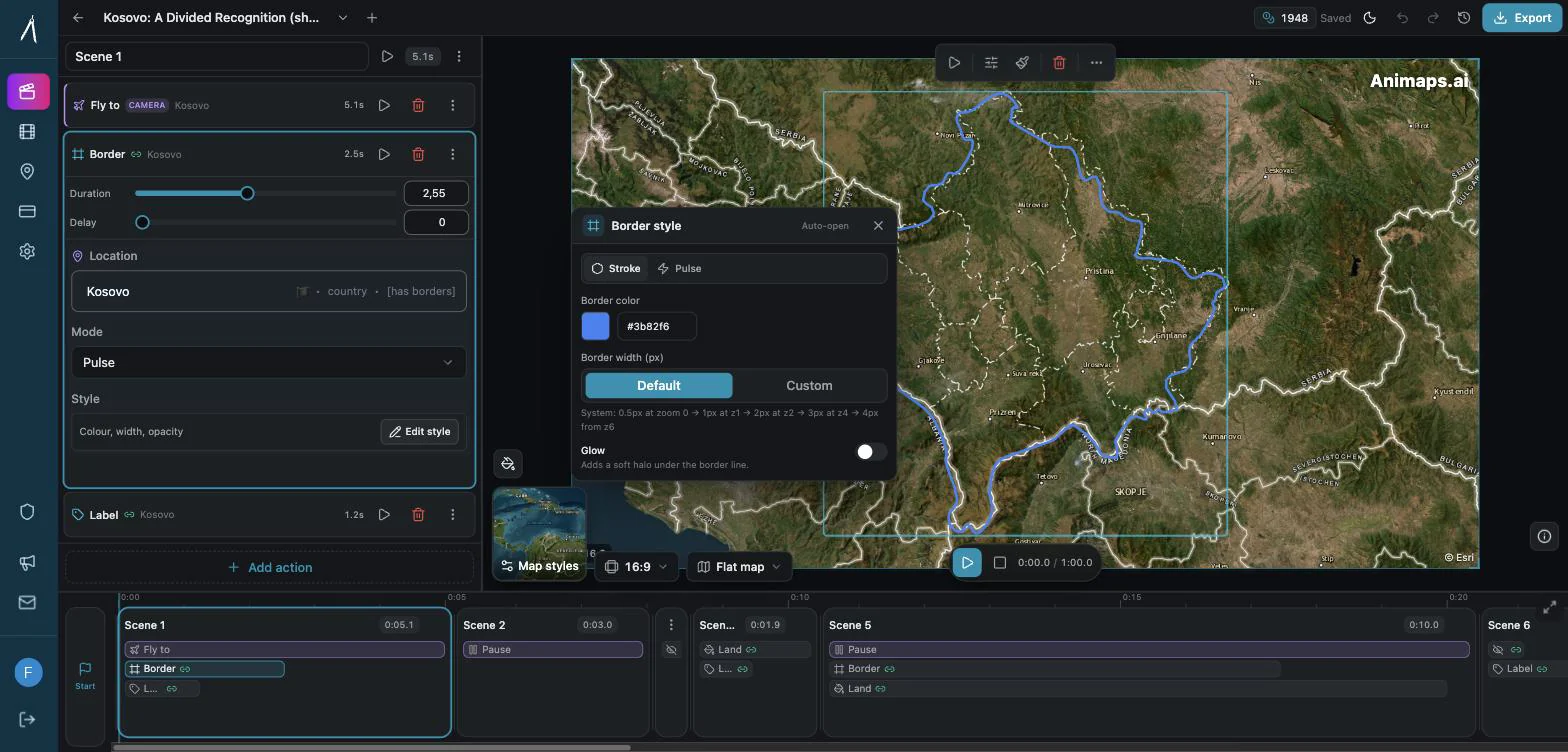
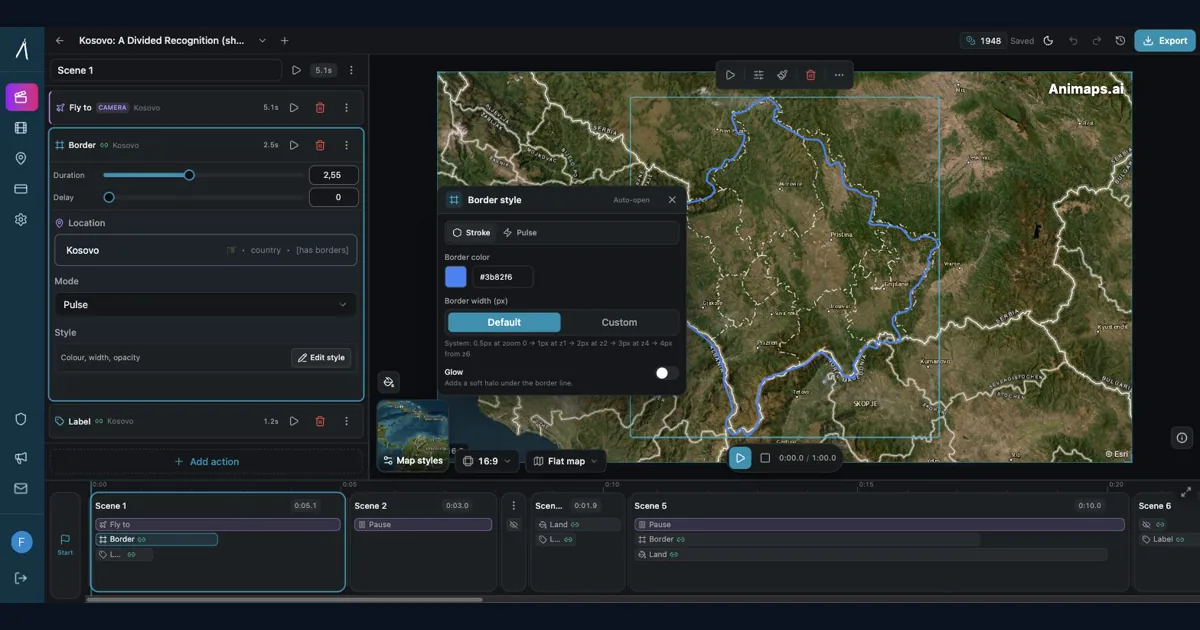
Preview & Editor advantage
Draft with AI prompts or templates, then refine every animation step in real time (zoom, opacity, border width, colors, bearing, tilt). Credits are used only when you render the final video.
Animaps Team
Content Creator
Animaps vs GEOlayers: Specialized Tool or After Effects Plugin?
Last updated: December 19, 2025
TL;DR
For most creators: Animaps is a standalone browser-based tool requiring no After Effects ($99-199/year, 0-30 min learning). GEOlayers requires After Effects proficiency plus the plugin ($449+ first year, 170+ hours learning). Choose Animaps unless you're already an After Effects professional.
Quick links:
- Map animation maker hub: Create animated maps online
- Comparison hub: Map animation maker alternatives
- Examples: Map animation examples gallery
Key differences:
- Requires After Effects: Animaps: No | GEOlayers: Yes (mandatory)
- Learning time: Animaps: 0-30 min | GEOlayers: 170+ hours (AE + plugin)
- Time per animation: Animaps: 1-10 min | GEOlayers: 30-60 min
- First-year cost: Animaps: $99-199 | GEOlayers: $449+
- Best fit: Animaps for standalone map work | GEOlayers for AE professionals
You're comparing Animaps and GEOlayers for creating map animations. Both are purpose-built for geographic content, but they take fundamentally different approaches.
GEOlayers brings maps into After Effects. Animaps is a standalone platform designed exclusively for map animations.
This comparison examines workflows, requirements, costs, and use cases to help you choose.
Quick Comparison
| Factor | Animaps | GEOlayers 3 |
|---|---|---|
| Requires After Effects | No (browser-based) | Yes (mandatory) |
| Learning Time | 0-30 minutes | 20+ hours (plugin) + 150+ hours (AE) |
| Time per Animation | 1-10 minutes | 30-60 minutes |
| Annual Cost | $99-199 | $449+ first year, then $300/year |
| Setup | Instant | Install, configure, learn |
| Best For | Map-focused creators | AE professionals adding maps |
The Fundamental Difference
Animaps is a complete, standalone solution. No other software required. Browser-based with three creation modes: AI prompts, Editor, and templates.
GEOlayers is a plugin that extends After Effects with map functionality. Requires After Effects expertise plus plugin-specific knowledge. Provides map data management within the AE environment.
Key distinction: Animaps replaces the need for After Effects for map work. GEOlayers requires After Effects proficiency first.
Prerequisites Comparison
Animaps
- Modern web browser
- Internet connection
- No software installation
- No prior experience needed
- Ready to use: Immediately
GEOlayers
- After Effects subscription ($300/year)
- Computer meeting AE system requirements
- After Effects proficiency (150+ hour investment if starting fresh)
- GEOlayers plugin purchase ($149-299)
- Plugin installation and configuration
- Understanding of map projections and coordinate systems
- Ready to use: Weeks to months (depending on AE experience)
Learning Curve
Animaps: 0-30 Minutes
Minute 1-5 (AI mode):
- Type natural language command
- See instant preview
- Export finished animation
- Result: Professional map animation
Minute 5-30 (Editor):
- Explore timeline controls
- Adjust timing and positioning
- Learn available animation types
- Result: Full control over customization
Total learning investment: 30 minutes maximum
GEOlayers: 20-170+ Hours
If you already know After Effects (20-40 hours):
- Install and configure plugin (2 hours)
- Understand map tile system (4 hours)
- Learn coordinate management (3 hours)
- Master camera controls for maps (5 hours)
- Practice workflow (6-26 hours)
If starting fresh (170+ hours):
- Learn After Effects first (150 hours)
- Then learn GEOlayers plugin (20 hours)
Total learning investment: 20-170+ hours depending on AE experience
Workflow Comparison
Creating a Simple Map Zoom
Animaps:
- Type: "Zoom to Japan"
- Preview instantly
- Export
- Time: 60 seconds
- Steps: 3
GEOlayers:
- Create new After Effects composition
- Add GEOlayers map layer
- Configure map tile source
- Set initial camera position
- Create position keyframe
- Move to end time
- Set final camera position
- Adjust easing curves
- RAM preview
- Export composition
- Time: 15-25 minutes
- Steps: 10+
Creating a Multi-Step Animation
Animaps:
- Type: "Zoom to Europe, highlight France, show flag, zoom to Paris"
- Preview
- (Optional) Switch to Editor to fine-tune timing
- Export
- Time: 2-8 minutes
- Complexity: Low
GEOlayers:
- Plan sequence
- Create composition
- Add map layer
- Set multiple camera keyframes
- Add highlight shapes
- Import flag graphic
- Animate flag appearance
- Time all elements
- Adjust easing for each keyframe
- Preview and refine
- Export
- Time: 35-55 minutes
- Complexity: High
Feature Comparison
Geographic Data
Animaps:
- 180,000+ pre-loaded locations
- Countries, cities, landmarks, natural features
- Instant search and access
- Regular automatic updates
- No data management needed
GEOlayers:
- Manual coordinate entry
- Configure map tile sources
- Manage cached map data
- Update tiles manually when needed
- Full control over data sources
Built-in Assets
Animaps:
- 250+ country flags (ready to use)
- 1,000+ travel icons and emojis
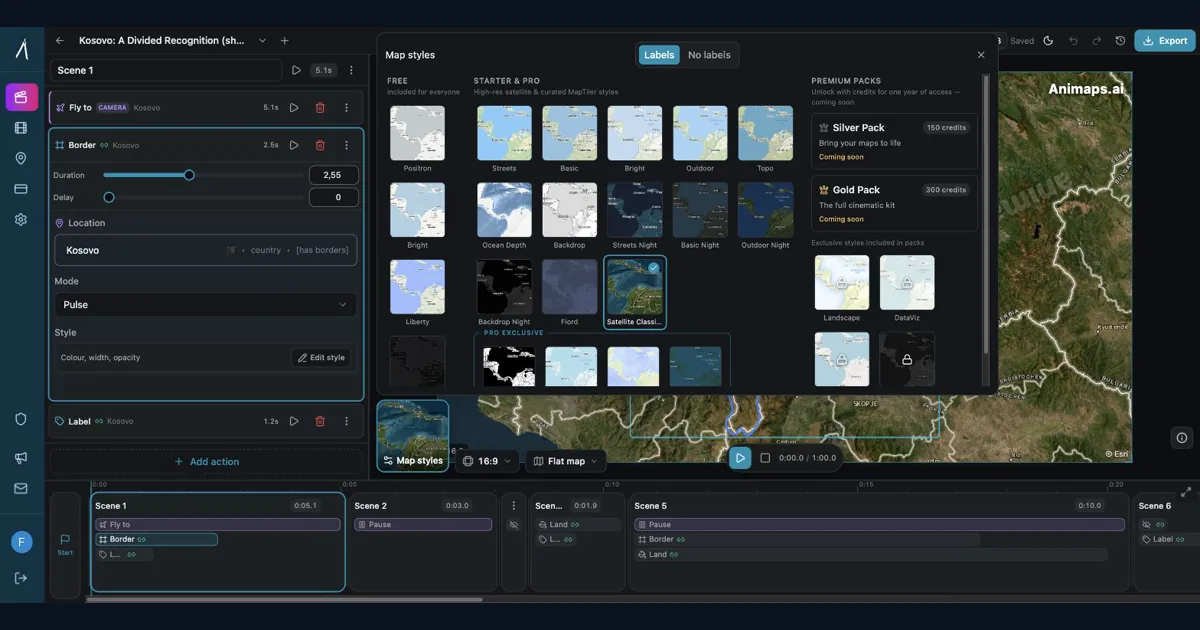
- Multiple map styles (topographic, outline, satellite)
- Flat and 3D globe views
- Border geometry for all countries
GEOlayers:
- No built-in assets
- Source flags and icons externally
- Import and manage in After Effects
- Configure map tile appearance
- Download country border data separately
Animation Types
Animaps (33+ pre-built types):
- Camera movements (zoom, pan, focus, orbit)
- Country/city highlighting
- Flag displays with positioning options
- Border animations (trace, pulse, glow)
- Icon placement and animation
- Path animations (planes, boats, vehicles)
- Multi-select operations
GEOlayers:
- Camera animation (manual keyframing)
- Custom shape creation for highlights
- Any After Effects effect applicable
- Full keyframe control
- Unlimited customization
- Requires manual creation of each effect type
Cost Analysis
Year One
Animaps Pro:
- Subscription: $199 (yearly)
- Software requirements: $0 (browser)
- Learning time value: $0 (30 minutes negligible)
- Total: $199
GEOlayers (if you know AE):
- Plugin: $200 (one-time)
- After Effects: $300
- Learning time: 20 hours × $30 = $600
- Total: $1,100
GEOlayers (if learning AE from scratch):
- Plugin: $200
- After Effects: $300
- Learning time: 170 hours × $30 = $5,100
- Computer upgrade (if needed): $500
- Total: $6,100
Year Three (Ongoing)
Animaps: $199/year × 3 = $597 total
GEOlayers: $300/year × 3 + $200 = $1,100 total
Difference: Animaps saves $503 over three years (if you already know AE)
Integration and Workflow
Animaps Workflow
Standalone creation:
- Create animation in Animaps
- Export as MP4 or GIF
- Import into video editor
- Add to project timeline
Advantages:
- No After Effects dependency
- Works with any video editor
- Faster iteration (instant preview)
- No render wait times
Limitations:
- Can't composite directly with AE layers
- Export and import required
- Limited to map-specific features
GEOlayers Workflow
Integrated in After Effects:
- Create map in AE composition
- Composite with other layers
- Apply any AE effects
- Render as part of larger project
Advantages:
- Direct integration with AE projects
- Composite with live footage
- Apply unlimited effects
- Single export from AE
Limitations:
- Requires AE for any map changes
- Longer render times
- Complex project management
- Steeper learning curve
When Animaps Makes More Sense
Choose Animaps if you:
Don't use After Effects regularly
- Avoid $300/year subscription for occasional maps
- No need to learn complex software
Focus primarily on maps
- 80%+ of animation needs are geographic
- Want purpose-built tools
Value speed over unlimited control
- Create multiple maps per week/month
- Need quick turnaround
Work across platforms
- Need vertical (9:16), square (1:1), landscape (16:9)
- Export to various social media formats
Budget-conscious
- Save $300-900/year compared to AE + GEOlayers
- Predictable subscription cost
Examples:
- Travel content creator making route maps
- Geography educator showing locations
- News creator visualizing global events
- Social media manager creating map posts
- Blogger adding map context to articles
When GEOlayers Makes More Sense
Choose GEOlayers if you:
Already proficient in After Effects
- Use AE daily for motion design work
- Comfortable with complex workflows
Need deep AE integration
- Composite maps with live footage
- Apply complex After Effects effects
- Require precise layer control
Create complex custom effects
- Need effects beyond Animaps' 21 types
- Require frame-by-frame control
- Build completely custom animations
Deliver AE project files
- Clients require editable After Effects files
- Work in production pipelines requiring AE
Already invested in Adobe ecosystem
- Use Creative Cloud for multiple apps
- Workflow depends on Adobe integration
Examples:
- Professional motion designer at studio
- Agency creating custom map graphics
- Filmmaker compositing maps with footage
- Broadcast designer with AE workflow
- Production house with Adobe pipeline
Real-World Scenarios
Scenario 1: YouTube Travel Creator
Maps needed: 4 route animations per month
With Animaps:
- 4 maps × 3 minutes = 12 minutes/month
- Cost: $19/month
- Total: 12 minutes + $19
With GEOlayers:
- 4 maps × 30 minutes = 120 minutes/month
- Cost: $25/month (AE subscription)
- Total: 2 hours + $25
Animaps saves: 108 minutes/month
Scenario 2: Geography Teacher
Maps needed: 8 educational visualizations per month
With Animaps:
- 8 maps × 5 minutes = 40 minutes/month
- Cost: $9/month (Starter)
- Total: 40 minutes + $9
With GEOlayers:
- 8 maps × 35 minutes = 280 minutes/month
- Cost: $25/month
- Total: 4.7 hours + $25
Animaps saves: 4 hours/month + $16/month
Scenario 3: Professional Motion Designer
Work: Diverse motion graphics + occasional maps
With GEOlayers:
- Already uses After Effects daily
- Maps integrate into AE projects
- No additional software needed
- Occasional map work fits workflow
- Makes sense: Maps are 10-20% of work
With Animaps + AE:
- Use Animaps for faster map creation
- Use AE for other motion design
- Hybrid approach possible
- Save time on map-specific work
- Total cost: $44/month (both tools)
The Hybrid Approach
Many After Effects users adopt both tools:
Use GEOlayers when:
- Map needs heavy compositing with footage
- Requires complex custom effects
- Must deliver AE project files
- Part of larger AE composition
Use Animaps when:
- Need quick standalone maps
- Creating social media content
- Want faster iteration
- Producing high volume of simple maps
Result: Speed where it matters, integration where it's needed
Cost: $199 (Animaps) + $500 (AE + GEOlayers) = $699/year
- Still less than learning opportunity cost
- Maximum flexibility
Technical Considerations
System Requirements
Animaps:
- Modern web browser
- 4GB RAM recommended
- Any operating system
- No GPU requirements
GEOlayers:
- Windows 10/11 or macOS 10.14+
- 16GB RAM minimum (32GB recommended)
- Dedicated GPU recommended
- Fast SSD for map tile caching
- After Effects compatible system
Performance
Animaps:
- Instant preview (no rendering)
- Export in seconds
- No project file management
- Automatic optimization
GEOlayers:
- RAM preview required
- Render times vary (2-10 minutes typical)
- Project file management needed
- Manual optimization required
Migration Between Tools
From GEOlayers to Animaps
Common reason: Want faster workflow for standard maps
Process:
- Try Animaps free tier for similar projects
- Compare time investment
- Determine which maps can use Animaps
- Keep GEOlayers for complex compositing
Result: Hybrid approach, faster for most work
From Animaps to GEOlayers
Common reason: Need advanced AE integration
Reality check:
- Requires learning After Effects first (150+ hours)
- Then learning GEOlayers (20+ hours)
- Significant investment for occasional advanced needs
Alternative: Consider hiring AE professional for rare complex projects rather than learning entire platform
Decision Framework
Ask these questions:
1. Do you already use After Effects regularly?
Yes, daily: GEOlayers integrates into existing workflow Yes, occasionally: Animaps likely faster for maps No: Animaps avoids major learning investment
2. What percentage of your work is maps?
80%+: AE + GEOlayers specialized for this 50-80%: GEOlayers primary, Animaps for simplier cases 20-50%: Consider both if already know AE <20%: Animaps will save you time and money
3. Do you need to composite maps with other elements?
Rarely: Animaps exports work fine Sometimes: Export from Animaps, import to editor Frequently: GEOlayers integration valuable Always: GEOlayers makes sense
4. What's your budget?
<$300/year: Animaps only option $300-600/year: Evaluate time vs. money trade-off $600+/year: Can afford both if needed
The Bottom Line
Animaps and GEOlayers serve overlapping but distinct purposes.
Animaps = Specialized standalone map platform
- Zero After Effects dependency
- Fastest workflow for map creation
- Purpose-built features and database
- Best for map-focused creators
- $99-199/year
GEOlayers = After Effects map extension
- Requires After Effects proficiency
- Deep integration with AE workflow
- Unlimited customization within AE
- Best for AE professionals adding maps
- $449+ first year, $300/year ongoing
For content creators who don't already use After Effects regularly: Animaps provides everything needed without the complexity and cost of the Adobe ecosystem.
For After Effects professionals: GEOlayers brings maps into familiar workflow, though Animaps may still be faster for standalone map work.
The question isn't "which is better?"—it's "which matches your existing workflow and requirements?"
Ready to choose?
Try Animaps Free Tier:
- 12 credits/month
- All features unlocked
- 180,000+ locations
- No After Effects needed
- No credit card required
Or evaluate GEOlayers:
- Check if you use After Effects regularly
- Consider total cost (AE + plugin + learning)
- Assess integration needs
- Factor in time investment
Most creators discover: Unless they're already After Effects professionals, the standalone tool (Animaps) delivers what they need without the complexity of the plugin approach (GEOlayers).
Why Animaps Wins for Most Creators
The comparison data reveals why Animaps is the better choice for creators who aren't already After Effects experts:
No software dependencies: Animaps works in any modern browser with no installation. GEOlayers requires After Effects ($300/year), a powerful computer, and weeks to months of learning.
Lower total cost: Animaps costs $99-199/year. GEOlayers costs $449+ in the first year (After Effects $300 + plugin $149-299) and $300/year ongoing. For creators focused on maps, this represents significant savings.
Faster time to productivity: Animaps users can create their first animation in 60 seconds. GEOlayers users need 150+ hours to learn After Effects plus 20+ hours for the plugin before creating their first map animation.
Workflow efficiency: Animaps offers three creation modes (AI, manual, templates) for flexible workflows. GEOlayers requires manual setup for every map element within After Effects' complex interface.
Standalone capability: Animaps is a complete solution requiring no other software. GEOlayers is an extension that adds map functionality to an existing After Effects workflow.
For After Effects professionals: GEOlayers makes sense if you already use After Effects daily for diverse motion graphics. However, even AE professionals often find Animaps faster for standalone map projects.
The data clearly shows that unless you're already an After Effects professional, Animaps provides everything needed for map animations without the complexity, cost, and time investment of the GEOlayers approach.
Related Articles:
- Animaps vs AnimateMyMap: Which Map Video Tool Fits Your Work?
- Animaps vs Mapimator: Two AI Map Tools Compared
- Animaps vs anim8map: Travel Route Videos or a Full Map Studio?
- Animaps vs After Effects: Which Tool Should You Choose?
- After Effects for Map Animations: Is the 150-Hour Learning Curve Worth It?
- 5 Best After Effects Alternatives for Map Animations in 2026
Keywords: animaps vs geolayers, geolayers alternative, after effects map plugin, map animation without after effects, geolayers 3 review, best map animation tool, after effects plugin comparison
Tags
Related reading
Animaps vs After Effects: Which Tool Should You Choose for Map Animations?
You're choosing between Animaps and After Effects for map animations. Both create professional results, but they're designed for completely different users. Animaps takes 60 seconds to 10 minutes per animation with zero learning curve. After Effects takes 45-90 minutes per animation after a 150-hour learning investment. This comparison examines time, costs, features, and use cases to help you decide.
Best AI Map Animation Tools Compared (2026)
Most AI map tools work the same way: type a prompt, render, hope it's good. Animaps is the only tool with a full interactive preview and step editor — so you see and edit every frame before spending credits. This guide compares the 5 leading map animation tools to help you choose.
How to Create Map Animations for YouTube Videos: The Complete 2026 Guide
Map animations have become the secret weapon of successful YouTube creators. From travel vloggers showcasing epic journeys to educational channels explaining world events, animated maps transform dry geographic information into captivating visual stories that keep viewers engaged. Vox's channel grew from 50,000-150,000 daily views to 1-3 million daily views after they started incorporating more map animations into their content.
Browse every article in the Animaps blog.
