Animaps vs MapAnimation.io: Prompt-Only or Prompt-Then-Edit?
A comparison of Animaps and MapAnimation.io for AI map videos. What each publishes about pricing, how you fix a result you do not like, uploads and sprites, and who each tool suits. Verified August 2026.
Preview & Editor advantage
Draft with AI prompts or templates, then refine every animation step in real time (zoom, opacity, border width, colors, bearing, tilt). Credits are used only when you render the final video.
Animaps Team
Content Creator
Animaps vs MapAnimation.io: Prompt-Only or Prompt-Then-Edit?
Comparison verified August 2026, based on what each site published at the time of writing. Both products change, so check their current pages before you buy.
TL;DR
Short version: Both tools turn a written sentence into a map video, and neither asks you to open After Effects. MapAnimation.io is built end to end around the prompt: you describe, the AI renders, you download. Animaps uses the prompt as a starting point and then hands you a step editor with a live preview, so you fix the one thing that came out wrong instead of re-prompting the whole clip.
Quick links:
- Map animation maker hub: Create animated maps online
- Comparison hub: Map animation maker alternatives
- Examples: Map animation examples gallery
Key differences:
- After the AI runs: Animaps: open the editor and adjust steps | MapAnimation.io: their site describes changing the prompt and generating again
- Published prices: Animaps: yes, $9.90 and $19.90 per month | MapAnimation.io: the pricing page showed no plan table when we checked
- Free start: Animaps: 12 credits per month, no card | MapAnimation.io: first 3 videos free, no card
- Cinematic elements: MapAnimation.io: type
[for items such as[tank]or[helicopter], plus image, video and sprite upload | Animaps: labels, icons and drawn elements from the editor - Best fit: MapAnimation.io for a fast one-off clip with sprites and uploads | Animaps when you need to control the result and hit an exact duration
You are choosing between Animaps and MapAnimation.io. Both run in a browser, both are built specifically for map animation, and both start from plain English. They are closer to each other than either is to After Effects.
The difference is what happens after the AI has had its go.
This comparison covers what each tool does, what each one publishes about price, how you correct a result you do not like, and who should pick which. Everything about MapAnimation.io below comes from their own public pages in August 2026, and we have flagged what we could not verify rather than guessing.
Quick Comparison
| Factor | Animaps | MapAnimation.io |
|---|---|---|
| Runs in browser | Yes | Yes |
| Text to animation | Yes | Yes, it is the whole product |
| Live preview | Yes, before you spend an export | Not described on their site |
| Editor after the AI | Step editor with timing and targets | Site describes re-prompting and generating again |
| Free start | 12 credits per month, 1080p, watermarked | First 3 videos free, no credit card |
| Paid prices published | Yes ($9.90 / $19.90 per month) | No plan table shown on the pricing page when we looked |
| Top resolution | 1440p on Pro | "HD", exact figures not stated on the pages we read |
| Maximum clip length | 30s Free, 45s Starter, 60s Pro | Not stated on the pages we read |
| Aspect ratios | 16:9, 9:16, 1:1 | 16:9, 9:16, 1:1 |
| Globe view | Yes, flat map or globe | 3D globe appears in their example gallery |
| Your own media | Not an upload workflow | Image, video and sprite upload in the prompt box |
| API | Not offered | Listed in their site navigation |
What Each Tool Is For
MapAnimation.io describes itself as "the only AI built exclusively for map animation" and its homepage headline is "AI-Powered Text-to-Map-Video". The flow it documents has three steps: describe the animation, the AI generates it, you download the file. Its feature list names zoom in and out, area highlighting, any colour including hex codes, border display, map rotation, pan, tilt and fly-through camera moves, pacing control in words such as "hold for 3 seconds", multi-region sequences, and HD export.
Two things on their homepage stand out because most map tools do not have them. The prompt box lets you type [ to insert cinematic elements, with [tank] and [helicopter] as the shown examples, and it accepts uploaded images, videos and sprites (their note says direct URLs in the prompt text are not allowed, you use the upload button). Their public gallery leans into that: tactical flyovers, parchment historical atlases, refugee-flow explainers, and titles in several languages.
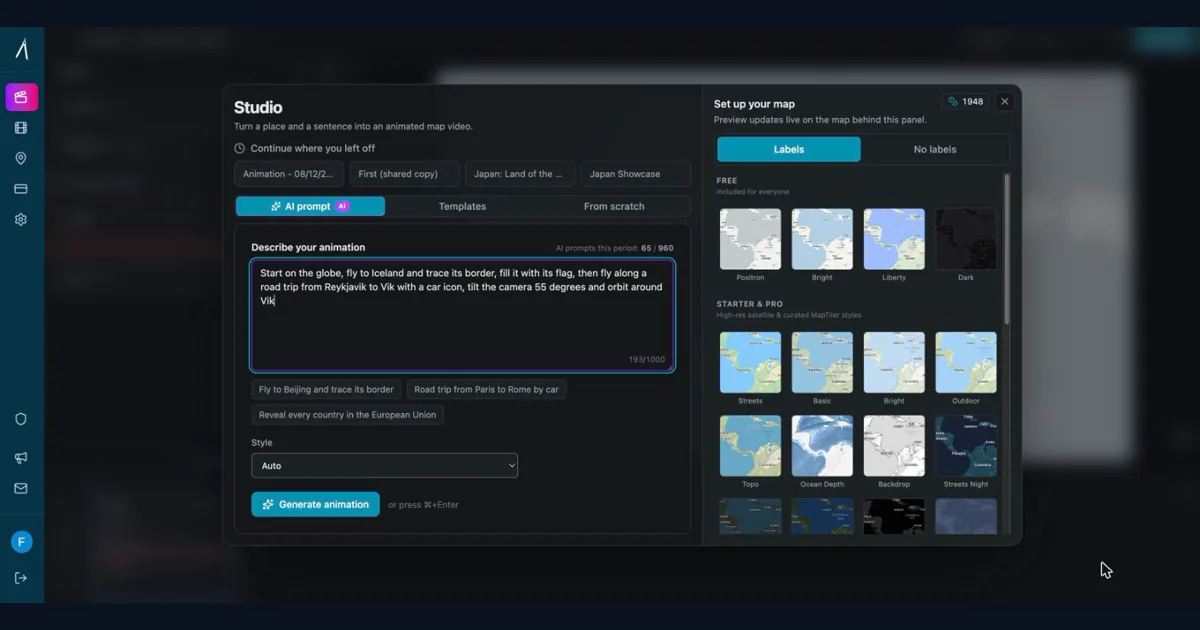
Animaps is a map animation studio where the prompt is the first step rather than the whole product. You describe a sequence, the AI produces steps, and then you open an editor that lists every step next to a live preview. You change a duration, retarget a camera move, or swap a colour, and you watch the change before you export anything. It carries 21 built-in animation types across camera work, borders, land fills, paths, labels and icons, and scenes that run several of them at once, and it renders both a flat map and a globe.
The honest summary is that MapAnimation.io optimises for the shortest path from sentence to file, and Animaps optimises for landing on the exact clip you had in mind.
Pricing Side by Side
Animaps publishes its prices.
| Tier | Price | What you get |
|---|---|---|
| Free | $0 | 12 credits per month, 1080p, watermarked, 30 second maximum |
| Starter | $9.90 per month, or $99/year | 120 credits, up to 1080p, no watermark, 45 second maximum, unlimited AI prompts (1 credit each) |
| Pro | $19.90 per month, or $199/year | 250 credits, up to 1440p, no watermark, 60 second maximum, unlimited AI prompts (1 credit each), priority support |
MapAnimation.io's numbers were not readable when we checked. Their site has a pricing page and their FAQ states that your first 3 videos are free with no credit card, and that paid plans "unlock more volume, higher resolution, and additional features" and add no watermark with no attribution required. When we loaded the pricing page in August 2026, it rendered a "Start Free" invitation without a plan table, so we cannot quote you a monthly figure. Search engines carry indexed snippets from earlier versions of that page, which suggests the tiers exist and were visible at some point.
That is worth reading generously rather than as a criticism: pricing pages get rebuilt, and theirs is clearly mid-change. The practical advice is the same either way. If you want to know the cost before creating an account, load their pricing page yourself, and ask them directly if it is still empty when you look.
One point in their favour that is stated plainly: their FAQ says every video you create is cleared for commercial use, including client work, ad campaigns, monetised channels and resale of finished videos, with no ongoing royalties. That is an unusually clear licensing statement for this category.
Export and Resolution
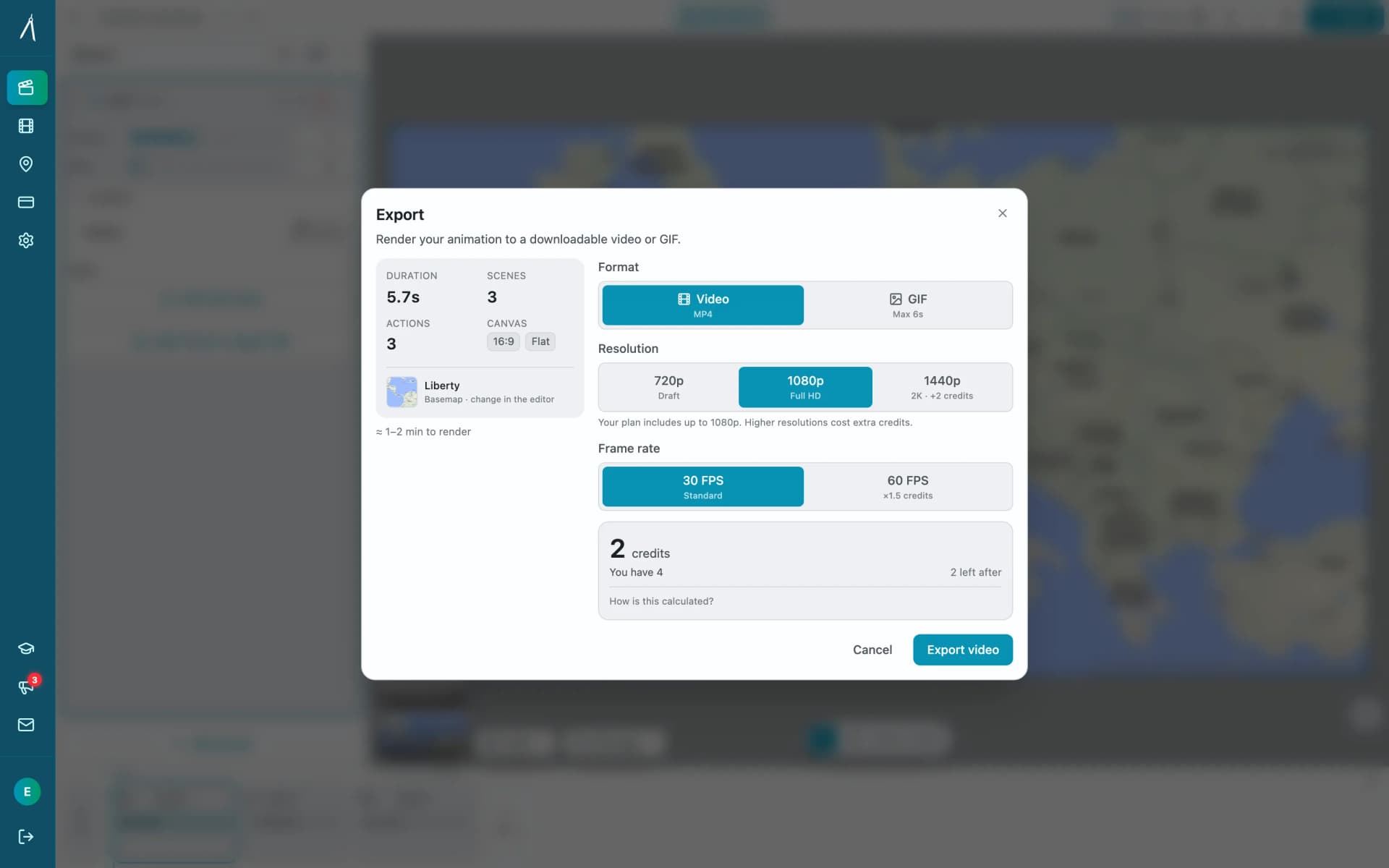
Animaps exports MP4 up to 1080p on Free and Starter and up to 1440p on Pro, plus GIF capped at 6 seconds, in 16:9, 9:16 and 1:1, with a 60 FPS option. Clip length is capped by tier at 30, 45 and 60 seconds.
MapAnimation.io says HD export throughout and names MP4, and its prompt box offers portrait 9:16, widescreen 16:9 and square 1:1. The pages we read do not state a pixel height for "HD", do not state a frame rate, and do not state a maximum clip length, so we are not going to put numbers in their column. Their FAQ says most videos are ready in under five minutes, with complex multi-step animations taking longer.
If your delivery target is 4K, neither tool covers you today. Animaps stops at 1440p, and MapAnimation.io does not advertise 4K on the pages we read.
How You Fix a Result You Do Not Like
This is the real decision, and it is worth being precise instead of scoring points.
MapAnimation.io's answer is the prompt. Their FAQ addresses it directly: if the output is not what you wanted, adjust the wording, pacing or emphasis and generate again, and they say most people land on the result they want within one or two tries. For a lot of jobs that is genuinely enough. If you want Germany highlighted in blue and it comes back close enough, you are finished in minutes and you never opened a timeline.
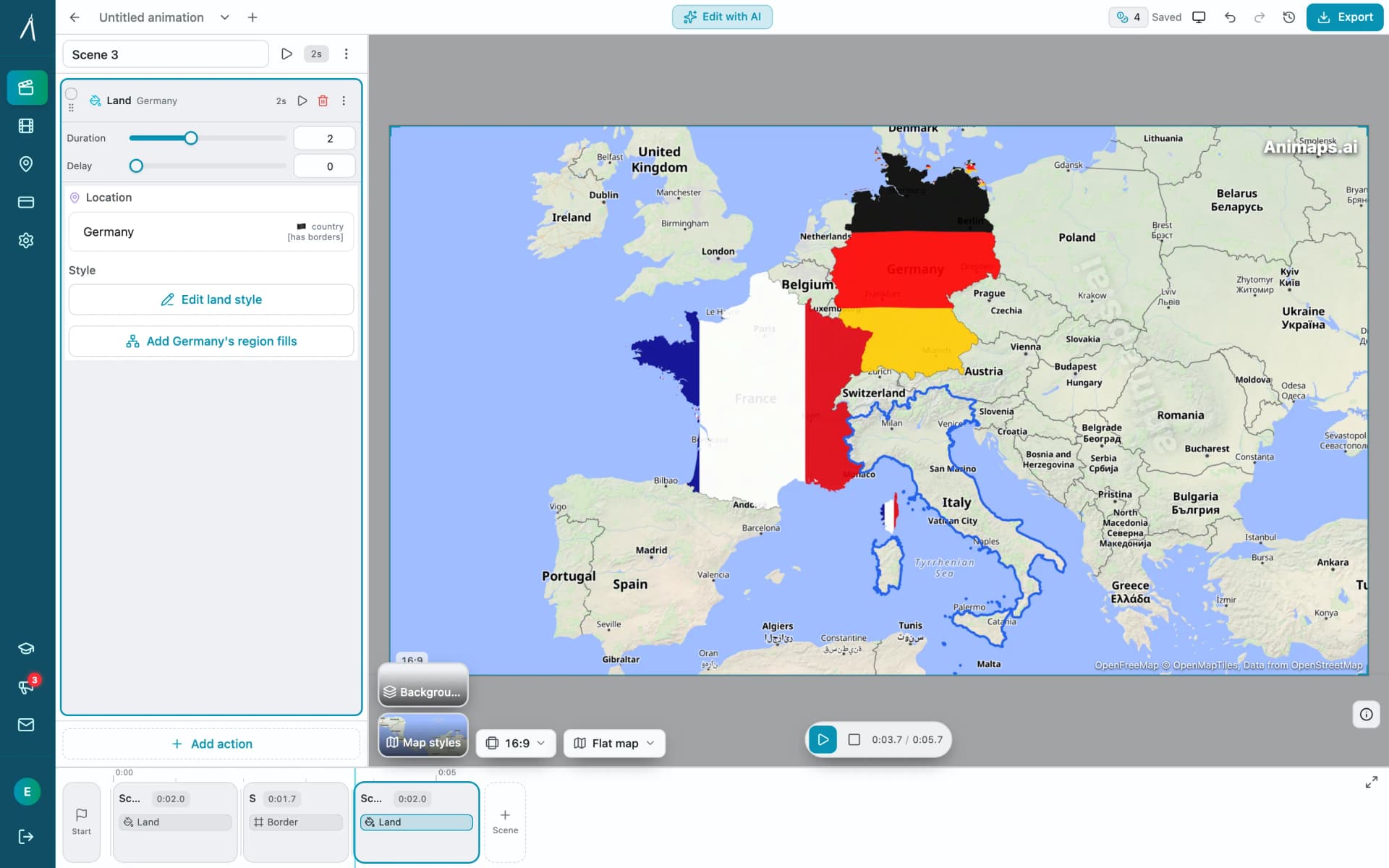
Animaps' answer is the editor. The AI writes the steps and you edit them. If the zoom lands one level too far out, you change that step and watch the preview, without re-running the generation. This matters most when precision is the point: a narrated explainer where the pan has to finish on a specific word, a clip that must be exactly 22 seconds, a sequence of eight countries where the seventh has the wrong colour.
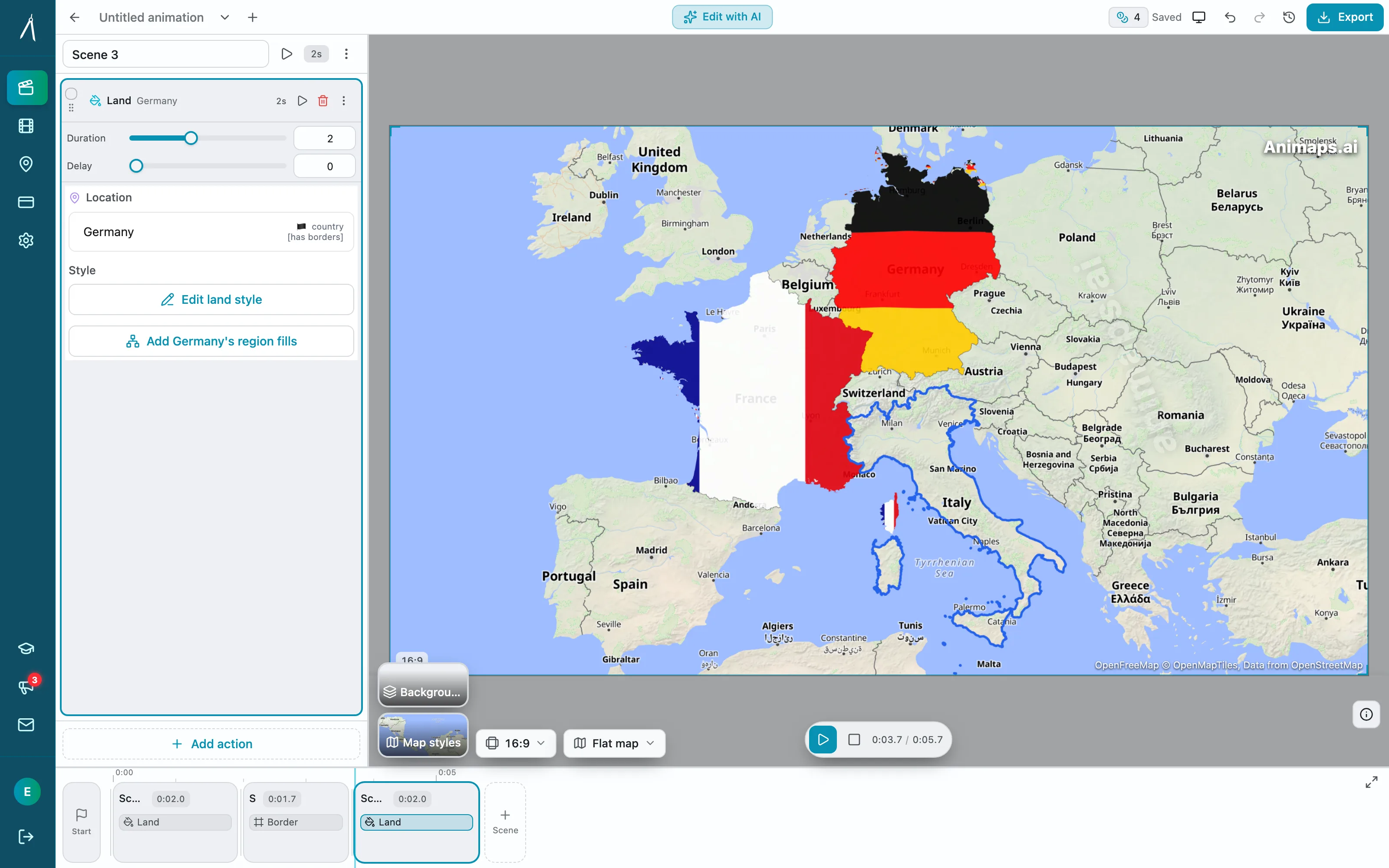
The trade-off is not subtle. Prompt-only is faster when the first result is acceptable. An editor is faster when it is not, and it is the only one of the two approaches that gives you a deterministic answer to "make it 0.5 seconds shorter".
Where Each One Is Stronger
MapAnimation.io is stronger on
Your own media inside the animation. Uploading an image, a video or a sprite, and dropping cinematic elements such as [tank] or [helicopter] straight into the prompt, is a real capability and Animaps does not have an equivalent upload workflow.
Time to first video. Three free videos, no credit card, and a single text box. There is very little to learn.
A clear commercial licence. Their FAQ language on commercial use, monetisation and resale is explicit.
An API. Their navigation lists one. Animaps does not offer an API today.
Animaps is stronger on
Control after generation. The step editor and live preview mean you correct the specific thing that is wrong.
Published pricing. $9.90 and $19.90 per month, with the credits, resolution and duration each tier includes.
Exact durations. Per-step timing and a hard tier cap you can plan a voiceover around.
Animation range. 21 animation types including border tracing, land fills, path tracing, historical border timelapses, labels and icons, and scenes that run several camera moves at once.
Flat and globe from the same project. Both views are first-class.
Who Should Choose Which
Pick MapAnimation.io if
You want one clip, quickly, and you can live with what the AI gives you. You want to drop your own image, video or sprite into the shot. You want an API. You are testing the idea of AI map animation and do not want to learn an editor to do it.
Pick Animaps if
You need the result to match a specific brief. You are cutting to narration and the timing has to be exact. You want to know what you are paying before you sign up. You need a globe view, historical borders, or a wider set of animation types. You would rather fix a draft than roll the dice again.
FAQ
Do both tools work from a text prompt? Yes. Both take plain English and produce a map animation. MapAnimation.io is built entirely around that; in Animaps the prompt produces editable steps.
Can I edit the animation after the AI generates it? In Animaps, yes, in a step editor with a live preview. MapAnimation.io's site describes adjusting the prompt and generating again rather than editing the output.
Which one is cheaper? We cannot answer that fully. Animaps costs $9.90 per month on Starter and $19.90 on Pro, published on its pricing page. MapAnimation.io's pricing page did not show a plan table when we checked in August 2026, so ask them for current rates.
Is there a free option on both? Yes. Animaps gives 12 credits per month at 1080p with a watermark. MapAnimation.io gives your first 3 videos free with no credit card, and its paid plans remove the watermark.
Can I use the videos commercially? MapAnimation.io's FAQ says every video is cleared for commercial use with no ongoing royalties. Animaps removes the watermark on Starter and above; check the current terms on each site before client delivery.
Can either export 4K? Not that we could verify. Animaps caps at 1440p on Pro. MapAnimation.io says HD without stating a figure on the pages we read.
Can I upload my own images or video? MapAnimation.io accepts image, video and sprite uploads in its prompt box. Animaps works from its own map data, locations, labels, icons and drawn elements.
Which handles vertical video? Both. Animaps supports 16:9, 9:16 and 1:1, and MapAnimation.io offers the same three shapes in its prompt box.
The Bottom Line
MapAnimation.io does one thing and does not make you do anything else: type a sentence, get a map video, download it. The sprite and upload support is a genuine differentiator, the free start is easy, and the commercial-use language is refreshingly plain. What you give up is the ability to correct a specific detail without generating again, and, at the time of writing, the ability to see the price before you sign up.
Animaps starts the same way and then gives you the animation itself: 21 animation types, a step editor with a live preview, flat map or globe, and published tiers at $9.90 and $19.90 per month.
If the first draft is usually good enough for you, the simpler tool wins on effort. If your clip has to hit a specific length, a specific frame, and a specific colour, you want something you can edit.
Related Articles:
Keywords: mapanimation.io alternative, animaps vs mapanimation, mapanimation io review, ai map animation generator, text to map video, map animation tool comparison, prompt to map video
Tags
Related reading
Animaps vs EasyMotion: A Map Studio or a General Motion Graphics Tool?
EasyMotion is an AI motion graphics generator where maps sit alongside charts, UI motion, chat scenes and VFX, with transparent MOV export and a 180 second maximum. Animaps only does maps: 21 animation types, a step editor with per-step timing, and flat map or globe. Both publish prices, EasyMotion at $10, $20 and $60 per month and Animaps at $9.90 and $19.90, but only one free tier lets you write your own prompt.
Animaps vs Mapimator: Two AI Map Tools Compared
Animaps and Mapimator both run in a browser and both advertise AI, which makes them look more alike than they are. Mapimator's AI Map Director automates camera work inside a project you build; Animaps generates a whole animation from a written description. Mapimator Pro is $12 per month and exports up to 4K, where Animaps Pro is $19.90 and caps at 1440p. Animaps covers more animation categories and has a far more usable free tier.
How to Create Professional Map Animations in 60 Seconds (No Experience Required)
Most map animation tools require 30-60 minutes per video. After Effects demands hours of work plus months of learning. Animaps creates professional map animations in 60 seconds using natural language commands. Just type what you want, preview instantly, and export. This guide shows you exactly how the 60-second workflow works with real examples.
Browse every article in the Animaps blog.
