AI-Powered Map Animations vs Traditional Methods: A Complete Comparison
Compare AI-powered map animation tools with traditional video editing methods. Learn which approach saves time and money.
Preview & Editor advantage
Draft with AI prompts or templates, then refine every animation step in real time (zoom, opacity, border width, colors, bearing, tilt). Credits are used only when you render the final video.
Animaps Team
Product Team
AI-Powered Map Animations vs Traditional Methods: A Complete Comparison
Last updated: June 11, 2026
TL;DR
AI-powered map animation tools create professional results in 60-90 seconds with zero learning curve. Traditional methods (After Effects, manual editing) offer more creative control but require 45-90 minutes per animation and hundreds of hours of learning. Two years into the AI map-animation wave, the tradeoffs are clearer than ever — this guide breaks them down honestly so you can choose the right approach.
Quick comparison:
| Factor | AI-Powered (Animaps) | Manual Tools (After Effects) | Online Editors |
|---|---|---|---|
| Time per animation | 60-90 seconds | 45-90 minutes | 15-30 minutes |
| Learning curve | 0 hours | 150+ hours | 5-15 hours |
| Cost per year | $0-199 | $660+ (CC subscription) | $0-300 |
| Creative control | Moderate-High | Unlimited | Low-Moderate |
| Breaking news speed | Yes | No | Partially |
Related reading:
- Map animation maker hub: Create animated maps online
- Comparison hub: Map animation maker alternatives
Creating map animations used to require expensive software, hours of manual work, and specialized skills. AI-powered tools have changed what is possible — but they have not made traditional methods obsolete.
The right choice depends on what you are creating, how often you need it, and how much creative control you require. This comparison examines both approaches honestly, including where each one falls short.
What Are "Traditional Methods"?
Traditional map animation methods fall into three categories:
1. Professional Motion Graphics Software
Primary tool: Adobe After Effects with GEOlayers plugin
This is the gold standard for custom map animations. After Effects gives you frame-by-frame control over every element: camera movement, color, timing, typography, effects.
Strengths:
- Unlimited creative freedom
- Pixel-perfect control
- Professional-grade output
- Industry standard (clients and employers expect it)
Weaknesses:
- 150+ hours to learn the basics
- 45-90 minutes per simple animation
- $660+/year for Adobe Creative Cloud
- Desktop-only (not browser-based)
- Requires GEOlayers plugin ($99-199) for map data
For an in-depth look, see our After Effects alternatives comparison.
2. Google Earth Studio
What it is: Free browser-based tool from Google for creating animations using Google Earth imagery.
Strengths:
- Free to use
- High-quality satellite imagery
- 3D terrain and buildings
- Browser-based
Weaknesses:
- No border highlighting or country fills
- No custom labels or icons
- Exports image sequences (not video)
- Requires video editing software for post-processing
- Limited animation control
- Google branding required
3. Manual Video Editing
What it is: Using general-purpose video editors (Premiere Pro, DaVinci Resolve, Final Cut Pro) with static map images and manual keyframing.
Strengths:
- Uses tools you may already own
- Full control over timing and transitions
- Can combine with other video elements
Weaknesses:
- Static maps only (no live geographic data)
- Manual zoom/pan keyframing is tedious
- No automated border highlighting
- Resolution issues when zooming into static images
- 15-45 minutes per simple animation
What Are AI-Powered Methods?
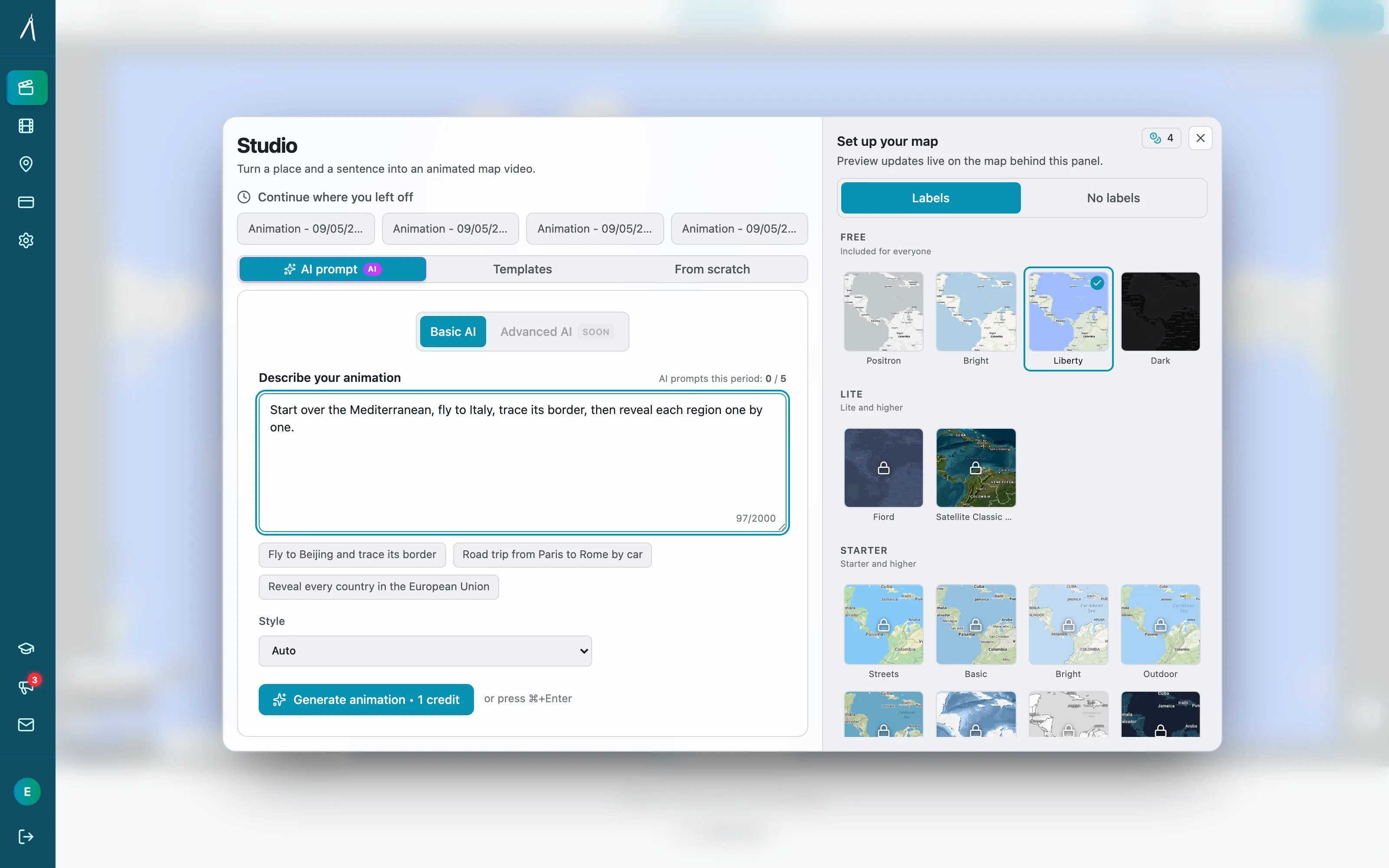
AI-powered map animation tools use natural language processing to convert text descriptions into animated map sequences. You describe what you want in plain English, and the AI generates the animation automatically.
How Animaps works:
- Type a prompt: "Zoom to Japan, highlight Tokyo, add Japanese flag, orbit around the city"
- AI processes: Natural language understanding identifies locations, animation types, and visual elements
- Instant preview: Animation appears in seconds on an interactive flat map
- Edit if needed: Step editor lets you fine-tune timing, camera angles, colors
- Export: Cloud rendering produces MP4 or GIF at 720p or 1080p
The AI draws from a database of 180,000+ locations and supports 21 animation types across camera movements, border effects, land fills, paths, labels, icons, and scenes that run several at once.
Head-to-Head Comparison
Time Investment
This is where AI tools have the most dramatic advantage.
Creating a simple "zoom to country, highlight it, add label" animation:
| Method | First Time | After Learning | With Template |
|---|---|---|---|
| AI (Animaps) | 60-90 seconds | 30-60 seconds | 10-15 seconds |
| After Effects + GEOlayers | 2-3 hours (including learning) | 45-60 minutes | 15-20 minutes |
| Google Earth Studio | 30-45 minutes | 15-20 minutes | N/A |
| Manual video editing | 45-60 minutes | 15-30 minutes | 10-15 minutes |
Creating a complex multi-location animation with paths, labels, and camera changes:
| Method | First Time | After Learning | With Template |
|---|---|---|---|
| AI (Animaps) | 3-5 minutes | 2-3 minutes | 1-2 minutes |
| After Effects + GEOlayers | 4-6 hours | 90-120 minutes | 30-45 minutes |
| Google Earth Studio | Not possible (no overlays) | N/A | N/A |
| Manual video editing | 2-3 hours | 45-90 minutes | 20-30 minutes |
Monthly time commitment for a creator making 10 map animations per month:
| Method | Monthly Hours |
|---|---|
| AI (Animaps) | 0.5-1 hour |
| After Effects | 8-15 hours |
| Google Earth Studio | 3-5 hours |
| Manual editing | 3-8 hours |
The time difference is not incremental. It is an order of magnitude.
Learning Curve
| Method | Time to First Animation | Time to Competency | Time to Mastery |
|---|---|---|---|
| AI (Animaps) | 2 minutes | 30 minutes | 2-3 hours |
| After Effects | 2-4 hours | 40-80 hours | 200+ hours |
| Google Earth Studio | 15-30 minutes | 5-10 hours | 20-40 hours |
| Manual editing | 30-60 minutes | 5-15 hours | 50-100 hours |
AI tools effectively eliminate the learning curve. You type what you want in natural language. If you can describe a location and an action, you can create an animation.
Traditional tools require learning complex interfaces, understanding keyframes and easing curves, managing layers and compositions, and mastering export settings.
Cost
Annual cost comparison:
| Method | Software | Plugins/Add-ons | Hardware | Total Year 1 |
|---|---|---|---|---|
| AI (Animaps Free) | $0 | $0 | Any browser | $0 |
| AI (Animaps Starter) | $99/year | $0 | Any browser | $99 |
| AI (Animaps Pro) | $199/year | $0 | Any browser | $199 |
| After Effects | $660/year | $99-199 (GEOlayers) | $1,500+ PC | $2,260+ |
| Google Earth Studio | $0 | $0 | Any browser | $0* |
| Manual editing | $0-300/year | $0 | Existing PC | $0-300 |
*Google Earth Studio is free but exports image sequences, so you need a video editor to produce the final video. If you use Premiere Pro, add $660/year.
Cost per animation (Pro tier, 200 animations/year):
- Animaps: $0.99 per animation
- After Effects: $3.30+ per animation (software only, excluding labor time)
When you factor in labor time: If your time is worth $30/hour:
- Animaps: $0.99 + $0.75 (90 seconds of time) = $1.74 per animation
- After Effects: $3.30 + $30 (60 minutes of time) = $33.30 per animation
Quality and Output
This is where honest comparison gets nuanced. Both approaches can produce professional results, but they excel at different things.
Where AI tools produce equal or better results:
- Standard zoom-to-location animations
- Country/region highlighting with borders
- Multi-location sequences with smooth camera paths
- Flag and icon placement
- Label positioning
- 3D globe renders with tilt and orbit
- Scenes combining multiple simultaneous animations
The Animaps map animation maker renders final exports on a 3D Cesium globe, producing broadcast-quality output that matches or exceeds what most creators achieve in After Effects.
Where traditional tools produce better results:
- Highly custom typography and branding
- Complex motion graphics beyond maps (lower thirds, transitions, kinetic type)
- Data visualization overlays (charts, graphs integrated with maps)
- Custom illustration styles
- Pixel-perfect brand guideline compliance
- Non-standard visual effects
Where it is roughly equal:
- Camera movements (zoom, pan, orbit, tilt, dolly)
- Geographic accuracy
- Export quality (1080p, 60fps)
- Smooth easing and timing
Flexibility and Creative Control
| Capability | AI (Animaps) | After Effects | Google Earth Studio |
|---|---|---|---|
| Camera movements | 8 types (automated) | Unlimited (manual) | Unlimited (manual) |
| Border effects | 2 types (one that shows, traces or pulses, plus a timelapse) | Manual drawing | None |
| Land fill/highlight | 2 types | Manual masking | None |
| Path tracing | Automated routing | Manual path drawing | Flythrough only |
| Labels | Automated placement | Full typography control | None |
| Icons | 180,000+ locations, flag database | Any custom graphic | None |
| Custom colors | Per-step color picker | Unlimited | None |
| Timing control | Per-step duration slider | Frame-by-frame keyframes | Keyframe-based |
| 3D globe | Built-in (Cesium render) | Plugin required | Built-in |
| Flat map | Built-in (MapLibre preview) | Plugin required | No |
| Scenes (parallel animations) | Built-in | Manual layer timing | Not supported |
AI tools give you structured creative control. You choose from supported animation types and configure parameters. Traditional tools give you unstructured creative freedom — you can do anything, but you have to build everything from scratch.
When to Choose AI-Powered Tools
You Should Use AI Tools When:
1. Speed matters more than custom design
- Breaking news coverage
- Social media content on a schedule
- Regular content production (weekly videos)
- Client work with tight turnarounds
2. You do not have motion graphics experience
- YouTubers who need maps but are not designers
- Journalists who need fast geographic visuals
- Educators creating classroom materials
- Bloggers and newsletter creators
3. Volume is high
- Producing 5+ map animations per week
- Batch creating content for multiple platforms
- Building a library of geographic content
- Running a content agency
4. Budget is limited
- Solo creators and freelancers
- Small newsrooms
- Non-profit organizations
- Students and academics
5. The animation follows standard patterns
- Zoom to a location
- Highlight a country or region
- Show a travel route
- Trace a border
- Place icons and labels
- Orbit or dolly around a point
When to Choose Traditional Methods
You Should Use Traditional Tools When:
1. You need complete creative control
- Highly branded content with strict guidelines
- Award-submission work
- Custom illustration styles
- Experimental visual storytelling
2. The animation goes beyond maps
- Maps combined with data visualization
- Maps integrated into larger motion graphics pieces
- Custom transitions between map and non-map content
- Complex kinetic typography over geographic content
3. You already know After Effects
- If you have invested 150+ hours and are proficient, After Effects is a powerful tool
- If your existing workflow integrates with the Adobe ecosystem
- If your clients specifically require After Effects project files
4. You need frame-by-frame precision
- Broadcast graphics with exact timing requirements
- Animations synced to specific audio cues
- Content for large-format displays or installations
The Hybrid Approach
Many professional creators use both. This is often the best strategy.
How the Hybrid Workflow Works
Use AI for:
- First drafts and rapid prototyping
- Simple animations that do not need customization
- High-volume recurring content
- Breaking news and time-sensitive pieces
Use traditional tools for:
- Hero content that represents your brand
- Complex pieces that go beyond standard map animations
- Content where you need complete creative ownership
- Projects with large budgets and long timelines
Example Hybrid Workflow
A documentary production team might:
- Use Animaps to rapidly prototype 20 map animation concepts (30 minutes total)
- Select the 5 best concepts
- Recreate 3 of them in After Effects with custom branding (3 hours each)
- Use the Animaps exports directly for the other 2 (already done)
Total time: 9.5 hours for 5 animations After Effects only: 15+ hours for 5 animations Savings: 5+ hours of production time
Common Objections (Addressed Honestly)
"AI animations all look the same"
Partially true, partially false. AI tools produce animations within their supported styles. If every creator uses "zoom to France, highlight Paris," the results will be similar. But Animaps offers 21 animation types, customizable colors, adjustable timing, camera angles, tilt, orbit, and scenes — which provides significant variety.
That said, if you need a completely unique visual style that no one else has, traditional tools are the answer.
"AI cannot match After Effects quality"
False for standard map animations. Animaps renders final exports on a Cesium 3D globe at 1080p/60fps. The output quality is broadcast-grade. For standard geographic animations (zoom, highlight, trace, label), the quality is equal to or better than what most After Effects users produce — because the AI optimizes camera easing, timing, and transitions automatically.
True for custom motion graphics. If you need complex particle effects, custom typography animations, or integration with non-map visual elements, After Effects is still unmatched.
"I will lose my job if AI replaces manual work"
Unlikely. AI tools change what you spend time on, not whether you are needed. Motion designers who previously spent 60% of their time on routine map animations can now spend that time on creative work that actually requires human judgment. The demand for visual content is growing faster than AI is replacing it.
"AI tools are a fad"
No. Natural language interfaces for content creation are a structural shift, not a trend. The same way Canva did not kill graphic design but democratized it, AI map tools will not kill motion graphics but will make basic map animations accessible to everyone.
"Free tools like Google Earth Studio are good enough"
For some use cases, yes. Google Earth Studio is excellent for satellite-imagery flyovers. But it cannot highlight countries, trace borders, add custom labels, place icons, or fill land areas. If you need any of those features — which most map animation use cases do — you need a different tool.
Feature-by-Feature Deep Dive
Geographic Data
| Feature | AI (Animaps) | After Effects + GEOlayers | Google Earth Studio |
|---|---|---|---|
| Location database | 180,000+ locations | Map tile layers | Google Earth data |
| Country borders | Pre-loaded, animatable | Manual tracing or plugin data | Satellite only |
| City locations | Pre-loaded with labels | Manual placement | Search-based |
| Landmarks | Database included | Manual research | Google POI data |
| Border accuracy | Maintained database | Depends on source | Satellite-based |
| Historical borders | Supported (timelapse) | Manual research + drawing | None |
Animation Capabilities
| Feature | AI (Animaps) | After Effects | Google Earth Studio |
|---|---|---|---|
| Smooth zoom | AI-optimized easing | Manual keyframes | Manual keyframes |
| Camera orbit | One-step | 20+ keyframes | 10+ keyframes |
| Camera tilt | 0-85 degrees, one setting | Manual 3D camera | Manual |
| Border tracing | Automated | Manual path animation | None |
| Land highlighting | Color picker, automated | Manual masking | None |
| Path animation | Automated routing | Manual path creation | Flythrough only |
| Scenes (parallel) | Built-in | Manual layer timing | Not supported |
| Duration control | Per-step slider | Frame-by-frame | Frame-by-frame |
Export and Delivery
| Feature | AI (Animaps) | After Effects | Google Earth Studio |
|---|---|---|---|
| MP4 export | Direct | Direct | Requires post-processing |
| GIF export | Direct | Plugin needed | Not supported |
| 720p | Yes | Yes | Yes |
| 1080p | Yes | Yes | Yes |
| 4K | Not yet | Yes | Yes |
| 30fps | Yes | Yes | Yes |
| 60fps | Yes | Yes | Yes |
| 9:16 vertical | Yes | Manual composition | Not standard |
| 1:1 square | Yes | Manual composition | Not standard |
| Cloud rendering | Yes (GPU) | No (local) | No (local) |
Cost Analysis: 1-Year Scenarios
Scenario 1: Casual Creator (5 animations/month)
| Method | Annual Cost | Annual Time | Total Investment |
|---|---|---|---|
| Animaps (Free + Starter) | $99 | 5 hours | $99 + 5 hours |
| After Effects | $660 + $99 plugin | 50 hours + 150 hours learning | $759 + 200 hours |
| Google Earth Studio | $0 + $660 (Premiere) | 20 hours | $660 + 20 hours |
Winner: Animaps (10x less time, 7x less cost)
Scenario 2: Professional Creator (20 animations/month)
| Method | Annual Cost | Annual Time | Total Investment |
|---|---|---|---|
| Animaps Pro | $199 | 20 hours | $199 + 20 hours |
| After Effects | $660 + $199 plugin | 200 hours + 150 hours learning | $859 + 350 hours |
| Google Earth Studio + editor | $660 | 80 hours | $660 + 80 hours |
Winner: Animaps (17x less time, 4x less cost)
Scenario 3: Agency/Newsroom (100 animations/month)
| Method | Annual Cost | Annual Time | Total Investment |
|---|---|---|---|
| Animaps Pro (2 seats) | $398 | 100 hours | $398 + 100 hours |
| After Effects (2 licenses) | $1,320 + $398 plugins | 1,000+ hours | $1,718 + 1,000 hours |
Winner: Animaps (10x less time, 4x less cost)
Making Your Decision
Choose AI (Animaps) if:
- You value speed over unlimited customization
- You create map animations regularly
- You do not have (or want to invest in) After Effects expertise
- Your budget is limited
- Your animations follow standard geographic patterns
Choose After Effects if:
- You need complete creative control
- You already know the software well
- Your animations require non-standard visual styles
- You need to integrate maps with other motion graphics
- Your clients require After Effects project files
Choose the hybrid approach if:
- You need both speed and occasional custom work
- You have varying project requirements
- You want to prototype with AI and refine traditionally
- You are transitioning from traditional to AI workflows
The Bottom Line
AI-powered map animations and traditional methods are not competitors — they are complementary tools for different situations.
AI tools like Animaps have made professional map animations accessible to everyone, regardless of skill level or budget. For the majority of use cases — YouTube intros, news graphics, educational content, social media posts — AI produces equal-quality results in a fraction of the time and cost.
Traditional tools remain essential for highly custom work, complex motion graphics, and situations where complete creative control is non-negotiable.
The question is not "Which is better?" but "Which is right for this project?"
For most creators, the answer increasingly starts with AI.
Try it yourself:
Animaps free tier includes:
- 12 credits/month
- All 21 animation types
- All 180,000+ locations
- MP4 and GIF export
- 720p and 1080p
- No credit card required
Start creating: animaps.ai
Related Articles:
- 5 Best After Effects Alternatives for Map Animations in 2026
- How to Create Professional Map Animations in 60 Seconds
- Animaps vs After Effects: Which Tool Should You Choose?
- How to Create Stunning Map Animations for YouTube
- Best Practices for Educational Map Animations — the same tools applied to a classroom audience
- Map Animation Tips for Journalists and News Creators — how newsroom deadlines change the workflow
Keywords: AI map animations, AI vs traditional map animations, map animation comparison, automated map animations, After Effects alternative, AI map generator, map animation tools comparison, best map animation method, AI-powered geographic animations
Tags
Related reading
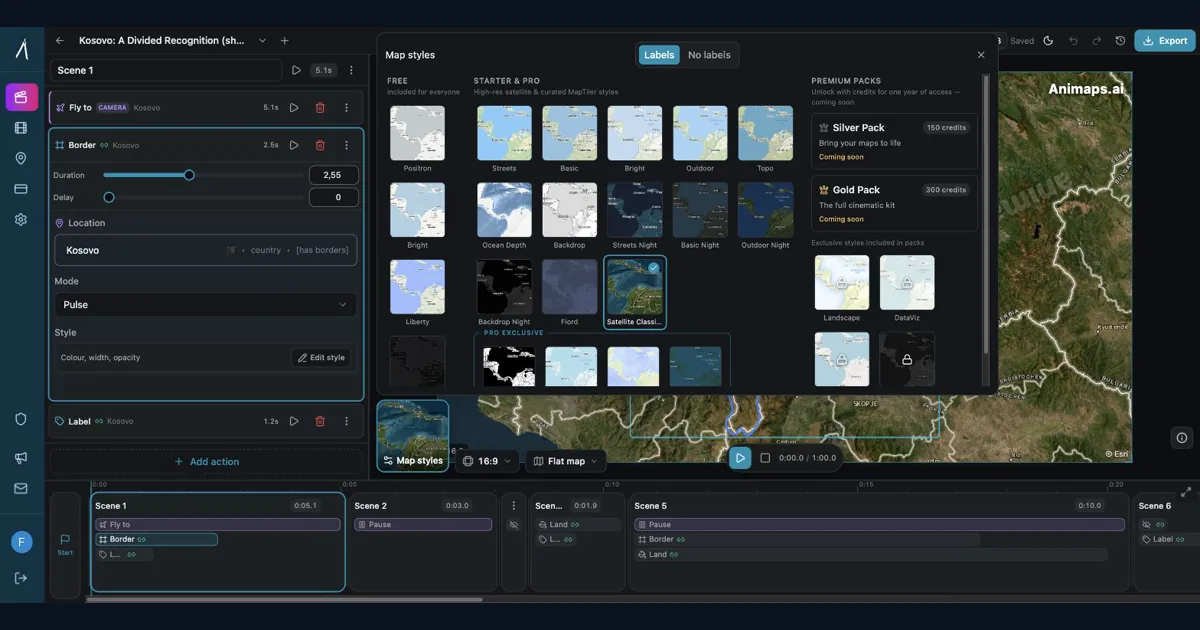
Best AI Map Animation Tools Compared (2026)
Most AI map tools work the same way: type a prompt, render, hope it's good. Animaps is the only tool with a full interactive preview and step editor — so you see and edit every frame before spending credits. This guide compares the 5 leading map animation tools to help you choose.
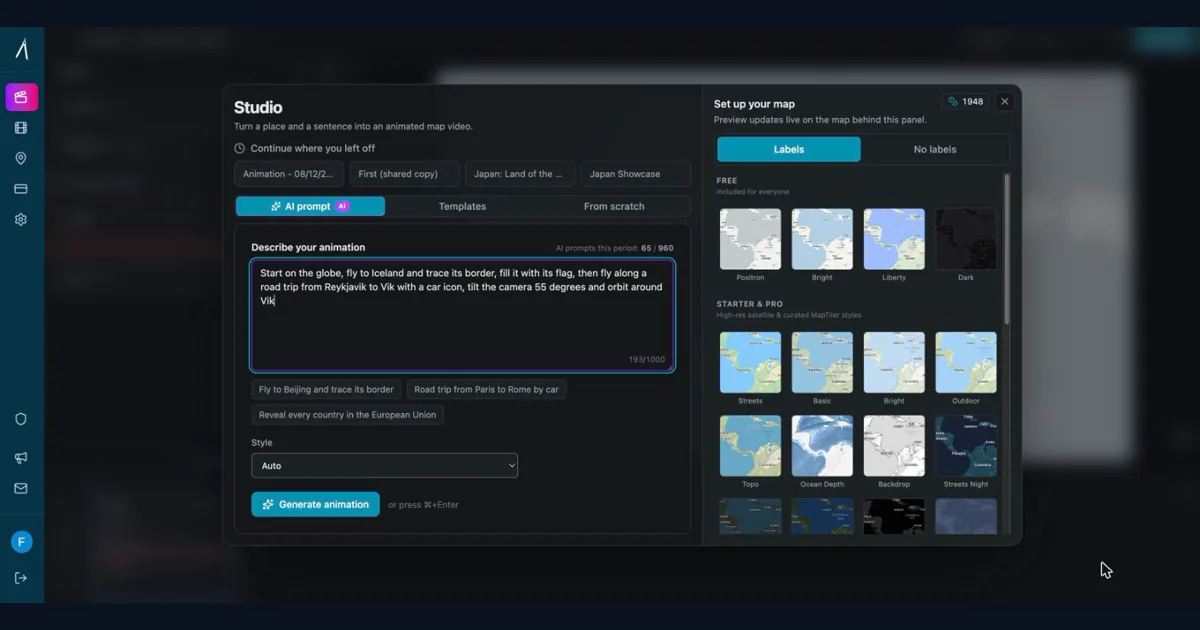
How to Create Professional Map Animations in 60 Seconds (No Experience Required)
Most map animation tools require 30-60 minutes per video. After Effects demands hours of work plus months of learning. Animaps creates professional map animations in 60 seconds using natural language commands. Just type what you want, preview instantly, and export. This guide shows you exactly how the 60-second workflow works with real examples.
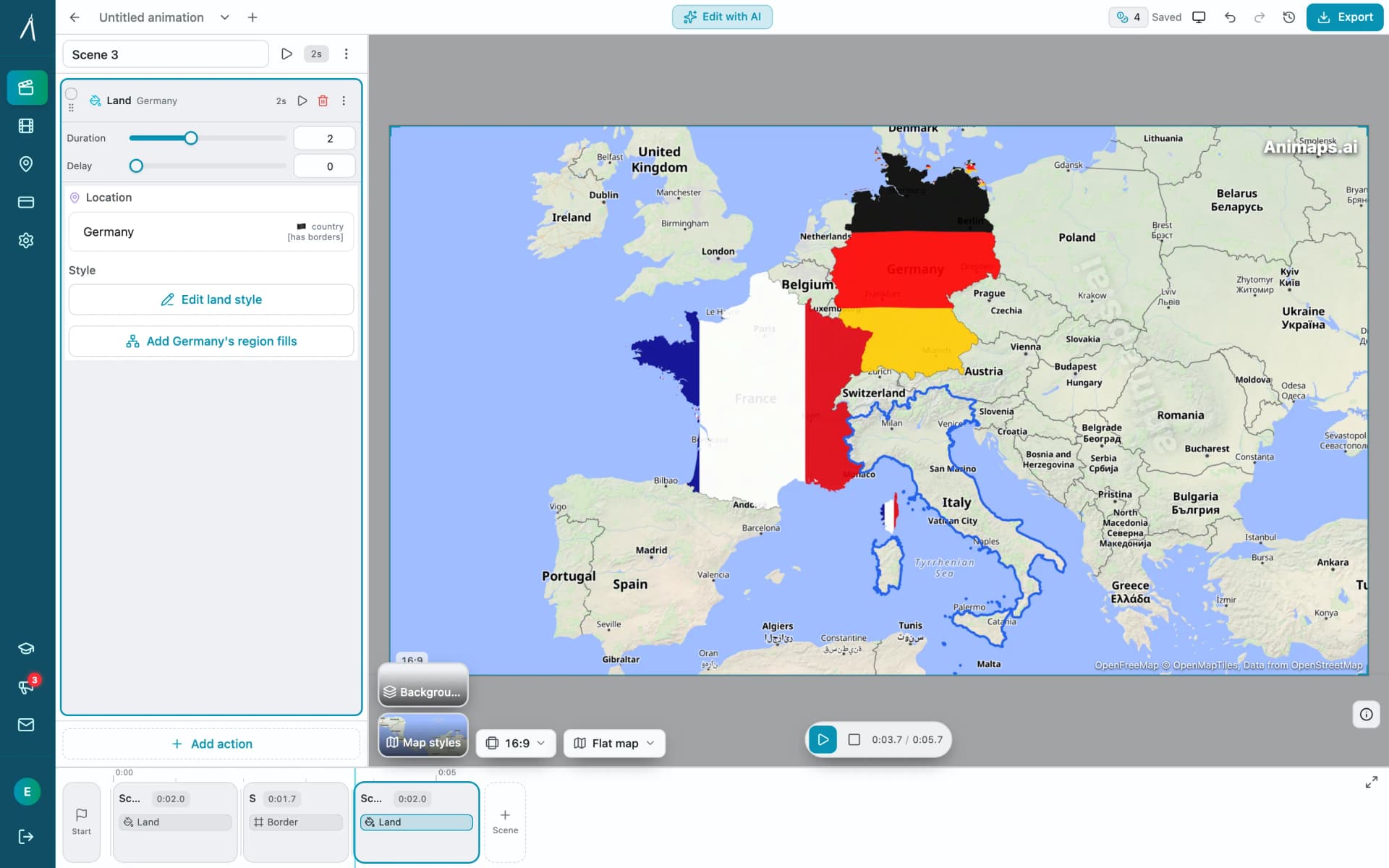
Animaps vs EasyMotion: A Map Studio or a General Motion Graphics Tool?
EasyMotion is an AI motion graphics generator where maps sit alongside charts, UI motion, chat scenes and VFX, with transparent MOV export and a 180 second maximum. Animaps only does maps: 21 animation types, a step editor with per-step timing, and flat map or globe. Both publish prices, EasyMotion at $10, $20 and $60 per month and Animaps at $9.90 and $19.90, but only one free tier lets you write your own prompt.
Browse every article in the Animaps blog.